8
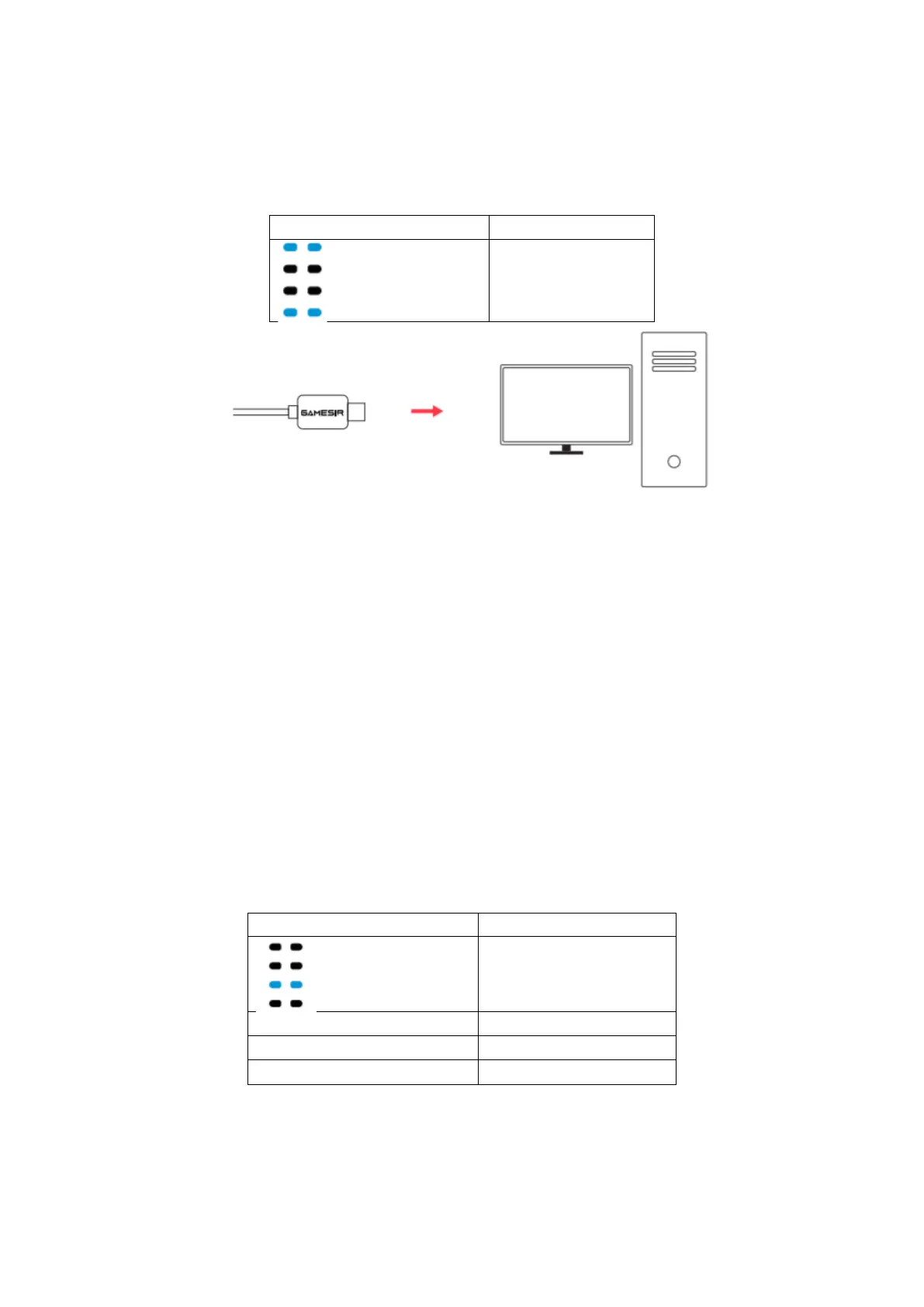
HOW TO CONNECT TO PC VIA A USB CABLE
Plug the USB cable to the USB port of your computer.
HOW TO CONNECT TO SWITCH OR SWITCH LITE VIA
BLUETOOTH
1. Go to the main interface of the Switch and click: Joy Con – change the grip/ order
and enter the pairing interface.
2. Press the Y + HOME button until the gamepad is turned on.
3. Gamepad will automatically pair with Switch or Switch Lite.
4. The next time you connect to Switch or Switch Lite, as long as you press the
HOME button to power on, the gamepad will automatically connect.
NOTE: If the gamepad has been switched to another mode, you need to use the key
combination to restart.
In Switch or Switch Lite, the value of the A button and B button, X button and Y button of
the gamepad will be swapped



 To Next Page