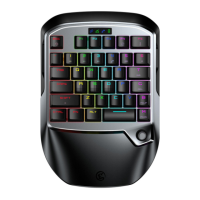
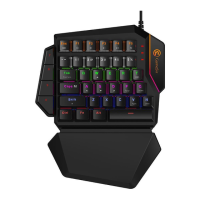
POWER INSTRUCTIONS
Charging time: 2-3 hours.
Charger adapter: 5V-1A.
When GameSir VX gaming keypad is connected, power indicator stays blue.
When GameSir VX gaming keypad is charged, power indicator ashes in green.
When GameSir VX gaming keypad is in low power condition (15% and below), power indicator stays red.
When GameSir VX gaming keypad is in low power condition (5% and below), it will automatically power o.
CONNECT TO GAMESIR VX G-CRUX MOBILE APP
GameSir VX G-Crux APP allows you to congure keys, adjust sensitivity and achieve abundant congurations
on GameSir VX gaming keypad.
a. Power on GameSir VX gaming keypad. The LED indicator light ashes in green, GameSir VX gaming keypad
is ready to be connected.
b. Press Fn and F4 key of GameSir VX gaming keypad simultaneously. The LED indicator light ashes in blue,
GameSir VX gaming keypad can be connected to mobile phone.
c. Turn on Bluetooth on your mobile phone, search GameSir VX gaming keypad to pair and connect. The LED
indicator light stays blue when it’s connected successfully.
d. Open GameSir VX G-Crux APP to congure the keys.
HIP & ADS SENSITIVITY ADJUSTMENT (FOR CONSOLES ONLY)
G1,G2 keys can be used to adjust HIP sensitivity. G1 is to increase the value, G2 is to decrease the value.
There are 10 levels of adjustment. The default level is level 8.
G3,G4 keys can be used to adjust ADS sensitivity. G3 is to increase the value, G4 is to decrease the value.
There are 10 levels of adjustment. The default level is level 5.
AUTOMATIC SLEEPING MODE
When GameSir VX gaming keypad is connected, it will automatically switch to sleeping mode within 600 seconds
under no operation.
When GameSir VX gaming keypad is disconnected, it will automatically switch to sleeping mode within 120 seconds
under no operation.
* When GameSir VX gaming keypad is in sleeping mode, please press G1 button to reconnect again with your
devices.
GAMESIR GM190 GAMING MOUSE DPI ADJUSTMENT
The default DPI level of GameSir GM190 gaming mouse is 2000. Press the DPI button to adjust 4 levels of DPI
(500/1000/1500/2000). The indicator light of GameSir GM190 gaming mouse will ash in dierent colors:
GM190 GAMING MOUSE POLLING RATE ADJUSTMENT
The default polling rate of GameSir GM190 gaming mouse is 500Hz. Press the right button+DPI button to adjust
4 levels of polling rate (125Hz/250Hz/500Hz/1000Hz). The indicator light of GameSir GM190 gaming mouse will
ash in white in dierent frequency:
Green: 500DPI
Blue: 1000DPI
Yellow: 1500DPI
Red: 2000DPI
Flash once: 125Hz
Flash twice: 250Hz
Flash three times: 500Hz
Flash four times: 1000Hz
RESET
Press Fn+Esc to reset GameSir VX gaming keypad.


 To Next Page