8
SCOREBOARD OPERATION
TIP:
Bilingual (English and French) Home 1 and Guest 10 faceplates are supplied with the
scoreboard. You may visit our website to download the faceplate template that you may use to
customize with your own team logo.
Switching the unit ON
Press POWER 28 .
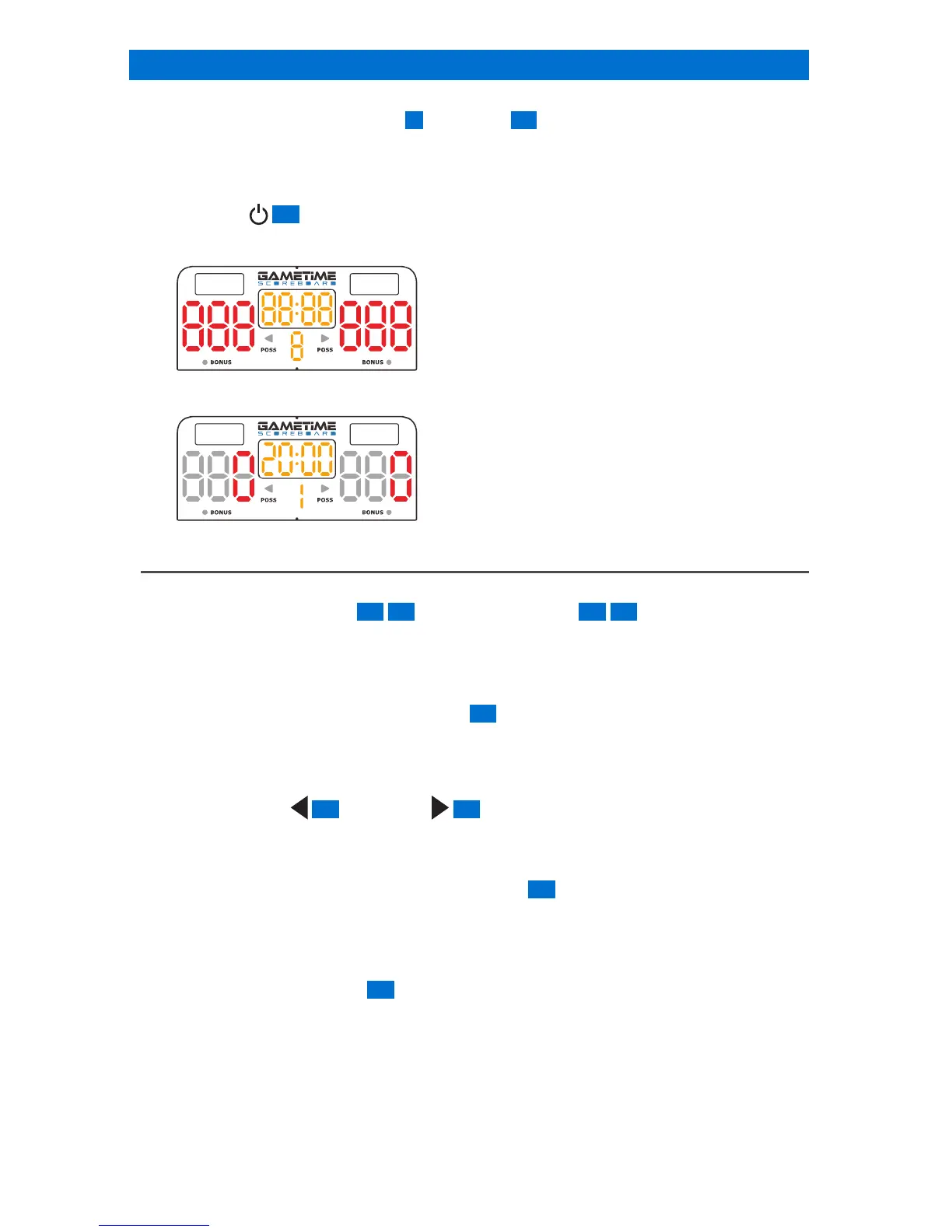
Î The unit will display as following:
Î After 5 seconds, the unit will display as follow:
BASIC CONTROLS
Score Control
Press the SCORE + BUTTON 32 43 or SCORE - BUTTON 37 38 to increase or decrease
the score.
The scores can be adjusted in the range of 0-999.
Timer Control
1. Press and hold TIMER CLOCK BUTTON 31 for 3 seconds.
Î The timer digits for the minutes will blink.
Î The timer digits for the minutes will always blink if there is no operation.
2. Press BUTTON 26 or BUTTON 30 to set the minutes then press TIMER CLOCK
BUTTON to conrm.
3. Repeat step 1 to set the other minutes and seconds digits.
4. Once timer is set, press and hold TIMER CLOCK 31 until the digits stop blinking to
conrm.
Î The count down timer can be set in the range of 00:00 to 99:59 (99 minutes and 59
seconds)
Press TIMER CLOCK BUTTON 31 to start or stop the timer.
*Timer can’t be changed if the timer is running.
Timing Units
If the clock is counting DOWN and there are fewer than 60 seconds on the game clock, the
clock display shows seconds and hundredths of a second.
This is indicated by a period “ . ” rather than a colon “ : ” in between the digits.


 To Next Page