Need help?
Do you have a question about the Gamewell IF610 and is the answer not in the manual?
Warns about hazards from improperly installed or operated components and recommends qualified technicians and safety gear.
Provides guidance on recommended operating conditions and general installation best practices.
Details wiring standards, conductor requirements, and circuit protection for survivability.
Outlines ongoing maintenance needs and re-acceptance testing requirements for system upkeep.
Covers FCC and Canadian compliance for radio frequency energy and interference.
Explains limitations of smoke detection due to physical barriers, density, and detector types.
Discusses causes of nuisance alarms and general sensing limitations of smoke detectors.
Discusses limitations of audible/visual warning devices in alerting occupants, especially those with impairments.
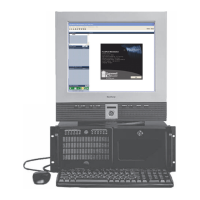
Describes the FocalPoint Gateway's role and lists compatible Gamewell/FCI panels.
Explains workstation network setup and communication over IP networks.
Notifies users about field-programmable software and UL 864 compliance for features and options.
Lists compliance with National Fire Protection Association and Underwriters Laboratories standards.
Specifies regulatory agencies and codes for product installation.
Discusses using the gateway in retrofit applications and potential AHJ approval requirements.
Details the environmental conditions required for gateway installation.
Emphasizes the importance of keeping the manual with the hardware and passing it to new owners.
Warns about installation issues and provides an overview of the installation process.
Lists the FPT Gateway Assembly, network components, and customer-supplied equipment.
Warns about potential equipment damage from incorrect power handling during installation.
Explains the function of Reset Button, Mode Button, and Lithium Battery on the gateway PC board.
Advises observing ESD protection procedures when handling circuit boards and electronic parts.
Details the steps for unlocking, removing the door, and mounting the cabinet back box to the wall.
Instructs on connecting conduit and proceeding to hardware installation.
Illustrates mounting the PNET-1 and PC board onto standoffs and grounding the PNET-1.
Warns about ESD protection and notes the presence of a grounding screw.
Warns that communication ports require exclusive use by the gateway, shared use is not supported.
Outlines the steps for connecting CAT5, Ethernet, and serial cables for various panels.
Cautions about using RPI, SAN, or RAN with specific gateway versions for proper operation.
Notes conduit and length requirements and supervision for the 7100 serial connection.
Shows the wiring diagram for a 600 Series router serial data connection.
Illustrates a direct serial data connection for an IF602 panel using its supplied cable.
Depicts the serial cable connection for an E3 panel.
Shows the assembly and connection for a 7100/7200 serial cable.
Mentions variations in 7200 panel connectors and firmware support for serial cables.
Lists the typical, minimum, and maximum input voltage specifications for the power supply.
Illustrates the power connection to the gateway's PC board.
Warns about potential equipment damage from incorrect power handling during servicing.
States that wiring connections are supervised and power limited, with an exception for the 7100 serial connection.
Repeats the note about 7100 conduit, length, and supervision for the serial connection.
Provides a note for Canadian installations regarding cabinet connection to the FACP.
Lists line impedance and max distance for RS232 and Ethernet connections.
Details the procedure for selecting the FPT Gateway using the Config Tool and setting its default IP.
Emphasizes the requirement for static IP addresses for all system components.
Guides through setting the IP address, subnet mask, and gateway for the FPT Gateway.
Explains logging into the Config Tool using the default password to enable editing.
Explains how to refresh the gateway list and select the newly configured gateway.
Guides the user to the next configuration step for panel settings.
Details selecting panel configuration, network type, and making Node Map changes for E3 panels.
Guides the user to the next configuration step for time settings.
Covers setting the SNTP server address to dictate GMT for network synchronization.
Details entering the SNTP server address into the configuration tool.
Guides the user to the next configuration step for time zone settings.
Explains how to set the GMT Minute Offset for time synchronization.
Details how to enable or disable Daylight Saving Time (DST) observance and select time zones.
Notes that DST Begin/End fields are only for custom time zone settings.
Guides the user to the next configuration step for login password settings.
Details entering the current password, new password, and re-entering it to change the gateway password.
Summarizes the completed configuration steps for IP, Time, and Password settings.
Notes that the Reset button must be pressed for IP changes via this alternate method.
Outlines the steps for changing the IP address using Internet Explorer and the gateway interface.
Guides on applying settings and rebooting the gateway after IP address changes.
Explains how to add a network connection for the gateway to the workstation.
Emphasizes the need for proper user login with security options for configuration.
Describes how to connect existing gateways to the workstation using PC Monitor operations and importing data.
Outlines the procedure for adding a new network connection and gateway using the Configuration Tool.
Details starting the Workstation application and launching the Configuration Tool.
Provides methods for adding the gateway by IP address or selecting from online gateways.
Guides on exiting the tool and confirming database updates.
Explains how to set up and manage groups on Gamewell panels via the Workstation.
Details the step-by-step procedure for configuring panel groups on the Workstation.
Emphasizes the need for administrative login to configure Workstation settings.
Describes how the Workstation handles special events like network connection interruptions and gateway power-ups.
Explains the consequences of not mapping nodes or mapping nodes that are not on the network for E3 systems.
Details issues arising from incorrect node mapping, affecting trouble annunciation and event reporting.
Lists common commands for Gamewell/FCI devices that can be sent from the Workstation.
States restrictions on Internet use for ULC applications and workstation monitoring.
Lists specific codes appended to point IDs for off-normal events on FCI 7200 panels.
Explains how panels not using default descriptions result in auto-created question marks in the Workstation.
Introduces the SmartProgram II application and its role in programming panel descriptions for auto-creation.
Provides an overview of the Config Tool interface and details its various fields and properties.
Details the Version, IP Address, Subnet Mask, Gateway, and SNTP Server Address fields.
Explains how to set the GMT Minute Offset for time synchronization.
Details how to enable or disable Daylight Saving Time (DST) observance and select time zones.
Notes that DST Begin/End fields are only for custom time zone settings.
Refers to panel configuration procedures and details fields for panel type, node number, password, and node mapping.
Lists and describes the functions of the File, View, Configure, and Help menus in the Config Tool.
Outlines the manufacturer's warranty terms, limitations, and void conditions.
Details the procedure for submitting and processing warranty claims.


 To Next Page
 General