21
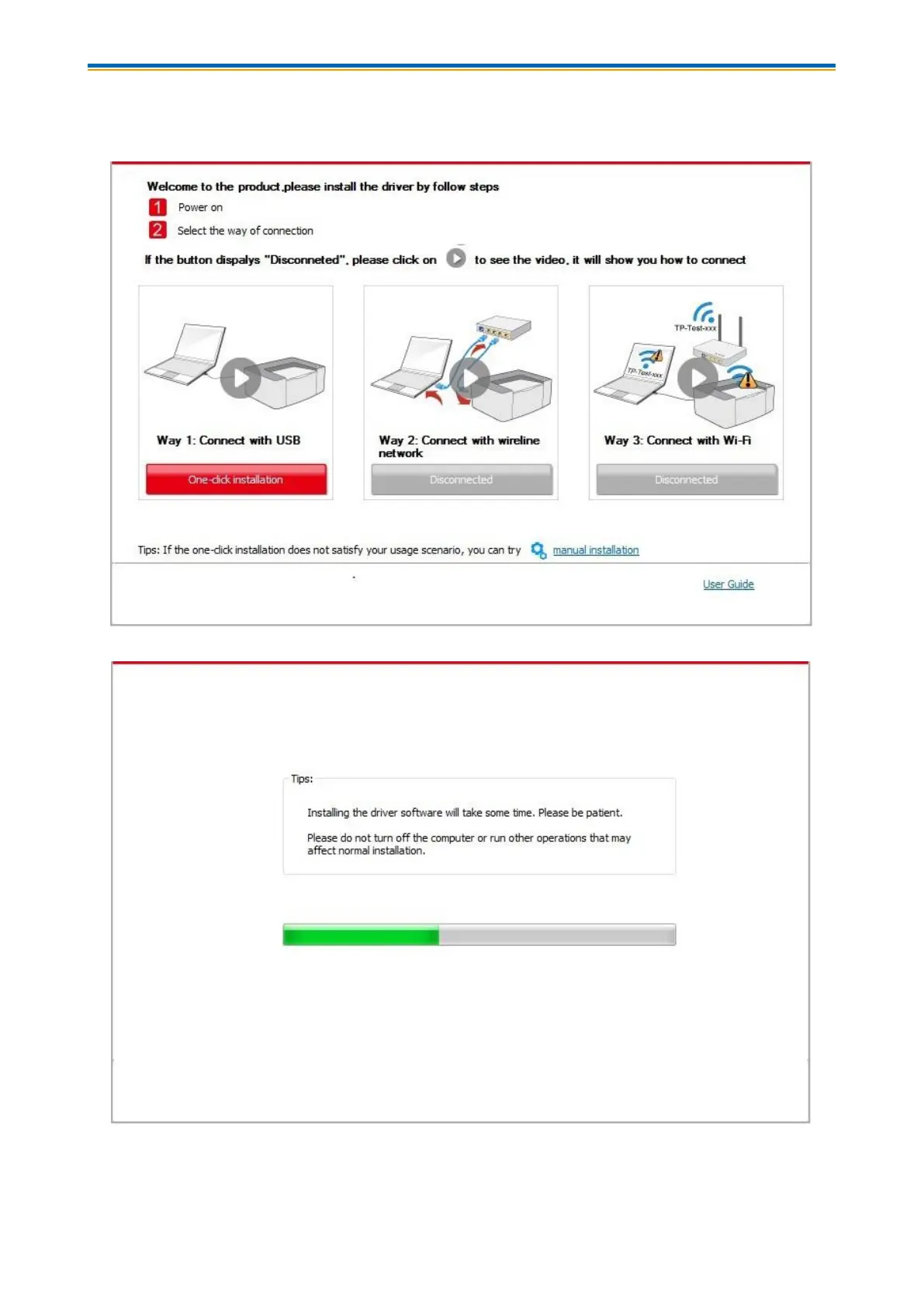
5. The setup will start when you click on "One-click installation" under USB. The setup may take a
while, depending on your PC configuration. Please wait.
6. After the installation, click "Print &Test Page" button. If your printer prints the test page
successfully, it means that you have installed the driver correctly.


 To Next Page
 Loading...