1.3 Connection
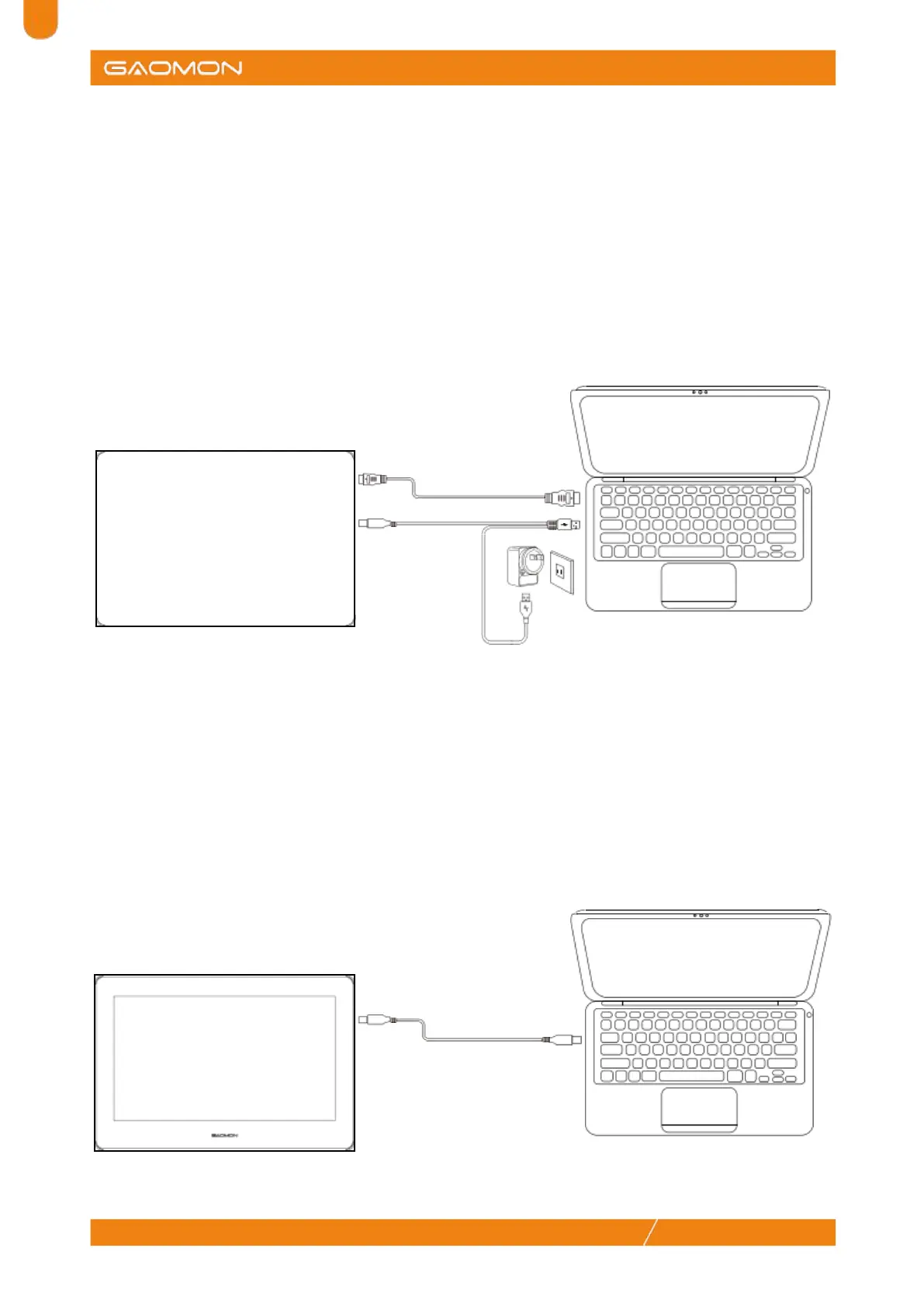
Scenario 1
Step 1: Connect the pen display to PC with the HDMI cable;
Step 2: Connect the pen display to PC with the Type-C male plug inserted into the pen display, and
the USB-A male plug inserted into the computer. (The red USB-A male plug is for power supply)
Note: If there is no response on the pen display or a flashing screen occurs, the other USB-A male
plug left shall also be inserted into the PC or a power adapter, and please make sure there are two
USB-A ports on the PC.
HDMI
Mini HDMI
Type-C
USB-A
Scenario 2
Step 1: Buy a Type-C to Type-C cable (not included in the package);
Step 2: Connect the pen display (both Type-C ports can do the work) to PC with the Type-C to
Type-C cable.
Note: Please make sure the Type-C ports of the PC supports USB3.1 and DP1.2 protocol.
Type-C
Type-C


 To Next Page