To configure the Wi-Fi network with another device:
Wait until the Internet LED illuminates yellow permanently
(the configuration network is activated).
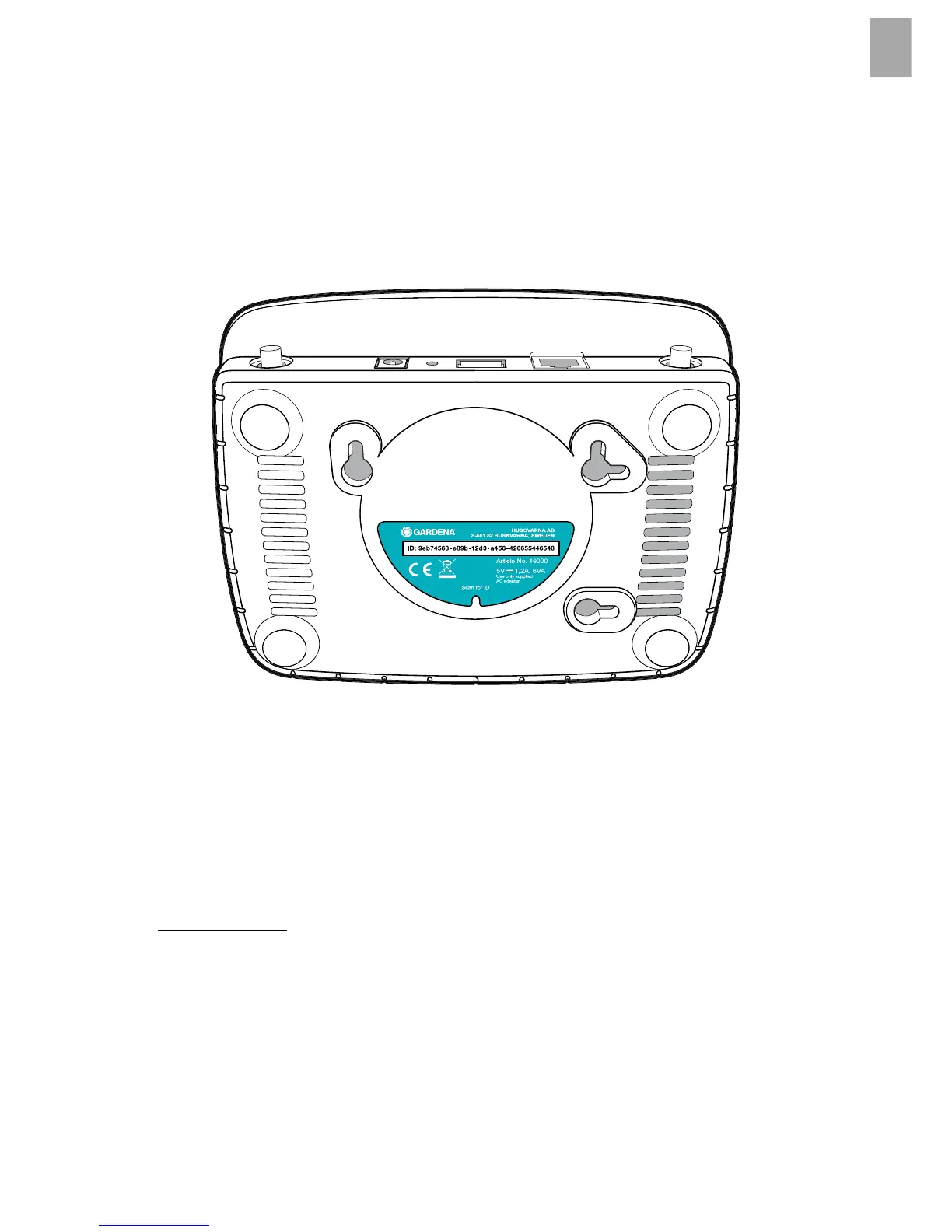
To establish a connection via Wi-Fi, you need your Gateway ID.
The Gateway ID can be read on the sticker on the underside of the
Gateway. You will also need the password for your Wi-Fi network.
1. Connect to the GARDENA configuration network. To do this,
go to the Wi-Fi settings on your smartphone, tablet, or computer.
The Gateway should now be displayed there as an available
Wi-Fi network.
The network name starts with “GARDENA_config”.
2. Open the URL:
http://10.0.0.1
in your preferred Internet browser.
You should now see the Gateway Interface.
11


 To Next Page