EasyManua.ls Logo

Gardena Comfort 4000/5E - User Manual

Gardena Comfort 4000/5E
19 pages
Print Icon
To Next Page IconTo Next Page
Loading...
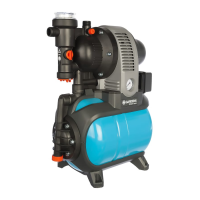
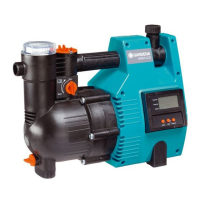
Classic 3500/4E Art. 1757 Comfort 4000/5E Art. 1758
LV LT ET SQ BG TR RO UK
SR /
BS
HR SL RU EL SK CS HU PL PT ES IT NO FI DA SV NL FR EN DE
DE Betriebsanleitung
Hauswasserautomat
EN Operating Instructions
Electronic Pressure Pump
FR Mode d’emploi
Station de pompage
NL Gebruiksaanwijzing
Elektronische hydrofoorpomp
SV Bruksanvisning
Pumpautomat
DA Brugsanvisning
Husvandværk
FI Käyttöohje
Painevesipumppu
NO Bruksanvisning
Trykkpumpe
IT Istruzioni per l’uso
Pompa ad intervento automatico
ES Instrucciones de empleo
Estación de bombeo
PT Manual de instruções
Bomba de pressão
PL Instrukcja obsługi
Hydrofor
HU Használati utasítás
Háztartási automata szivattyú
CS Návod k obsluze
Domácí vodní automat
SK Návod na obsluhu
Domáci vodný automat
EL Οδηγίες χρήσης
Συσκευή παραγωγής νερού
οικιακής χρήσης
RU Инструкция по эксплуатации
Автоматический напорный
насос
SL Navodilo za uporabo
Hišna vodni avtomat
HR Upute za uporabu
Kućni automat za vodu
SR / Uputstvo za rad
BS Hidropak
UK Інструкція з експлуатації
Помпа напірна автоматична
RO Instrucţiuni de utilizare
Hidroforul Electronic
TR Kullanma Kılavuzu
Konut suyu hidroforları
BG Инструкция за експлоатация
Помпа с електронен пресостат
за високо налягане
SQ Manual përdorimi
Automati i ujit i shtëpisë
ET Kasutusjuhend
Pump-veeautomaat
LT Eksploatavimo instrukcija
Buitinis automatinis slėgimo
siurblys
LV Lietošanas instrukcija
Elektroniskais ūdens sūknis

Questions and Answers

  • S
    Sandra Santos MDJul 27, 2025
    Why Gardena Water Pump motor does not start anymore?
    • J
      Jose GarciaJul 28, 2025
      If the Gardena Water Pump motor doesn't start, check the following: * Ensure the mains plug is correctly inserted into a functioning 230 V AC mains socket. * Verify that the switch is turned to the 'I' position and restart the pump. * Check the fuse and cables to exclude power failure. If the FI was triggered due to a fault current, disconnect the pump.
  • Z
    Zachary JonesAug 3, 2025
    What to do if Info-LED blinks 4 times on Gardena Water Pump?
    • A
      Amy SpenceAug 3, 2025
      If the Info-LED on your Gardena Water Pump blinks 4 times, it could be due to several reasons: * There may be a leak on the pressure side, such as a dripping tap. Eliminate any leaks. * The maximum duration (60 mins) of the low quantity program may have been exceeded. Shorten the watering duration or interrupt it for 5 minutes. * The water consumption may need to be increased when using the low quantity program. * The check valve or flow sensor might be contaminated. Clean the check valve and flow sensor inside the pump.
  • M
    Marcia ValenciaAug 9, 2025
    What to do if Info-LED blinks 2 times on Gardena Comfort 4000/5E?
    • B
      bondjeffAug 9, 2025
      If the Info-LED on your Gardena Water Pump blinks twice, there may be a problem on the pump side. Here are some things to check: * Ensure the suction hose end is immersed under water. * Eliminate any leaks on the suction side. * Clean the check valve on the suction line and verify its mounting direction. * Clean the suction filter on the suction hose end. * Clean the filter lid seal and screw the lid until it stops. * Clean the fine-mesh filter in the pump. * If the suction hose is deformed, use a new one. * If the thermal circuit breaker activated (motor overheated), allow the pump to cool down for 20 minutes.
  • M
    Mark SandersAug 14, 2025
    What to do if Info-LED blinks 3 times on Gardena Comfort 4000/5E Water Pump?
    • J
      John McdonaldAug 14, 2025
      If the Info-LED on your Gardena Water Pump blinks three times, it typically indicates a problem on the pump side. Try these solutions: * Make sure the suction hose end is immersed in water. * Eliminate any leaks present on the suction side. * Inspect and clean the check valve on the suction line, ensuring correct mounting. * Clean the suction filter located at the suction hose end. * Clean the filter lid washer and securely screw the lid until it stops. * Clean the fine-mesh filter inside the pump. * Replace the suction hose if it is bent. * If the motor overheated, allow the pump to cool down for 20 minutes.
  • A
    Austin BrownAug 20, 2025
    Why does the Info-LED blink once on my Gardena Comfort 4000/5E Water Pump?
    • X
      xpriceAug 21, 2025
      If the Info-LED on your Gardena Water Pump is blinking once, it could be due to several reasons: * The pump may not have been sufficiently filled. Fill and secure the pump with the liquid you intend to pump, ensuring that water doesn't drain out on the pressure side during suction. * The pressure side outlets might be closed, preventing air from escaping. Open the pressure side outlets. * The pump might be blocked. Manually remove any blockages. * The pump might be blocked. Allow the pump to cool down for 20 minutes.

Summary

Safety Instructions

Electrical safety

Ensures safe electrical connections and handling to prevent electric shock.

Intended use

Specifies the product's application for private use around the house and garden.

Liquids pumped

Details acceptable and unacceptable liquids for pumping and maximum temperature.

General Information

Visual check

Pre-operation check for damage to the pump, cable, and plug.

Safety in operation

Guidelines for safe operation, including protection from rain and dry-running.

Function

Low quantity programme

Enables trouble-free use with modern appliances like washing machines or drip irrigation.

Info-LED

Explains the function of the LED as a fault diagnostics system indicator.

Installation

Connections

Details on connecting hoses and fittings to the intake and delivery sides.

Suction inlet

Instructions for attaching the suction hose, including recommended types and filters.

Operation

Filling the Electronic Pressure Pump

Step-by-step guide for filling the pump before operation to ensure proper priming.

Storage

Disposal

Instructions for environmentally responsible disposal of the product.

Maintenance

Clean built-in filter

Procedure for cleaning the integrated filter unit to maintain pump performance.

Cleaning the check valve

Steps to clean the check valve for proper pump operation and prevent issues.

Troubleshooting

Info-LED Fault Indicator

Explains fault indications based on Info-LED blinking patterns and their causes.

Free the Impeller

Instructions to remove blockages by freeing the impeller using a screwdriver.

Cleaning the Flow Sensor

Procedure for cleaning the flow sensor for Art. no. 1758 to correct error messages.

Available accessories

Technical Data

Service;Warranty

Pump Performance Characteristics

Gardena Comfort 4000/5E Specifications

General IconGeneral
BrandGardena
ModelComfort 4000/5E
CategoryWater Pump
LanguageEnglish

Related product manuals