Control Functions
Oscillation angle dial
Use this to set the desired angle of the oscillation.
Function control dial
Use the function control dial to set one of the functions
listed below:
Oscillation HIGH
Oscillation at high heating output
Oscillation LOW
Oscillation at low heating output
OFF
The device is switched off
LOW
Low heating output
HIGH
High heating output
Carry handle
Use the carry handle to transport the device.
Turning the device on and off
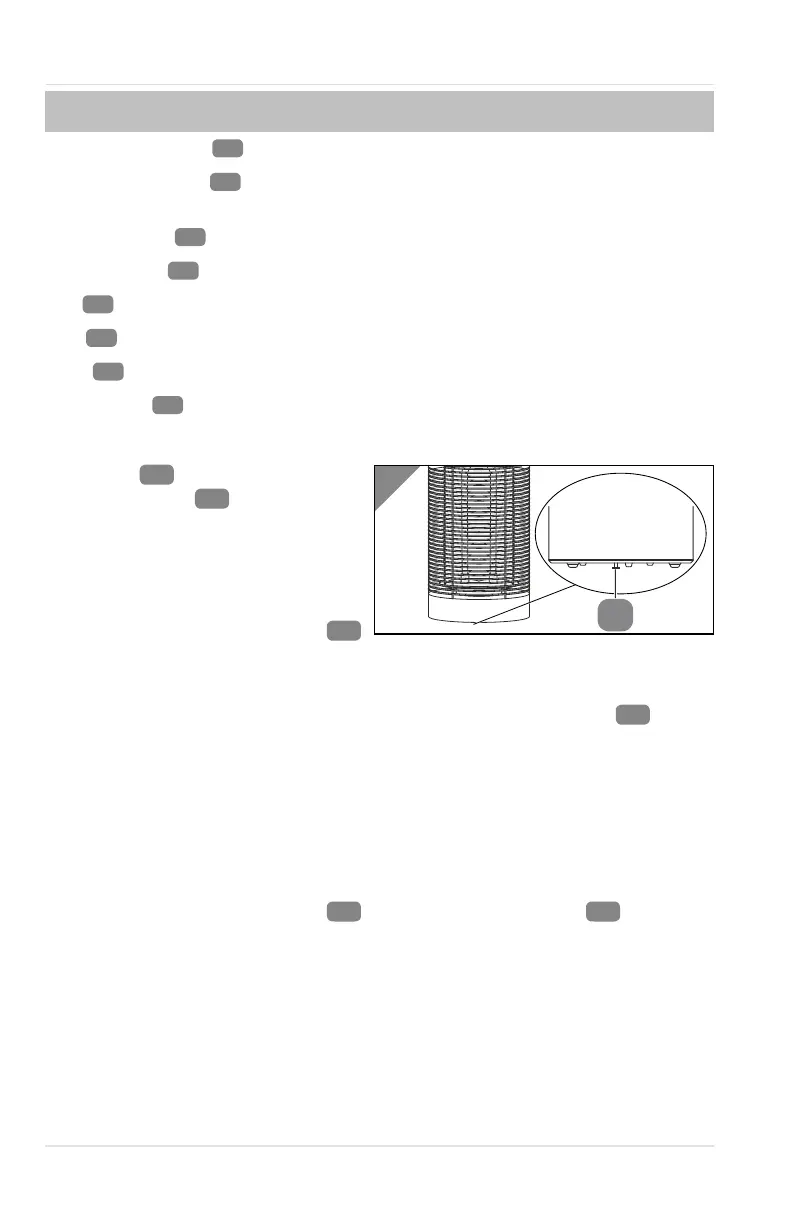
The device
features a tilt
protection switch
. This switches
the device off automatically as soon as
it tilted or lifted.
Operation continues once the device
has been positioned correctly again.
1. Turn the function control dial
so that it points to the desired function option.
The device starts performing the respective function option.
2. To switch the device off, turn the function control dial to the OFF
position.
Overheating protection
The device has an overheating protection. This switches the device off
automatically as soon as the device reaches an unsafe level. This is a protective
measure.
1. Disconnect the device from the power supply.
2. Turn the function control dial
so that it points to the OFF
position.
3. Wait for about 5 minutes until the temperature cools down.
4. Connect the device to the power supply.
5. Switch the device on (see section "Turning the device on and off").
Operation
14


 To Next Page