EasyManua.ls Logo

Garland ULTIMATE 820 QG - User Manual

Garland ULTIMATE 820 QG
160 pages
Go to English
Print Icon
To Next Page IconTo Next Page
Loading...
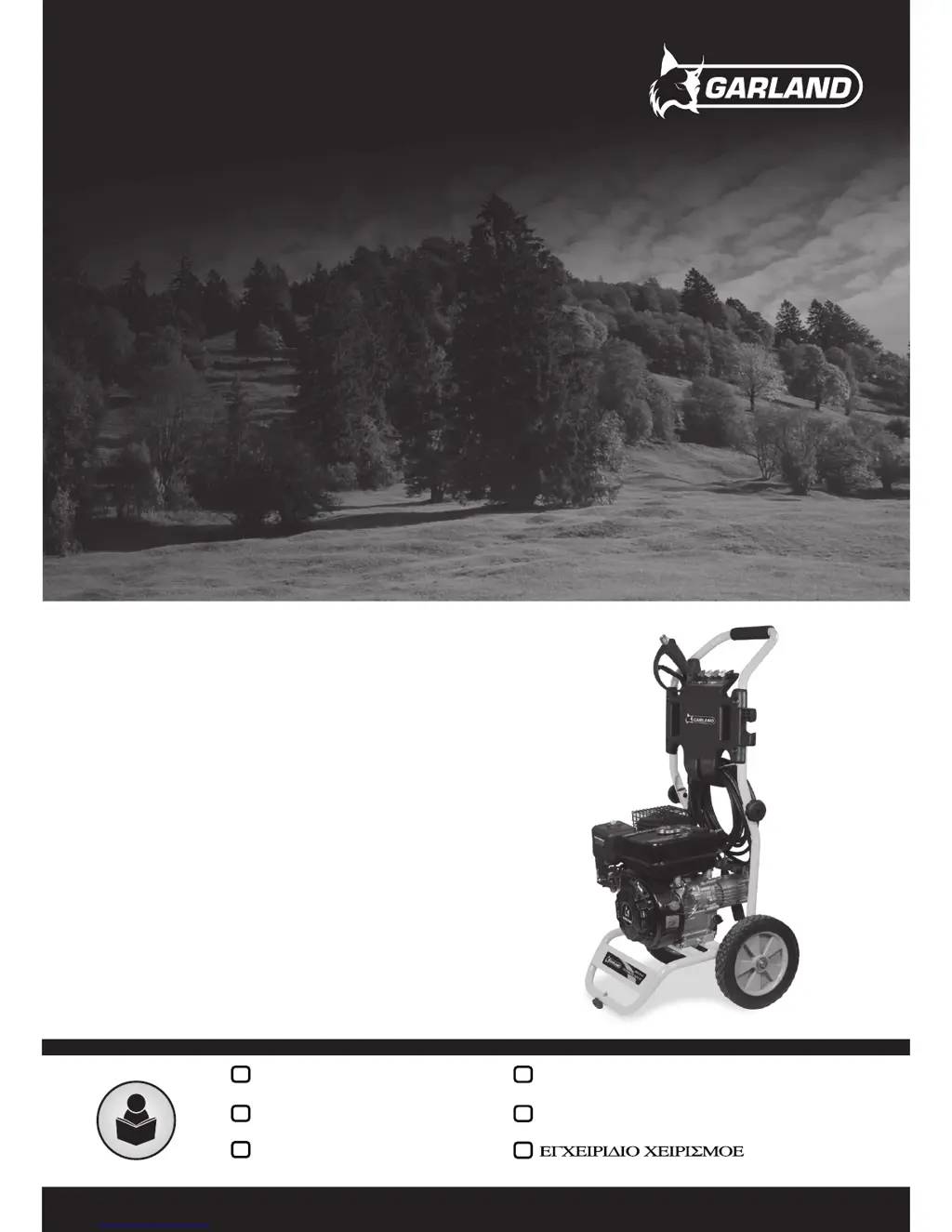
ULTIMATE 820 QG
Instruction manual
EN
Libretto d’instruzioni
IT
Manual de instrucciones
ES
Manual do operador
PT
Manuel d’instructions
FR
GR

Table of Contents

Questions and Answers

  • A
    angela47Aug 12, 2025
    What to do if my Garland ULTIMATE 820 QG machine does not start?
    • D
      Danny DavidsonAug 12, 2025
      If your Garland Pressure Washer doesn't start, several factors could be at play. First, ensure the fuel tank isn't empty and fill it with fuel if needed. Check if the gasoline filter is dirty and clean it. If there's water in the fuel, replace it. Ensure you're using the correct type of gasoline with the proper octane. Also, make sure the switch is in the “I” position. Clean or tighten the spark plug, and ensure the spark plug pipe is connected. If the carburetor is dirty, or if the piston, segments, or cylinder are worn or scratched, it is best to send your machine to a service technician.
  • D
    Destiny RobertsAug 16, 2025
    What to do if Garland Pressure fluctuates or machine vibrates?
    • T
      taraflynnAug 16, 2025
      If your Garland Pressure Washer experiences pressure fluctuations or vibrates, it might be due to insufficient water flow. Ensure the hose is securely connected and free of leaks. Verify that the tap provides enough water to meet the machine's needs, and inspect the filter to ensure it is clean.
  • R
    Roger MorrisAug 20, 2025
    Why my Garland Pressure Washer engine overheats?
    • T
      Tyler CaldwellAug 20, 2025
      If your Garland Pressure Washer engine overheats, the cause could be a dirty exhaust pipe, unsuitable fuel, or a dirty carburetor. You should replace the fuel with the correct one. For dirty exhaust pipes or carburetors, it is best to send your machine to a service technician.
  • D
    David MannAug 23, 2025
    What to do if my Garland ULTIMATE 820 QG starts but no water comes out?
    • D
      danielle31Aug 25, 2025
      If your Garland Pressure Washer starts but no water is coming out, check if the water is frozen and ensure it is not. Verify that the tap is open. Also, inspect the lance to see if it is blocked and clean it if necessary.
  • G
    garrettchaneyAug 27, 2025
    Why does the engine not turn over on my Garland ULTIMATE 820 QG?
    • S
      Stephanie PorterAug 27, 2025
      If the engine on your Garland Pressure Washer doesn't turn over, the air filter might be dirty, so you should clean it. Alternatively, the carburetor may be poorly adjusted, in which case it is best to send your machine to the service technician.
  • O
    ogentryAug 31, 2025
    Why Garland ULTIMATE 820 QG Pressure Washer engine does not work properly?
    • C
      Catherine FreemanAug 31, 2025
      If the engine motor of your Garland Pressure Washer isn't working properly, exhibiting symptoms like a lack of power or unstable idling, it could be due to worn segments, a used piston, crankshaft clearance, or slack in the clutch. In any of these cases, it is best to send your machine to the service technician.
  • S
    Sharon TurnerSep 4, 2025
    Why does my Garland Pressure Washer engine stop or not maintain an idle state?
    • S
      simpsonkellySep 4, 2025
      If your Garland Pressure Washer engine stops or fails to maintain an idle state, the carburetor might be poorly adjusted. In this case, it is best to send your machine to the service technician.
  • L
    Leslie Young DDSSep 7, 2025
    Why doesn't the engine turn on my Garland ULTIMATE 820 QG Pressure Washer?
    • J
      julie30Sep 7, 2025
      If the engine of your Garland Pressure Washer does not turn, it could be due to a cold engine. In this case, it is best to send your machine to the service technician.

Summary

1. INTRODUCTION

2. SAFETY MEASURES

2.1. USERS

Defines who can use the machine and lists restrictions.

2.2. PERSONAL SAFETY

Details personal safety precautions during operation, including awareness and avoiding hazards.

2.3. SECURITY IN THE WORKPLACE

Addresses safety in the operating environment, such as ventilation and hazardous areas.

2.4. SAFETY IN THE USE OF FUELS

Covers safe handling, storage, and refueling procedures for fuels and oils.

2.5. USE AND CARE OF THE MACHINE

Guidelines for operating the machine correctly and its general care.

2.6. SERVICE

Information on professional servicing and the use of original spare parts.

2.7. RESIDUAL RISK FACTORS

Lists inherent risks that may arise even when the tool is used correctly.

ELECTROMAGNETIC FIELD WARNING

3. WARNING SYMBOLS

4. MACHINE SYMBOLS

5. DESCRIPTION OF THE MACHINE

5.1. CONDITIONS OF USE

Specifies the intended domestic use conditions for the pressure washer.

5.2. DETAILED DESCRIPTION OF THE PRODUCT

Identifies and labels the main parts of the machine with a diagram.

5.3. TECHNICAL CHARACTERISTICS

6. START UP INSTRUCTIONS

6.1. LIST OF MATERIALS

Lists the components included in the machine's packaging.

6.2. MOUNTING THE MACHINE

Provides step-by-step instructions and diagrams for assembling the machine.

6.3. FUEL

Details the type of fuel and oil required and how to handle them safely.

6.4. START UP

Step-by-step instructions for starting the machine, including cold and hot starts.

7. USAGE OF THE MACHINE

7.1. HOLDING AND GUIDING THE MACHINE

Instructions on how to properly hold and control the machine during operation.

7.2. WORKING WITH THE MACHINE

Guidance on selecting nozzles and performing cleaning tasks.

7.2.1. STOPPING USAGE OF THE MACHINE

Steps to safely stop using the machine after operation, including pressure release.

8. MAINTENANCE AND SERVICE

8.1. MAINTENANCE AND CARE AFTER USE

Steps for cleaning and caring for the machine after each use.

8.2. PERIODIC MAINTENANCE

Schedule and tasks for regular preventative maintenance.

9. TROUBLESHOOTING

10. TRANSPORT

11. STORAGE

12. RECYCLING OR DISPOSAL OF YOUR MACHINE

13. WARRANTY CONDITIONS

13.1. WARRANTY PERIOD

Details the duration and coverage of the product warranty.

13.2. EXCLUSIONS

Lists conditions and situations not covered by the warranty.

13.3. TERRITORY

Specifies the geographical coverage of the warranty.

13.4. IN CASE OF INCIDENCE

Guidance on what to do in case of a warranty claim or issue.

DECLARATION OF CONFORMITY (CE)

Garland ULTIMATE 820 QG Specifications

General IconGeneral
BrandGarland
ModelULTIMATE 820 QG
CategoryPressure Washer
LanguageEnglish

Related product manuals