EasyManua.ls Logo

Garmin Approach S2 - Device Customization and Management; Customizing Your Device; Setting the Time Manually

Garmin Approach S2
20 pages
Print Icon
To Next Page IconTo Next Page
To Previous Page IconTo Previous Page
Loading...
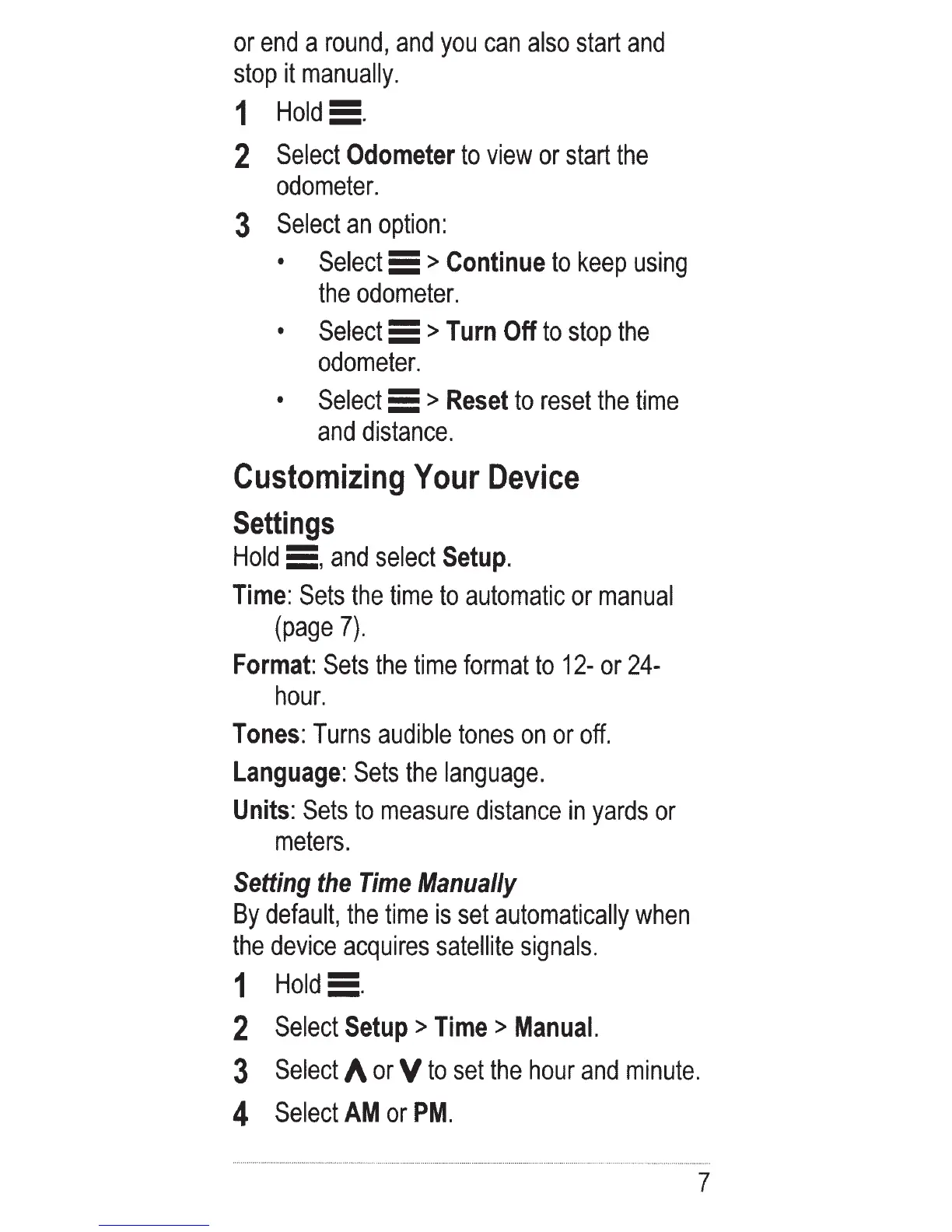
or
end
a
round,
and
you
can
also
start
and
stop
it
manually.
1
Hold!!.
2
Select
Odometer
to
view
or
start
the
odometer.
3
Select
an
option:
Select
5 >
Continue
to
keep
using
the
odometer.
Select
5
>Turn
Off
to
stop
the
odometer.
Select
5
>Reset
to
reset
the
time
and
distance.
Customizing
Your
Device
Settings
Hold
5,
and
select
Setup
.
Time:
Sets
the
time
to
automatic
or
manual
(page
7).
Format:
Sets
the
time
format
to
12-
or
24-
hour.
Tones:
Turns
audible
tones
on
or
off.
Language:
Sets
the
language.
Units:
Sets
to
measure
distance
in
yards
or
meters.
Setting
the
Time
Manually
By
default,
the
time
is
set
automatically
when
the
device
acquires
satellite
signals.
1
Hold!!.
2
Select
Setup
>
Time
>
Manual.
3
Select
A
or
V
to
set
the
hour
and
minute.
4
Select
AM
or
PM.
7

Other manuals for Garmin Approach S2

Related product manuals