Need help?
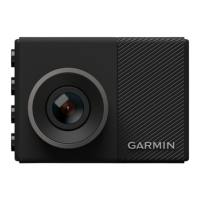
Do you have a question about the Garmin DASH CAM 46 and is the answer not in the manual?
Instructions for installing, formatting, and removing the memory card essential for recording.
Steps for mounting the device on the windshield and connecting it to vehicle power.
Details on how the dash cam automatically records, saves event footage, and manages storage.
Adjusting video quality, data overlay, volume, and display preferences.
Setting up and using the parking mode to record motion detection when the vehicle is off.
Solutions for common problems like warm camera, memory card errors, and blurry or choppy video.
 General
| Product color | Black |
|---|---|
| G-shock sensor | - |
| GPS (satellite) | Yes |
| Number of cameras | 1 |
| Maximum frame rate | 30 fps |
| Main camera resolution | 1920 x 1080 pixels |
| Main camera viewing angle | 140 ° |
| Battery life | 30 min |
| Power source type | Battery |
| Display diagonal | 2 \ |
| Compatible memory cards | MicroSD (TransFlash) |
| Maximum memory card size | 8 GB |
| Quantity per pack | 1 pc(s) |
| Wi-Fi | No |
 Weight and Dimensions
| Depth | 21.4 mm |
|---|---|
| Width | 56.2 mm |
| Height | 40.5 mm |
| Weight | 59.5 g |

 To Next Page