
 Need help?
Do you have a question about the Garmin BC 35 and is the answer not in the manual?
Align guidance lines to reflect vehicle's outside edges for accurate rear view reference.
Control the visibility of on-screen guidance lines for backup camera views.
Reset the guidance lines for the backup camera to their default alignment settings.
Information on pairing and managing up to four wireless backup cameras with a Garmin device.
Switch between video feeds from multiple paired backup cameras.
Set the priority for camera order displayed when multiple cameras transmit.
Assign descriptive names to cameras for easier identification in the camera view.
Unpair a camera from the navigation device when the limit is reached.
Enable or disable the Quick Connection setting for faster camera pairing.
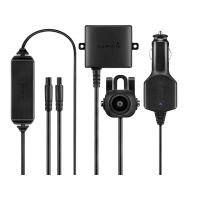
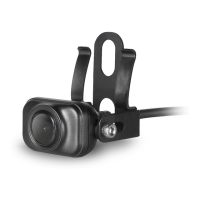
Technical specifications for the BC 35 wireless backup camera.
 General
| Connectivity technology | Wired & Wireless |
|---|---|
| Product color | Black |
| Wireless range | 13.7 m |
| Compatible products | Garmin fleet™ 790 Garmin fleet™ 780 Garmin fleet™ 770 dēzlCam™ 785 LMT-S dēzl™ 780 LMT-S |
| International Protection (IP) code | IPX7 |
| Operating temperature (T-T) | -20 - 70 °C |
| Display included | No |
| Manual | Yes |
 Weight and Dimensions
| Weight | 235 g |
|---|


 To Next Page
