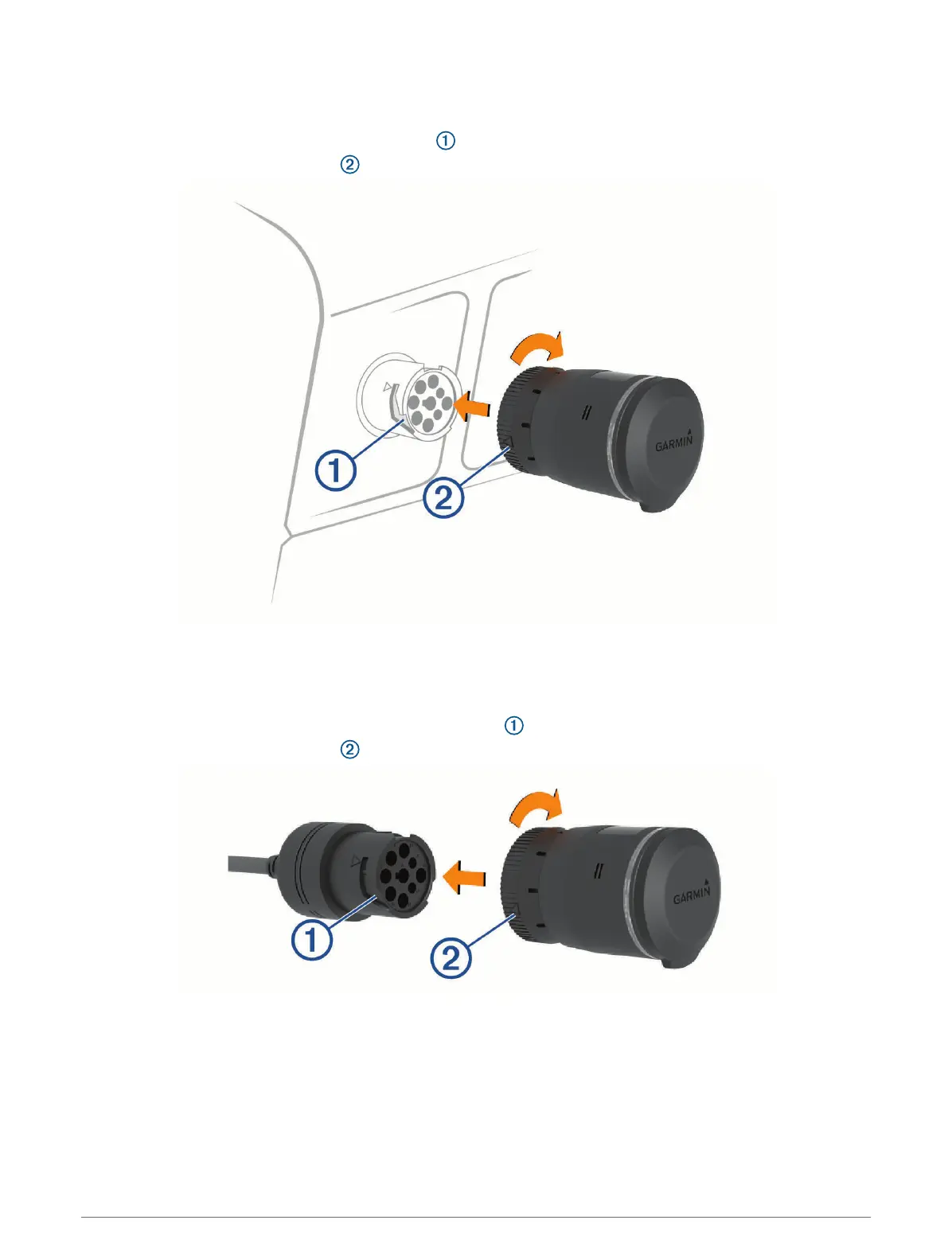
Installing the Device in a J1939 Port
1 Turn off your vehicle.
2 Connect the device to the 9-pin diagnostic port on your vehicle.
NOTE: The arrow on the lock ring must align with the channel on the vehicle diagnostic port.
3 Turn the lock ring clockwise until it locks into the diagnostic port.
Installing the Device in a J1708 Port
1 Turn off your vehicle.
2 Connect the device to the 9-pin side of the adapter cable included with your device.
NOTE: The arrow on the lock ring must align with the channel on the adapter cable.
3 Turn the device lock ring clockwise until it locks into the adapter cable.
2 Introduction


 To Next Page