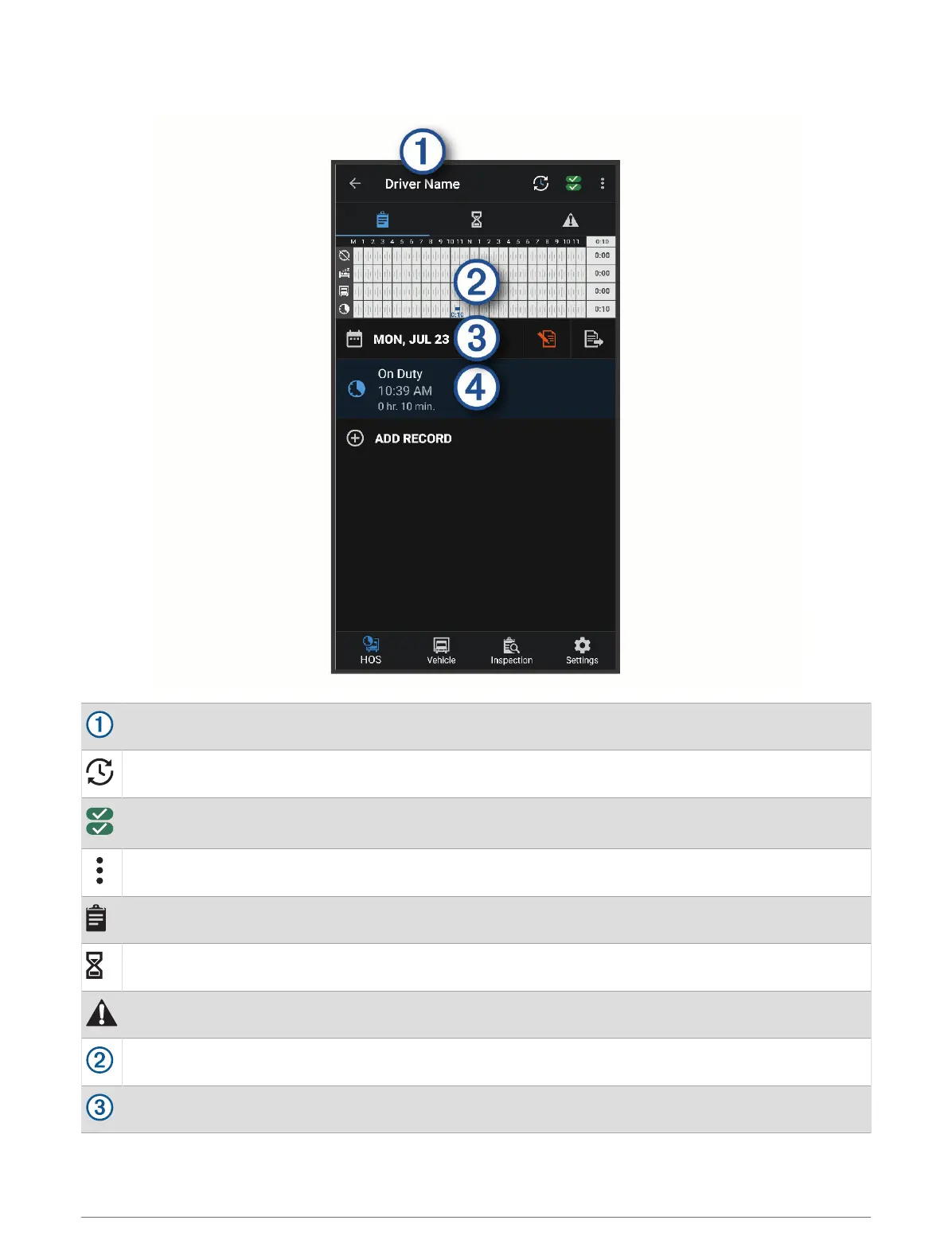
Garmin eLog App Overview
The name of the active driver.
Select to change duty status.
Diagnostic and malfunction indicator. Select to view detailed information about diagnostic or malfunc
tion alerts (Viewing Diagnostics and Malfunctions, page 11).
Select to record adverse conditions, create a Records of Duty Status (RODS) report, or log out.
Select to view a chart of your hours of service information.
Select to view a summary of currently available on-duty hours.
Select to review log information.
Select to view a full-screen chart of your service hours.
Select to review logs for a different day.
Starting a Drive 5


 To Next Page