

EasyManua.ls Logo

Garmin Fusion EL Series - User Manual

Garmin Fusion EL Series
10 pages
Print Icon
To Next Page IconTo Next Page
Loading...
EL SERIES SPEAKERS
INSTALLATION INSTRUCTIONS
Important Safety Information
WARNING
See the Important Safety and Product Information guide in the product box for product warnings and other
important information.
This device must be installed according to these instructions.
Disconnect the vessel's power supply before beginning to install this device.
CAUTION
Continuous exposure to sound pressure levels over 100dBA may cause permanent hearing loss. The volume
is typically too loud if you cannot hear people speaking around you. Limit the amount of time you listen at high
volume. If you experience ringing in your ears or muffled speech, stop listening and have your hearing checked.
To avoid possible personal injury, always wear safety goggles, ear protection, and a dust mask when drilling,
cutting, or sanding.
NOTICE
When drilling or cutting, always check what is on the opposite side of the surface to avoid damaging the vessel.
It is strongly recommended that you have your audio system installed by a professional installer to ensure
optimum performance.
You must read all installation instructions before beginning the installation. If you experience difficulty during
the installation, go to support.garmin.com for product support.
After installing an audio system, you should run the connected speakers and subwoofers at low to medium
volumes for the first few hours of use. This helps to improve the overall sound by gradually loosening up the
moving components of new speakers and subwoofers, such as the cone, spider, and surround.
GUID-FF67D738-0427-418B-829A-44F0C22D890C v4September 2022
Question and Answer IconNeed help?

Do you have a question about the Garmin Fusion EL Series and is the answer not in the manual?

Summary

Important Safety Information

Tools Needed

Mounting Considerations

Mounting the Speakers

Speaker Wiring

LED Wiring

Connecting the LED Wires to Power

Details connecting speaker LEDs to a 12 Vdc power source via fuse and switch/breaker.

Speaker Information

Dimension Drawings

Cleaning the Speakers

Troubleshooting

Specifications

Compass-Safe Distances

Summary

Important Safety Information

Tools Needed

Mounting Considerations

Mounting the Speakers

Speaker Wiring

LED Wiring

Connecting the LED Wires to Power

Details connecting speaker LEDs to a 12 Vdc power source via fuse and switch/breaker.

Speaker Information

Dimension Drawings

Cleaning the Speakers

Troubleshooting

Specifications

Compass-Safe Distances

Overview

This document provides installation instructions and specifications for Fusion EL Series Speakers, which are designed for marine audio systems. These speakers are part of the Fusion brand, a Garmin company, and are intended for use in marine environments.

Function Description

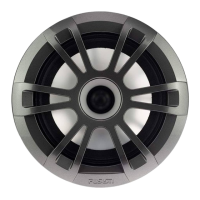
The Fusion EL Series Speakers are designed to provide audio output as part of a marine audio system. They can be connected to a stereo or amplifier to produce sound. Certain models of these speakers also include RGB LED lighting, which can be controlled to display various static colors or lighting effects. The speakers are built to withstand marine conditions, with specific ratings for dust and water ingress.

Important Safety Information and Warnings

Before installation, users are advised to consult the "Important Safety and Product Information" guide included in the product box for warnings and other critical information. It is crucial to disconnect the vessel's power supply before beginning installation to prevent electrical hazards.

A WARNING regarding continuous exposure to high sound pressure levels (over 100 dBA) is provided, indicating that such exposure can cause permanent hearing loss. Users are advised to limit listening time at high volumes and seek medical attention if they experience ringing in their ears or muffled speech. When drilling, cutting, or sanding during installation, safety goggles, ear protection, and a dust mask are recommended to prevent personal injury.

A NOTICE warns against drilling or cutting without checking the opposite side of the surface to avoid damaging the vessel. Professional installation is highly recommended to ensure optimal performance. Users must read all installation instructions before starting and can find support at support.garmin.com if difficulties arise.

Break-in Period

After installation, it is recommended to run the connected speakers and subwoofers at low to medium volumes for the first few hours of use. This "break-in" period helps to gradually loosen the moving components, such as the cone, spider, and surround, improving overall sound quality.

Tools Needed for Installation

The installation requires several common tools:

  • Electric drill with an appropriately sized drill bit (size varies based on surface material and screw type).
  • Appropriate saw or utility knife for cutting the mounting surface.
  • Phillips screwdriver.
  • Wire strippers.
  • 16 AWG (1.3 to 1.5 mm²) marine-grade, fully-tinned copper speaker wire. Fusion/Garmin offers this wire in various lengths (7.62 m, 15.24 m, 100 m).
  • 6.3 mm and 4.8 mm female spade connectors (recommended for speaker wire connections).
  • For LED models: 20 AWG (0.5 to 0.75 mm²) marine-grade, fully-tinned copper wire for RGB LED connections.
  • For LED models: 4 mm male and female bullet connectors (recommended for LED wires).
  • Crimping tool.
  • Marine sealant (optional).
  • Additional tools and materials may be needed for customized installations.

Mounting Considerations

Several critical considerations are outlined for mounting the speakers:

  • Vertical Mounting: When installing speakers in areas exposed to weather or water, they must be mounted on a vertical surface. Horizontal mounting (facing up) can lead to water accumulation and damage over time.
  • Above Waterline: For outdoor installations, speakers should be mounted well above the waterline to prevent submersion or damage from docks, pilings, or other equipment. The speakers are rated for protection from the front; water exposure and damage to the rear will void the warranty. This includes speakers in sealed enclosures if they are exposed to washdown, or enclosures with ports/vents open to the outside.
  • Power Disconnection: The audio system must be turned off before making any connections to the source unit, amplifier, or speakers to prevent permanent damage.
  • Terminal Protection: All terminals and connections must be protected from grounding and from each other to avoid permanent damage to the audio system and to maintain warranty validity.
  • Clearance: Mounting locations must provide sufficient clearance for the speaker's mounting depth, as specified in the product specifications.
  • Flat Surface: A flat mounting surface should be chosen for the best seal.
  • Wire Protection: Speaker wires should be protected from sharp objects, and rubber grommets should be used when wiring through panels.
  • Compass-Safe Distance: To avoid interference with a magnetic compass, speakers should not be mounted closer to a compass than the compass-safe distance specified in the product specifications.
  • Optimal Placement: While Fusion speakers are designed for a wide range of mounting locations, careful planning of placement will enhance sound quality. More information on speaker placement and specifications can be found at garmin.com.

Mounting Procedure

  1. Route wires from the source to the speaker location, away from electrical interference.
  2. Trim and secure the provided template to the mounting surface, ensuring the Fusion logo is right-side up.
  3. Cut the mounting surface along the inside of the template line using a rotary tool or jigsaw.
  4. Test the speaker fit in the cutout; refine the cutout size with a file and sandpaper if necessary.
  5. Ensure mounting holes on the speaker align with pilot holes on the template. Mark new hole locations if needed.
  6. Drill holes using an appropriately sized drill bit.
  7. Remove the template.
  8. Connect speaker wires, observing polarity (White wire for Positive (+), White with black stripe for Negative (-)). Use 6.3 mm female spade connectors for positive and 4.8 mm for negative.
  9. If applicable, connect LED wires (see LED Wiring section).
  10. Place the speaker in the cutout.
  11. Secure the speaker to the mounting surface using the included screws. NOTE: Do not overtighten screws, especially on uneven surfaces.
  12. Install the grille: Hold the grille with the Fusion logo at the bottom (6 o'clock position), turn it counter-clockwise about 30 degrees (to 5 o'clock), then place it on the speaker and twist clockwise to secure. Alternatively, align the logo at 6 o'clock and press to snap it into place.

Speaker Wiring

  • Speaker wire is not included; 16 AWG (1.3 to 1.5 mm²) speaker wire is recommended.
  • Speaker leads are male spade connectors; female spade connectors (not included) are recommended for connection.
  • Polarity: White wire is Positive (+), White with a black stripe is Negative (-).
  • Spade connector sizes: 6.3 mm for positive, 4.8 mm for negative.

LED Wiring (LED Models Only)

  • NOTICE: Using certain LED colors (red, green) may violate marine navigation light laws. Users are responsible for compliance.
  • A Fusion RGB Wireless Remote Control module is recommended for controlling LEDs (on/off, color changes, lighting effects). Instructions for connecting LED wires to the remote control receiver module and power are provided with the remote.
  • If a remote control is not installed, a static LED color can be set by connecting specific LED wires directly to the power source.
  • The black wire on the LED cable has a 4 mm female bullet connector, and color wires have 4 mm male bullet connectors. These can be connected to 4 mm bullet connectors on user-supplied wires or removed for bare wire connections.
  • Connecting LED Wires for Static Color:
    1. Connect a positive wire to the black wire on the LED cable.
    2. Connect a ground wire to the desired LED color wire(s) on the LED cable.
      • Red: Red wire
      • Green: Green wire
      • Blue: Blue wire
      • Yellow: Combined red and green wires
      • Magenta: Combined red and blue wires
      • Cyan: Combined blue and green wires
      • White: Combined red, green, and blue wires
    3. Route positive and negative wires to a power source.

Connecting the LED Wires to Power

  • All 12 Vdc wiring to the LEDs must include a 3 A fuse at the power-source end.
  • The positive (+) power wire should connect to a 12 Vdc power source via an isolator switch or circuit breaker to turn LEDs on/off. This can be the same switch controlling the stereo.
  • 20 AWG (0.5 to 0.75 mm²) or thicker wire is recommended for LED connections to the battery.
  • Procedure:
    1. Route positive (+) and negative (-) wires from LED connections to the battery.
    2. Connect the negative wire to the negative (-) battery terminal.
    3. Connect the positive wire to the positive (+) terminal through a 3 A fuse and isolator switch or circuit breaker.

Speaker Information

  • Registration: Users are encouraged to register their Fusion device online at garmin.com for support.
  • Proof of Purchase: Keep the original sales receipt or a photocopy.

Dimension Drawings

  • Side View:
    • Mounting depth (1): 40 mm (1 37/64 in.)
    • Overall depth (2): 127 mm (5 in.)
    • Dimensions are the same for Sports and Classic models.
  • Front View:
    • Overall diameter (1): 176 mm (6 15/16 in.)
    • Dimensions are the same for Sports and Classic models.
  • Back View:
    • Overall diameter (1): 176 mm (6 15/16 in.)
    • Mounting diameter (2): 156 mm (6 1/8 in.)

Cleaning the Speakers

  • NOTE: When correctly mounted, speakers are rated IP65 for dust and water ingress. They are not designed for high-pressure water spray (e.g., during vessel washdown), which can cause damage and void the warranty.
  • NOTICE: Do not use harsh or solvent-based cleaners, as they can damage the product and void the warranty.
  • Procedure:
    1. Clean salt water and residue with a damp cloth soaked in fresh water.
    2. Use a mild detergent for heavy salt buildup or stains.

Troubleshooting

Before contacting Fusion dealer or service center, perform these steps:
  • If professionally installed, contact the installation company.
  • No sound: Verify all connections from source device/amplifier to speaker terminals.
  • Lack of bass/high frequencies:
    • Verify correct wire polarity (positive to positive, negative to negative).
    • Verify speakers are firmly attached to the mounting surface.
  • Distorted audio:
    • Reduce source volume if too loud.
    • Check for rattling panels around the speaker.
    • Verify correct connections from source device/amplifier to speaker terminals.
    • If connected to an amplifier, verify amplifier input level matches stereo output level (refer to amplifier manual).
  • LED lights not turning on: Verify all wiring connections are correct and tight.

Important Technical Specifications

  • Max. power (Watts): 80 W
  • RMS power (Watts): 20 W
  • Efficiency (1 W/1 m): 88 dB
  • Frequency response (+ 3 dB): 45 Hz to 16 kHz
  • Min. mounting depth (clearance): 43 mm (1 11/16 in.)
  • Mounting diameter (clearance): 130 mm (5 1/8 in.)
  • Impedance: 4 ohm
  • Amplifier power-rating recommendation: From 20 to 40 W RMS (for playing music)
  • LED supply voltage (sports model speakers only): From 10.8 to 16 Vdc
  • LED load current at 16 Vdc (sports model speakers only): 150 mA per color
  • Optimum enclosure volume recommendation¹: 8 L (0.3 ft.³)
    • ¹Sealed enclosure, fully filled with absorption material.
  • Operating temperature range: From 0 to 50°C (32 to 122°F)
  • Storage temperature range: From -20 to 70°C (-4 to 158°F)
  • Cone material: Polypropylene
  • Water and dust rating: IEC 60529 IP65
  • NOTE: This speaker is not intended for installation in a vented or ported enclosure.

Compass-Safe Distances

  • All speakers contain magnets that can interfere with boat instruments, particularly magnetic compasses, causing deviations.
  • Interference can cause inaccuracies in readings but will not harm equipment.
  • To alleviate deviations, adjust the compass or move the speaker away from navigational equipment. Recalibration may be needed after moving an interference source.
  • Extreme caution is advised if navigating solely by a magnetic compass.
  • To avoid deviations, position speakers at least the following distances from navigational equipment:
    • 171 cm (5 ft. 8 in.) in directions 1, 2, 4, 5.
    • 254 cm (8 ft 4 in.) in directions 3, 6.

Garmin Fusion EL Series Specifications

General IconGeneral
BrandGarmin
ModelFusion EL Series
CategorySpeakers
LanguageEnglish

Related product manuals
