EasyManua.ls Logo

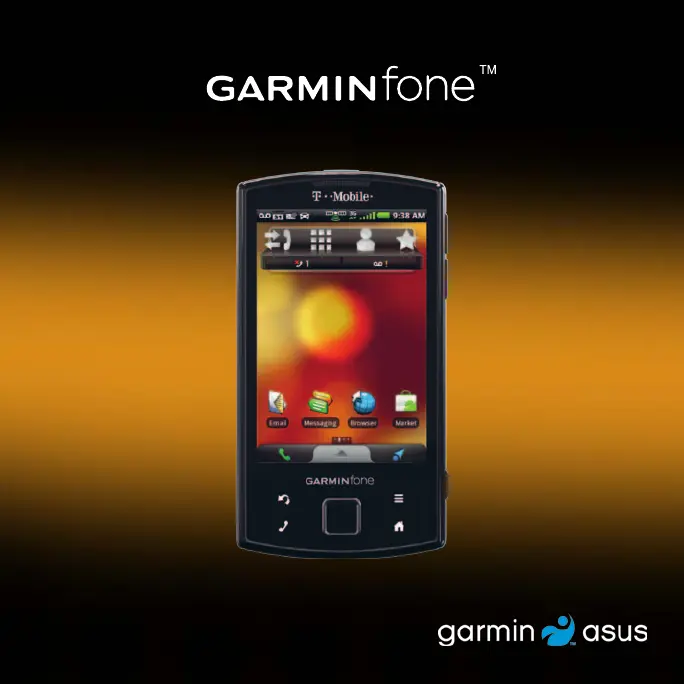
Garmin Garminfone - User Manual

Garmin Garminfone
132 pages
Print Icon
To Next Page IconTo Next Page
Loading...
owners manual

Table of Contents

Questions and Answers

Summary

Getting Started with Your Garminfone

Garminfone Device Features Overview

Identifies and describes the physical buttons and connectors of the device.

Setting Up Your Garminfone Device

Steps to set up the device, including SIM and battery installation.

Charging the Garminfone Battery

Instructions on how to charge the device's battery.

Mounting Your Garminfone Device

Instructions for mounting the device, typically in a vehicle.

Getting to Know Your Garminfone Device

Garminfone About the Keys

Explains the function of each physical button on the device.

Using the Garminfone Home Screen

Explains navigation and interaction with the device's home screen.

Using the Garminfone Phone

Managing Your Garminfone Contacts

Adding a New Contact to Garminfone

Steps to add a new contact to the device.

Searching for Locations on Your Garminfone

Following Your Garminfone Route

Garminfone Navigating in Driving Mode

How to use the device for car navigation.

Garminfone Navigating in Walking Mode

How to use the device for pedestrian navigation.

Sending and Receiving Messages on Garminfone

Using Email on Your Garminfone

Adding an Email Account to Garminfone

Steps to configure email accounts on the device.

Browsing the Web on Your Garminfone

Playing Music on Your Garminfone

Taking and Viewing Pictures and Videos on Garminfone

Taking a Picture with Your Garminfone Camera

Instructions for capturing still images with the device camera.

Recording a Video with Your Garminfone Camera

Steps to record video clips using the device camera.

Organizing Your Life with Your Garminfone

Connecting Other Devices to Your Garminfone

Synchronizing Your Garminfone with Your Computer

How to transfer data between the device and a computer.

Using Bluetooth Technology on Your Garminfone

How to connect wirelessly to other Bluetooth devices.

Customizing Your Garminfone Device

Garminfone Wireless Manager Settings

Settings for managing Wi-Fi, Data, and Bluetooth connections.

Garminfone Navigation Settings

How to configure voice prompts, traffic services, and map views.

Garminfone Security and Location Settings

How to manage screen lock, SIM lock, and location services.

Garminfone Appendix

Garminfone Troubleshooting Guide

Solutions for common issues encountered with the device.

Summary

Getting Started with Your Garminfone

Garminfone Device Features Overview

Identifies and describes the physical buttons and connectors of the device.

Setting Up Your Garminfone Device

Steps to set up the device, including SIM and battery installation.

Charging the Garminfone Battery

Instructions on how to charge the device's battery.

Mounting Your Garminfone Device

Instructions for mounting the device, typically in a vehicle.

Getting to Know Your Garminfone Device

Garminfone About the Keys

Explains the function of each physical button on the device.

Using the Garminfone Home Screen

Explains navigation and interaction with the device's home screen.

Using the Garminfone Phone

Managing Your Garminfone Contacts

Adding a New Contact to Garminfone

Steps to add a new contact to the device.

Searching for Locations on Your Garminfone

Following Your Garminfone Route

Garminfone Navigating in Driving Mode

How to use the device for car navigation.

Garminfone Navigating in Walking Mode

How to use the device for pedestrian navigation.

Sending and Receiving Messages on Garminfone

Using Email on Your Garminfone

Adding an Email Account to Garminfone

Steps to configure email accounts on the device.

Browsing the Web on Your Garminfone

Playing Music on Your Garminfone

Taking and Viewing Pictures and Videos on Garminfone

Taking a Picture with Your Garminfone Camera

Instructions for capturing still images with the device camera.

Recording a Video with Your Garminfone Camera

Steps to record video clips using the device camera.

Organizing Your Life with Your Garminfone

Connecting Other Devices to Your Garminfone

Synchronizing Your Garminfone with Your Computer

How to transfer data between the device and a computer.

Using Bluetooth Technology on Your Garminfone

How to connect wirelessly to other Bluetooth devices.

Customizing Your Garminfone Device

Garminfone Wireless Manager Settings

Settings for managing Wi-Fi, Data, and Bluetooth connections.

Garminfone Navigation Settings

How to configure voice prompts, traffic services, and map views.

Garminfone Security and Location Settings

How to manage screen lock, SIM lock, and location services.

Garminfone Appendix

Garminfone Troubleshooting Guide

Solutions for common issues encountered with the device.

Garmin Garminfone Specifications

General IconGeneral
NetworkGSM / HSPA
GPRSYes
EDGEYes
StatusDiscontinued
SIMMini-SIM
Resolution320 x 480 pixels (~165 ppi density)
Operating SystemAndroid 1.6 (Donut)
ChipsetQualcomm MSM7200A
CPU528 MHz ARM11
GPUAdreno 130
RAM256MB
VideoYes
LoudspeakerYes
3.5mm jackYes
WLANWi-Fi 802.11 b/g
GPSYes, with A-GPS
RadioNo
BatteryRemovable Li-Ion 1150 mAh battery
ColorsBlack
2G bandsGSM 850 / 900 / 1800 / 1900
SpeedHSPA
TypeTFT touchscreen, 65K colors
Size3.5 inches
Card slotmicroSDHC
Rear Camera3.15 MP
BluetoothA2DP
SensorsAccelerometer, compass
Stand-byUp to 300 h

Related product manuals