
 Need help?
Do you have a question about the Garmin NEO and is the answer not in the manual?
Details package contents, tire width limits, and recommended surface for use before setup.
Provides advice for optimal training experience and managing motion sickness during rides.
Offers instructions for cleaning the accessory and storing it properly after use.
Explains the features and benefits of the companion Tacx Training app for users.
The Garmin NEO Motion Plates are an accessory designed to enhance the indoor cycling experience by providing natural movement during training rides. This owner's manual outlines important safety information, assembly instructions, usage tips, and device care, ensuring users can safely and effectively integrate the motion plates with their Tacx NEO trainer.
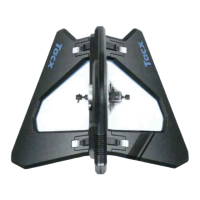
The NEO Motion Plates accessory works in conjunction with any Tacx NEO trainer to simulate a more realistic outdoor cycling feel. By allowing slight lateral movement, the plates reduce the static nature of indoor training, engaging more muscle groups and providing a more dynamic ride. This natural movement helps to alleviate discomfort often associated with prolonged static indoor cycling and can contribute to a more immersive training session. The accessory includes two main plates that attach to the sides of the Tacx NEO trainer and a front wheel support. The front wheel support is crucial for maintaining a natural cycling position and increasing stability by raising the front wheel of the bike. This combination ensures that the entire bike, from front to back, can experience subtle motion, mimicking the sway and balance required during outdoor rides.
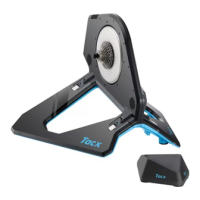
To use the NEO Motion Plates, users must first remove the four existing feet from their Tacx NEO trainer. The motion plates then align and attach to the sides of the trainer, with the removed feet stored securely on the plates themselves. It is critical to ensure both plates are fully seated and properly aligned for safe and effective operation. The manual provides clear visual aids to guide users through this installation process, emphasizing the importance of correct alignment.
Once the motion plates are installed, the front wheel support is positioned under the bike's front wheel. This support is specifically designed for use with the NEO Motion Plates and should be used instead of any front wheel support that might have come with the original Tacx NEO device. The maximum tire width compatible with the front wheel support is 28 mm. After installation, users are advised to sit on the trainer and pedal a few times, adjusting the placement of the front wheel support as needed to achieve optimal comfort and stability.
The NEO Motion Plates are designed for normal cycling activities. While they enhance the training experience, users are advised to avoid sprinting, as this accessory is optimized for steady, natural movement rather than aggressive, high-intensity bursts. For the best results, the motion plates should be used on a firm mat or low-pile carpet, as soft or high-pile carpets can hinder the intended motion. A training mat of at least 181 x 92 cm (71.3 x 36.2 in.) is recommended to accommodate the full footprint of the setup.
For users who might experience motion sickness due to the new movement, the manual offers several helpful tips. These include focusing vision on a point in front of the trainer, watching a training video, staying well-hydrated, and taking breaks if discomfort persists. These suggestions aim to help users adapt to the dynamic nature of the motion plates and enjoy their training sessions.
The NEO Motion Plates are compatible with the Tacx Training app, which offers a comprehensive suite of features to enhance the indoor cycling experience. Through the app, users can sync their indoor training data with their Garmin Connect™ account, explore exciting courses, create custom rides and workouts, calibrate their training, customize settings, diagnose issues, and update their trainer software. This integration allows for a highly personalized and data-rich training environment, leveraging the natural movement provided by the motion plates.
Proper care and storage are essential to ensure the longevity and optimal performance of the NEO Motion Plates and the Tacx NEO trainer. After every use, it is recommended to wipe off both the trainer and the motion plates to remove sweat and debris. Before storing the trainer, a thorough cleaning is advised.
For storage, the Tacx NEO trainer, when equipped with the motion plates, can be made more compact. Users need to push in the levers to unlock the base of the Tacx NEO trainer, allowing both sides to fold up and click into a secure position. This design facilitates easier storage, making the setup more convenient for home use.
It is important to note that the NEO Motion Plates accessory contains magnets. While these magnets are integral to the device's function, users should be aware of potential interference with certain internal medical devices, such as pacemakers and insulin pumps. Devices and mounts containing magnets should be kept away from such medical devices. Additionally, magnets can potentially damage electronic devices, including hard drives in laptop computers, so caution is advised when these devices are in close proximity to the motion plates.
The manual also explicitly states that the NEO Motion Plates should not be used with any other motion accessory, such as a rocker plate. This ensures that the intended design and safety parameters of the product are maintained, preventing potential damage or injury from incompatible accessories.
Overall, the Garmin NEO Motion Plates are designed to provide a more engaging and realistic indoor cycling experience, with clear guidelines for assembly, usage, and maintenance to ensure user safety and product longevity.
 General
| Wireless Technology | ANT+, Bluetooth |
|---|---|
| Max Power | 2200 Watts |
| Max Simulated Grade | 25% |
| Power Accuracy | +/- 1% |
| Connectivity | ANT+, Bluetooth |










 To Next Page