EasyManua.ls Logo

Garmin Nuvi 205 - User Manual

Garmin Nuvi 205
64 pages
Print Icon
To Next Page IconTo Next Page
Loading...
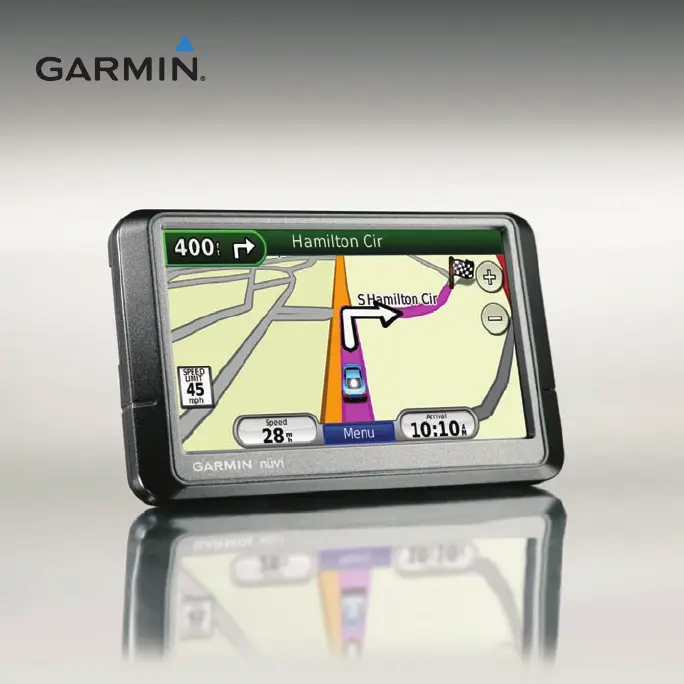
nüvi
®
205 and 205W series
owners manual
for use with these nüvi models:
205, 205W, 215, 215W, 255, 255W, 265, 265W, 275, and 285W

Table of Contents

Questions and Answers

  • R
    Ronald HicksJul 29, 2025
    What to do if my Garmin Nuvi 205 is not charging in the car?
    • C
      cynthialesterJul 29, 2025
      If your Garmin nüvi does not charge in your vehicle, check the fuse in the vehicle power cable. Also, make sure the vehicle is turned on and supplying power to the outlet. Note that your nüvi can only charge between 32°F and 140°F (0°C and 60°C). Avoid placing the nüvi in direct sunlight or hot environments, as this can prevent charging.
  • M
    Melissa LeeAug 2, 2025
    How to extend battery life on my Garmin Nuvi 205?
    • B
      bmontgomeryAug 2, 2025
      To maximize the time between charges, turn down the backlight on your Garmin GPS. Go to Tools > Settings > Display > Brightness to adjust the backlight settings.
  • S
    Stephen BallAug 6, 2025
    Why my computer doesn't recognize my Garmin Nuvi 205?
    • R
      robertwatkinsAug 6, 2025
      If your computer doesn't detect your Garmin nüvi, unplug the USB cable, turn off the nüvi, and then plug the USB cable into a USB port on your computer and into your nüvi. The nüvi should turn on automatically and enter USB mass storage mode. Ensure your nüvi is connected directly to a USB port and not a USB hub.
  • A
    alexisthorntonAug 10, 2025
    Why is my Garmin GPS battery indicator inaccurate?
    • J
      Jim TorresAug 11, 2025
      If your Garmin GPS battery gauge seems inaccurate, allow the unit to fully discharge completely, and then fully charge it without interrupting the charge cycle.
  • M
    Melissa MorrisAug 15, 2025
    What to do if Garmin GPS touch screen is not responding?
    • K
      Krista MaldonadoAug 15, 2025
      If the touch screen on your Garmin GPS is not responding, calibrate the touch screen as described on pages 41–42.
  • S
    Stephanie WeberAug 23, 2025
    Why can't I see my Garmin GPS as a removable drive?
    • L
      Lisa BestAug 23, 2025
      If you cannot see any new removable drives in your list of drives for your Garmin GPS, and you have several network drives mapped on your computer, Windows might have trouble assigning drive letters to your nüvi drives. See your operating system Help file to learn how to map or assign drive letters.
  • E
    Emily WatsonSep 10, 2025
    How to fix Garmin GPS suction cup that won't stick?
    • C
      Carrie MurilloSep 12, 2025
      If the suction cup of your Garmin GPS won't stay on the windshield, clean both the suction cup and the windshield with rubbing alcohol. Dry them with a clean, dry cloth. Then, mount the suction cup as described on page 2.

Summary

Getting Started with Your nüvi

Getting Started Overview

Introduces the nüvi, safety information, and device handling.

Step 1: Mounting Your nüvi

Guides on securely mounting the nüvi device in a vehicle.

Finding Your Destination

How to search for locations using the "Where to?" menu.

Navigating Your Route

Finding Locations by Address

Step-by-step guide to searching for addresses.

Searching Destinations by Name

Locating places by spelling their names.

Using the Map Interface

Map Navigation Features

Overview of route display, turns, and speed limit indicators.

Making Hands-Free Phone Calls

Bluetooth Phone Pairing

Steps to connect a mobile phone to the nüvi via Bluetooth.

Managing Files on Your nüvi

File Management Overview

Introduction to storing and managing various file types on the nüvi.

Using the Tools Menu

Tools Menu Overview

Introduction to the Tools menu, settings, and help functions.

ecoRoute Feature Overview

Explanation of the ecoRoute feature for fuel efficiency.

ecoRoute Calibration and Configuration

Calibrating fuel economy, setting fuel price, and using Driving Challenge.

Using FM Traffic Information

FM Traffic Receiver Functionality

How the FM traffic receiver works and its capabilities.

Customizing Your nüvi Settings

System and Navigation Settings

Adjusting system units, GPS simulator, and route preferences.

Security and Bluetooth Options

Configuring Garmin Lock, Safe Mode, and Bluetooth connections.

Restoring All nüvi Settings

Resetting the device to its original factory settings.

Appendix: Care, Safety, and Specifications

Security and Theft Prevention

Features and advice to prevent nüvi theft and secure the device.

System Maintenance and Updates

Procedures for resetting the nüvi, updating software, and clearing data.

nüvi 205 Series Specifications

Technical specifications for the nüvi 205 model.

nüvi 205 W Series Specifications

Technical specifications for the nüvi 205W model.

Troubleshooting Common Issues

Solutions for frequent problems like no satellite signals or charging issues.

Additional Troubleshooting Scenarios

Further troubleshooting for connection, drive recognition, and phone connectivity.

Garmin Nuvi 205 Specifications

General IconGeneral
Display Size3.5 inches
Display Resolution320 x 240 pixels
Battery LifeUp to 4 hours
Preloaded MapsYes
Waypoints500
TouchscreenYes
GPS ReceiverHigh-sensitivity
Custom POIsYes
InterfaceUSB
MemoryInternal solid state
Voice PromptsYes
Weight5.0 ounces (142 g)

Related product manuals