EasyManua.ls Logo

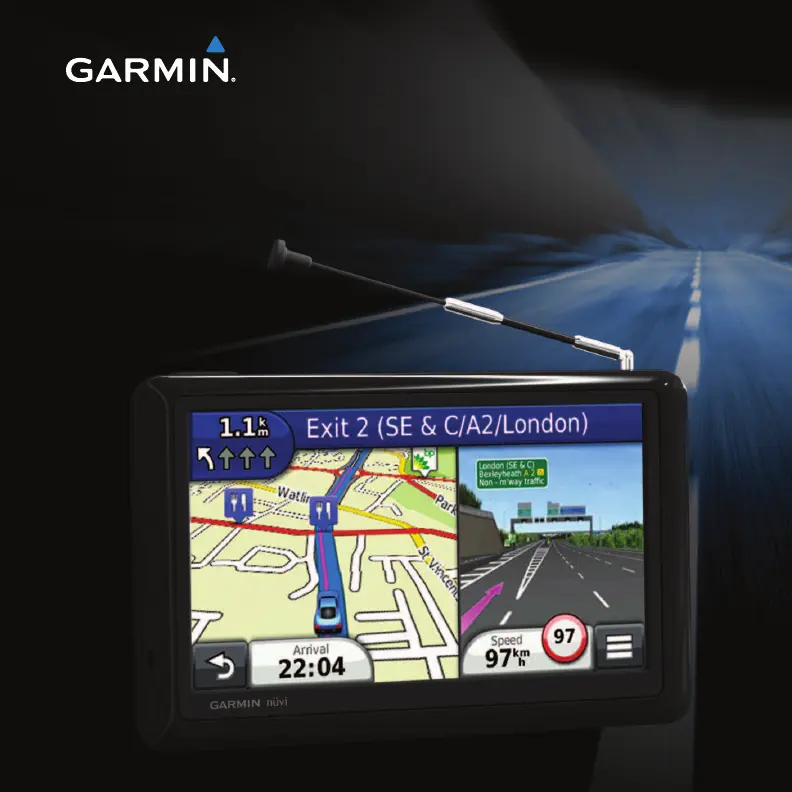
Garmin nuvi 2585TV - User Manual

Garmin nuvi 2585TV
48 pages
Print Icon
To Next Page IconTo Next Page
Loading...
nüvi 2585TV Owners Manual 1
February 2012 190-00784-00_0A Printed in Taiwan
nüvi
®
2585TV
owners manual

Table of Contents

Other manuals for Garmin nuvi 2585TV

Questions and Answers

  • S
    Steven LeonAug 16, 2025
    How to fix Garmin GPS not acquiring satellite signals?
    • C
      Christopher MyersAug 16, 2025
      If your Garmin GPS device isn't acquiring satellite signals, ensure the GPS simulator is turned off. Move your device away from parking garages, tall buildings, and trees. Remain stationary for several minutes to allow it to acquire signals.
  • N
    Nicholas OrtizAug 18, 2025
    What to do if my Garmin nuvi 2585TV is not charging in the car?
    • S
      Shannon PollardAug 19, 2025
      If your Garmin GPS device isn't charging in your vehicle, check the fuse in the vehicle power cable. Verify that your vehicle is turned on and supplying power to the power outlet. Also, the device can only charge between 32°F and 113°F (0°C and 45°C). Avoid direct sunlight or hot environments during charging.
  • T
    Toni ThompsonAug 22, 2025
    How to extend battery life on my Garmin GPS?
    • J
      Jason ButlerAug 22, 2025
      To maximize the time between charges on your Garmin GPS device, turn down the backlight.
  • A
    Alicia WilliamsAug 25, 2025
    How to make the Garmin GPS suction cup stay on windshield?
    • B
      bowenrobertAug 26, 2025
      To ensure that the suction cup stays on your windshield: 1. Clean the suction cup and windshield with rubbing alcohol. 2. Dry with a clean, dry cloth. 3. Mount the suction cup.
  • C
    Clayton CooperAug 28, 2025
    What to do if Garmin nuvi 2585TV won't go into mass storage mode?
    • J
      John AlvarezAug 28, 2025
      If your Garmin GPS device is connected to the computer but won't go into mass storage mode: 1. Disconnect the USB cable from your computer. 2. Turn off the device. 3. Plug the USB cable into a USB port on your computer and into your device. The device automatically turns on and goes into USB mass storage mode. 4. Verify your device is connected to a USB port and not a USB hub.
  • D
    David AlvarezAug 31, 2025
    Why can't I see new removable drives for my Garmin GPS?
    • J
      Jeffrey CoxAug 31, 2025
      If you have several network drives mapped on your computer, Windows can have trouble assigning drive letters to your device drives. Refer to your operating system Help file to learn how to map or assign drive letters.
  • J
    Joy GraySep 3, 2025
    How to fix Garmin GPS when it cannot find a digital TV signal?
    • A
      awilsonSep 3, 2025
      If the Garmin GPS device cannot find a digital TV signal, verify you have the correct region selected.
  • M
    Michael RichSep 6, 2025
    Why can't I record TV footage on my Garmin GPS?
    • N
      Natalie BentleySep 6, 2025
      If you cannot record TV footage on your Garmin GPS device, ensure a microSD card is installed on the device.
  • P
    Patrick GibbsSep 9, 2025
    What to do if Garmin nuvi 2585TV loses TV signal while driving?
    • E
      Emily NelsonSep 9, 2025
      If you lose the TV signal after driving several miles with your Garmin GPS, check the aerial connections and re-tune the TV.
  • C
    Casey BushSep 12, 2025
    Why does Garmin nuvi 2585TV AV Out have audio but no video?
    • J
      jimenezwilliamSep 12, 2025
      If the AV Out feed has audio but no video, ensure a 3.5mm connector is inserted into the AV IN slot on the side of the device.

Garmin nuvi 2585TV Specifications

General IconGeneral
Display Resolution480 x 272 pixels
Traffic UpdatesYes
BluetoothYes
Voice CommandYes
TouchscreenYes
TV TunerYes
Internal Memory4 GB
SD Card SlotYes
Dimensions5.5 x 3.4 x 0.8 inches
Preloaded MapsYes
Voice NavigationYes
Lane AssistYes
FM Traffic ReceiverYes
MP3 PlayerYes
Photo ViewerYes
Display Size5.0 inches
Display TypeWQVGA
MapsCity Navigator NT
Weight7.2 ounces

Related product manuals