
 Need help?
Do you have a question about the Garmin VHF 115 Series and is the answer not in the manual?
Ensures optimal viewing, easy access to interfaces, and sufficient room for cable routing.
Covers device strength, vibration protection, and avoiding magnetic compass interference.
Addresses testing viewing angles and surface type for flush mounting.
Advises on safety precautions for individuals with medical equipment regarding RF fields.
Step-by-step guide for mounting the device using the bail-mount bracket on a flat surface.
Detailed instructions for cutting a mounting hole and securing the device for flush installation.
Instructions for selecting a location and mounting the microphone hanger near the radio.
Overview of device connectors and ports, including ground, power, GPS, data, and antenna connections.
Guidance on connecting the device to a 12 Vdc power source and additional grounding advice.
Instructions for mounting and connecting the VHF antenna to the device's antenna port.
Diagram and notes for connecting the device to a NMEA 2000 network, including power considerations.
Instructions for installing and connecting an optional remote GPS antenna for improved reception.
Details on NMEA 0183 wiring for transmitting and receiving data with other devices.
Guidance on connecting an external speaker to amplify sound or communicate with other vessels.
Instructions for connecting a hailer horn or PA speaker for announcements and foghorn features.
Detailed technical specifications including dimensions, weight, operating ranges, and ratings.
Information on NMEA 2000 Parameter Group Numbers (PGNs) for transmit and receive functions.
Reference for NMEA 0183 transmit and receive sentence formats used for data communication.
This document provides installation instructions for the Garmin VHF 115, VHF 215, and VHF 215 AIS series devices. These devices are marine VHF radios designed for communication on boats. The manual covers important safety information, mounting considerations, and connection procedures for various components.
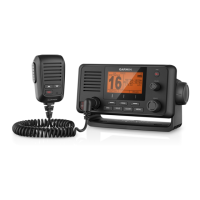
The Garmin VHF 115, VHF 215, and VHF 215 AIS series are marine VHF radios primarily used for two-way communication on the water. They allow boat operators to communicate with other vessels, shore stations, and marine services. The VHF 215 and VHF 215 AIS models offer additional functionalities, such as hailer horn and public address (PA) speaker connections, which enable announcements on the vessel. The AIS models specifically integrate Automatic Identification System (AIS) capabilities, allowing them to receive and transmit AIS data for enhanced situational awareness, displaying information about other AIS-equipped vessels in the vicinity.
The devices are designed to connect to a 12 Vdc power source and require a VHF antenna for operation. They can also connect to an external GPS antenna for improved position data, although an internal GPS antenna is included. For data sharing, the radios support NMEA 0183 and NMEA 2000 connections, allowing integration with compatible chartplotters and other marine electronic devices. This enables the sharing of GPS position data, DSC (Digital Selective Calling) information, and, for AIS models, AIS data.
The devices can be installed in two primary ways: bail mounting or flush mounting. Bail mounting involves securing a bracket to a flat surface and then attaching the device to the bracket using knobs, allowing for easy removal or adjustment. Flush mounting integrates the device directly into a dashboard or panel, providing a more streamlined appearance. The manual provides detailed steps for both methods, including drilling pilot holes and securing the device.
For communication, the radios require a VHF antenna, which must be mounted according to its own installation instructions and connected to the VHF antenna port on the device. The microphone hanger can be mounted in a convenient location within reach of the microphone cable, ensuring easy access for communication.
The NMEA 0183 and NMEA 2000 connections facilitate data exchange with other marine electronics. Through NMEA 0183, the device can send and receive various data sentences, including DSC, DSE (Expanded Digital Selective Calling), and VDM (AIS VHF data-link message for AIS models) for transmitting, and DTM (Datum reference), GGA (Global positioning system fix data), GLL (Geographic position), GNS (GNSS fix data), RMA (Recommended minimum specific Loran-C data), and RMC (Recommended minimum specific GNSS data) for receiving. The NMEA 2000 network allows for broader integration, enabling the device to share information with compatible chartplotters and other NMEA 2000 devices, including GPS data and AIS reports for AIS models.
The VHF 215 and VHF 215 AIS models offer the ability to connect to an external marine speaker to amplify sound at remote locations or to communicate with other vessels. They also support connection to a hailer horn or PA speaker, allowing the microphone or handset to be used for making announcements. Some VHF models with PA systems also include a foghorn feature, which can be sounded through a hailer horn or PA speaker.
The manual emphasizes several considerations to ensure the longevity and proper functioning of the device. When selecting a mounting location, it is crucial to choose a spot that is not exposed to extreme temperatures or conditions, as extended exposure outside the specified temperature range can cause device failure and void the warranty. The location should also be strong enough to support the device's weight and protect it from excessive vibration or shock.
To prevent cracking in the gel-coat layer when mounting on fiberglass with screws, it is recommended to use a countersink bit to drill a clearance counterbore through only the top gel-coat layer. When flush mounting, care must be taken not to cut the hole too large, as this could compromise the device's stability.
For cable connections, especially if access to the back of the device will be limited after mounting, all necessary cables should be connected beforehand. Unused connectors should be covered with attached weather caps to prevent corrosion of the metal contacts.
Regarding power connections, if a NMEA 2000 power cable is installed, it must be connected to the boat's ignition switch or another in-line switch. Connecting it directly to the battery will drain the battery, as NMEA 2000 devices will continuously draw power.
While the device typically does not require additional chassis grounding, if interference is experienced, the grounding screw on the housing can be used to connect the device to the water ground of the boat to help mitigate the interference. When connecting to external speakers or hailer horns, covering the connections with waterproof tape or heat-shrink tubing is recommended to protect them from the marine environment. Additionally, for hailer horn or PA speaker installations, mounting the horn or speaker at least 3 meters (10 feet) away from and facing away from the microphone or handset is advised to avoid feedback.
 General
| Transmit Power | 25 W / 1 W |
|---|---|
| NMEA 2000 Compatible | Yes |
| Water Rating | IPX7 |
| Display Type | LCD |
| NMEA 0183 | Yes |
| GPS Compatibility | Yes |
| DSC (Digital Selective Calling) | Class D |
| Frequency Range | 156.050 MHz – 163.275 MHz |
| Channels | All U.S., Canadian and International Marine Channels |
| Battery Life | N/A (Requires external power) |



 To Next Page