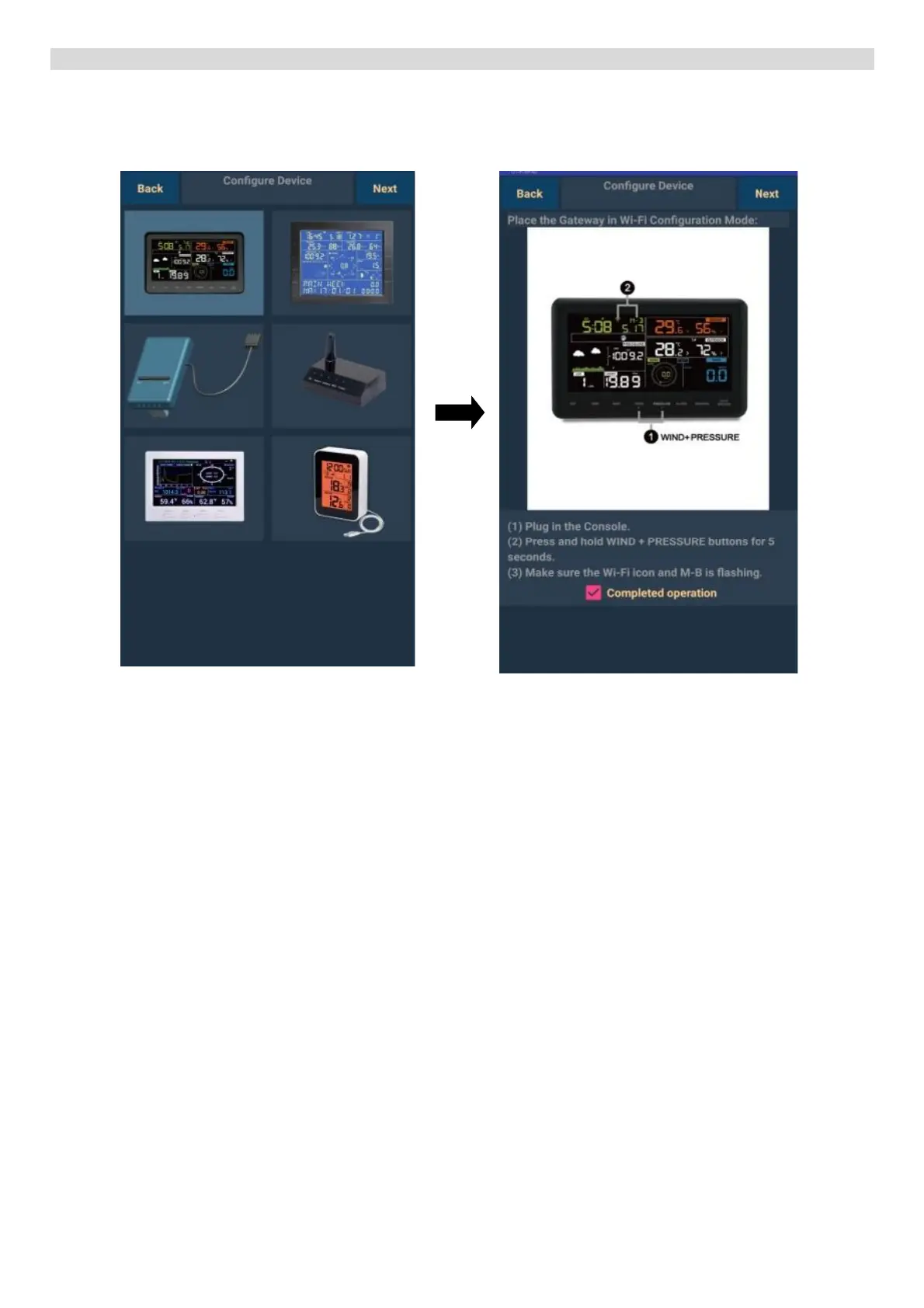
Connecting the main unit to a wireless Wi-Fi network - ANDROID
1) Make sure your mobile device is connected to the Wi-Fi network
2) Download the WS View app from Google Play store to your mobile device
3) Run the app
Select the device in the upper left
corner and click on NEXT
Connect (or disconnect and
reconnect) the power adaptor to the
main unit. Hold the WIND
and PRESSURE buttons
simultaneously for 5 seconds.
“M-B” will flash at the top of the
display.
Check “Completed operation” and
click on NEXT


 To Next Page