Need help?
Do you have a question about the GARNI 545 line and is the answer not in the manual?
Symbols indicating important notices and notes for safe usage.
Lists all items included in the product package.
Details the extensive features and capabilities of the weather station.
Illustrates and labels the front components of the main unit.
Identifies and explains components on the rear of the main unit.
Details the buttons and their functions on the side of the main unit.
Guide for setting up and installing the wireless sensor.
Instructions for powering the main unit via AC adapter or batteries.
How to connect and manage up to three wireless sensors.
Recommendations for optimal placement of main unit and wireless sensor.
Explanation of automatic time synchronization via DCF-77 signal.
Procedure for manually initiating DCF-77 signal reception.
Steps for resolving issues with DCF-77 or wireless sensor signal reception.
Detailed steps for manually setting time, date, and format.
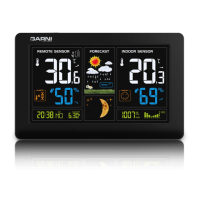
Explains various display elements and their meanings, including time and date.
Details the display of indoor/outdoor temperature and relative humidity.
Explains the basis and accuracy of the weather forecast feature.
Explains the six icons used for weather forecasting.
How weather trends are updated and indicated by arrows.
How to view and change units for absolute barometric pressure.
Shows individual Moon phases according to the current date.
Explains icons representing indoor thermal comfort based on temp/humidity.
How to view/clear max/min readings and change temperature units.
How to set and manage upper/lower temperature alarms and frost indication.
Steps to set the wake-up time, activate/deactivate the alarm, and use snooze.
Control of display backlight and automatic DST changes.
Explains battery icons and how to charge external devices via USB.
Common problems and their solutions for the weather station.
Essential safety guidelines to follow when using the device.
Lists the technical specifications for the main unit and wireless sensor.
 General
| Brand | GARNI |
|---|---|
| Model | 545 line |
| Category | Weather Station |
| Language | English |

 To Next Page