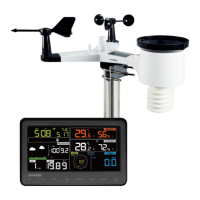
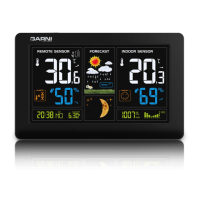
times in total. The received time is compared with the time on the main unit and adjusted if necessary. For
better signal reception, place the main unit near a window.
If the DCF-77 signal is not received (icon is not displayed), reception will be interrupted, and it will be re-
attempted in an hour until the DCF-77 signal is received successfully.
Note:
The received DCF-77 time adjustment signal strength may be affected by the geographical location or the
premises where the weather station is located.
For better reception, the main unit should be placed on a flat non-metallic surface, near a window on the
upper floor of your house away from electrical appliances such as a TV, computer, etc.
Manual reception of the DCF-77 signal
Press and hold button until the icon is displayed and the manual search for the DCF-77 commences.
If reception is unsuccessful, the icon disappears, and the time is not adjusted automatically. After
successful signal reception, the time and date will be adjusted even if they were manually set before.
No data on display
Reception of the DCF-77 signal not successful
77 is available at your location.
Start searching for the signal manually.
3. Wait until the main unit automatically restarts the search.
Set time and date manually.
Wireless sensor signal reception not successful
Check that the batteries in the wireless sensor are inserted correctly.
2. Check that the wireless sensor is within the signal range.
3.
art signal search manually.
Manual setting of time and date
1) Press and hold button until the text “12-” and “24-” (time format) flashes.
2) Press button or to set the 12-hour or 24-hour time format.
3) Press button to save and move to the next setting.
4) Press button or to select the time zone (for the Czech and Slovak Republic it is 00).
5) Press button to save and move to the next setting.
6) Press button or to set the hour.
7) Press button to save and move to the next setting.
8) Press button or to set the minute.
9) Press button to save and move to the next setting.
10) Press button or to select the date format (D-M, day-month or M-D, month-day).
11) Press button to save and move to the next setting.
12) Press button or to set the year.
13) Press button to save and move to the next setting.
14) Press button or to set the month.
15) Press button to save and move to the next setting.
16) Press button or to set the day.
17) Press button to save and move to the next setting.
18) Press button or to select the language for day names.
19) Press button to save and move to the next setting.


 To Next Page