Uploading the measured data to a selected server - iOS
Ecowitt
To connect to Ecowitt, enter the "Station ID" and "Authentication Key" assigned by this service, for
registration see www.ecowitt.net.
After connecting the AC adapter to the main unit, briefly press the SET button on the main unit to
display the MAC address, it is displayed as, eg.: 12: 34: 56: AB: CD: EF: With the MAC address
obtained, register your device with Ecowitt or your own server. If you do not want to link the
weather station to your Ecowitt account, click Next without filling in your login information.
Weather Underground
Registration to the Weather Underground server can be done with a mobile app or with a web
browser, see below.
If you do not want to link the weather station with the Weather Underground account, click on Next
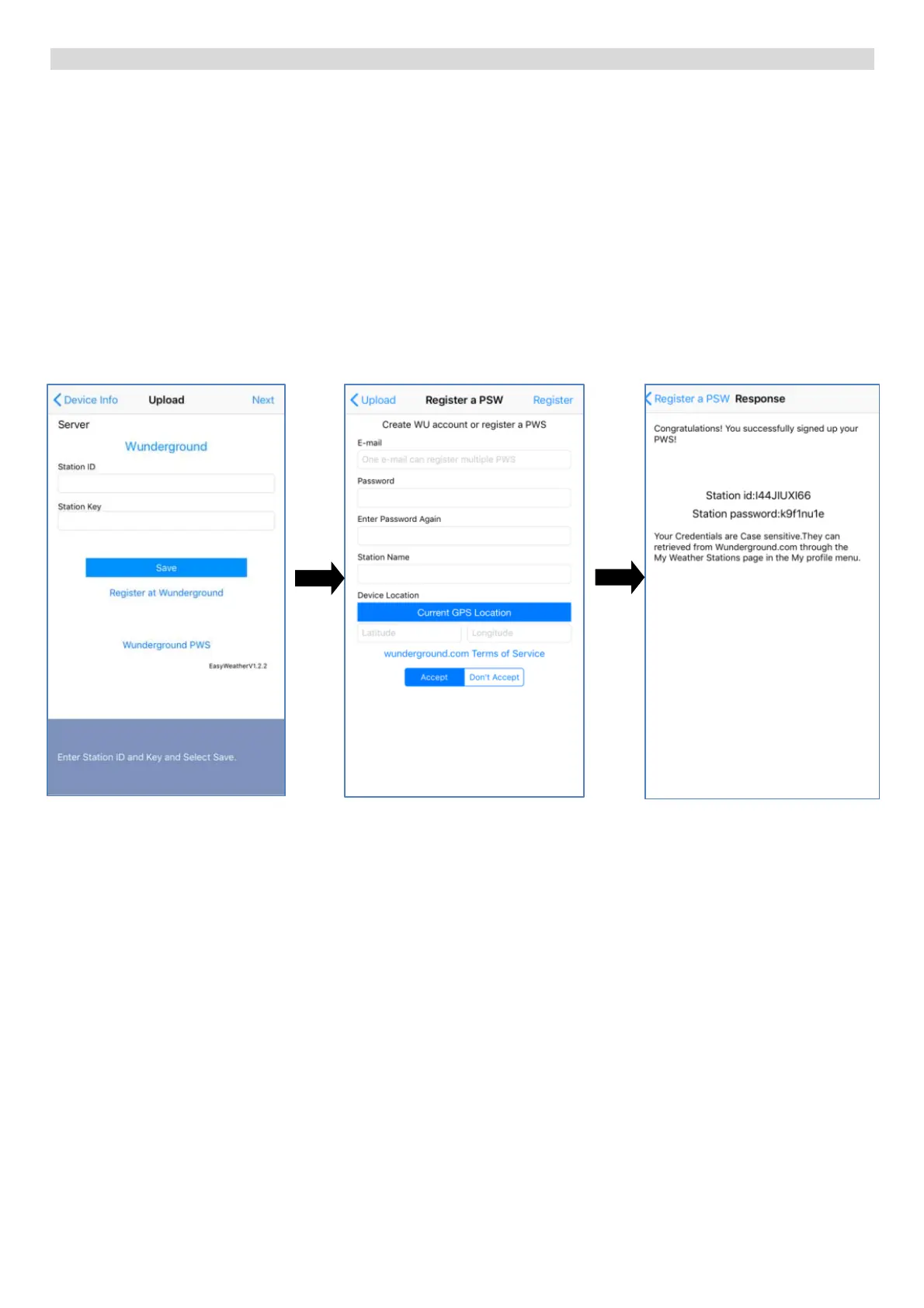
If you already have a
Weather Underground
account, enter the ID
number in the “Station ID”
box and the password
received from the Weather
Underground server in the
“Station Key” box. Click on
SAVE to save and then on
Next.
If you do not have an
account, click at Register at
Wunderground.com, and
the following screen will
appear (see on the right).
Registration to the
Weather Underground
server
1. Enter your e-mail
2. Enter the password for
logging to your profile
3. Enter any name of the
weather station
4. Enter the location of the
weather station using
latitude and longitude, OR
click the Current GPS
Location button if the
weather station is located
where the mobile device is
currently located
5. Click on Register
Upon successful
registration, you will receive
a “Station ID” and a
password for the device,
which will also be sent to
the specified e-mail
address.
Enter the identification
number and password in the
respective boxes.


 To Next Page
 Loading...