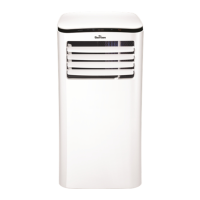
This document is an instruction manual for a Garrison Portable Air Conditioner, model 043-5494-2, with a 5,000 BTU cooling capacity. It provides comprehensive information on the unit's features, operation, installation, maintenance, and troubleshooting.
Function Description:
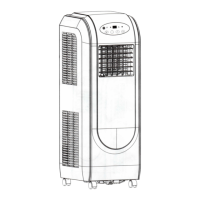
The Garrison Portable Air Conditioner is designed to provide cooling, dehumidification (DRY mode), and fan-only operation. It features an electronic control panel and can also be operated via a remote controller. The unit is designed for indoor use and is portable, equipped with casters for easy movement on smooth, flat surfaces.
Important Technical Specifications:
- Cooling Capacity: 5,000 BTU
- Temperature Range (COOL mode): 17 °C (62 °F) to 35 °C (95 °F)
- Temperature Range (DRY mode): 13 °C (55 °F) to 35 °C (95 °F)
- Power Cord: Equipped with a three-prong grounding plug.
- Remote Controller: Powered by two AAA batteries.
- Remote Controller Signal Receiving Range: 26 ft / 8m (36 ft / 11m range with 3V).
- Remote Controller Environment Temperature: -5°C to 60°C (23°F to 140°F).
- Timer Setting Range: 0 to 24 hours (in 0.5-hour increments up to 10 hours, then 1-hour increments up to 24 hours).
Usage Features:
- Operating Modes: AUTO, COOL, DRY, and FAN. The mode is selected via the "MODE" button on the control panel or remote controller.
- Temperature Adjustment: "UP" (Λ) and "DOWN" (V) buttons allow adjustment of temperature settings in 1 °C/2 °F increments. The display can switch between Celsius and Fahrenheit by pressing and holding the Up and Down buttons simultaneously for 3 seconds.
- Fan Speed: In COOL and FAN modes, the fan speed can be set to LOW or HIGH using the "FAN" button. In AUTO and DRY modes, the fan speed is automatically controlled.
- Timer Function: The "TIMER" button on the control panel or remote controller allows users to set AUTO ON (start time) and AUTO OFF (stop time) programs. This is useful for scheduling the unit's operation.
- SLEEP Operation (ECONOMY mode): This feature, available in COOL and AUTO modes, gradually adjusts the set temperature over time to maintain comfort and save energy during sleep. The temperature increases (cooling) or decreases (heating) by 1 °C/2 °F in 30 minutes, then by another 1 °C/2 °F after an additional 30 minutes. This new temperature is maintained for 7 hours before returning to the original setting.
- Auto-Restart: If power is interrupted, the unit will automatically restart with the previous function settings once power resumes.
- 3-Minute Delay: After the unit stops, it cannot be restarted for 3 minutes to protect the compressor.
- Air Flow Direction Adjustment: The horizontal louver blade can be adjusted manually to direct airflow.
- LED Display: Shows the set temperature in °C or °F, and Auto-timer settings. In DRY and FAN modes, it displays the room temperature.
- Error Codes: The unit displays error codes (E1, E2, E4) for sensor issues and a protection code (P1) when the bottom tray is full, indicating the need for water drainage.
- Remote Controller Lock Function: A recessed "LOCK" button on the remote controller allows users to lock all current settings to prevent accidental changes.
Installation Features:
- Location: The unit should be placed on a firm, smooth, level floor, at least 30 cm from walls, furniture, and curtains to ensure proper airflow. It must be within reach of a properly grounded wall receptacle.
- Window Kit: A window slider kit is provided for exhaust hose installation in most standard vertical and horizontal window applications. The kit can be modified (cut) to fit narrower windows, but the hole in the kit should not be cut.
- Exhaust Hose Installation: The exhaust hose and adaptor are installed for COOL, HEAT (heat pump type), or AUTO modes. For FAN, DRY, or HEAT (electrical heat type) modes, the hose should be removed. The duct can be compressed or extended moderately but should be kept to a minimum length. It can also be installed into a wall using an adaptor, expansion plugs, and wooden screws.
- Water Drainage: The unit has a bottom drain plug for manual drainage when the internal tray is full (indicated by "P1" error code). For continuous dehumidifying, a drain hose (locally purchased) can be attached to the drain outlet.
Maintenance Features:
- Air Filter Cleaning: The unit has upper and lower air filters that should be cleaned at least once every two weeks to prevent dust buildup and maintain efficient operation. Filters can be removed, washed with a neutral detergent in warm water (approx. 40 °C/104 °F), rinsed, and dried in a shady place before reinstallation.
- Unit Enclosure Cleaning: The unit's exterior can be cleaned with a lint-free cloth soaked in neutral detergent, then wiped dry.
- Long-Term Storage: Before storing the unit for an extended period, it should be drained completely, run on FAN mode for half a day to dry the interior and prevent mold, unplugged, and the power cord secured. Batteries should be removed from the remote controller, and the air filter cleaned. The exhaust hose should be disconnected, stored safely, and the window/wall hole covered with the adaptor cap.
- Safety Precautions: Emphasizes unplugging before cleaning, avoiding hazardous chemicals, not washing directly with water, and ensuring the power cord is repaired by qualified personnel if damaged.
Warranty:
The product comes with a full one-year warranty covering defective materials and workmanship. A limited 2nd-5th year warranty covers parts in the Sealed Refrigeration System (compressor, condenser, evaporator, and tubing). The consumer is responsible for service call costs related to normal responsibilities, diagnostic, removal, transportation, and reinstallation costs. The warranty requires proper use, installation by a professional, adequate electrical service, accessibility for servicing, and routine maintenance. Exclusions include damage from improper installation or use, services by unauthorized personnel, use of non-Midea parts, external causes (abuse, misuse, acts of God), commercial use, and products without original serial numbers.

 Need help?
 General

 To Next Page