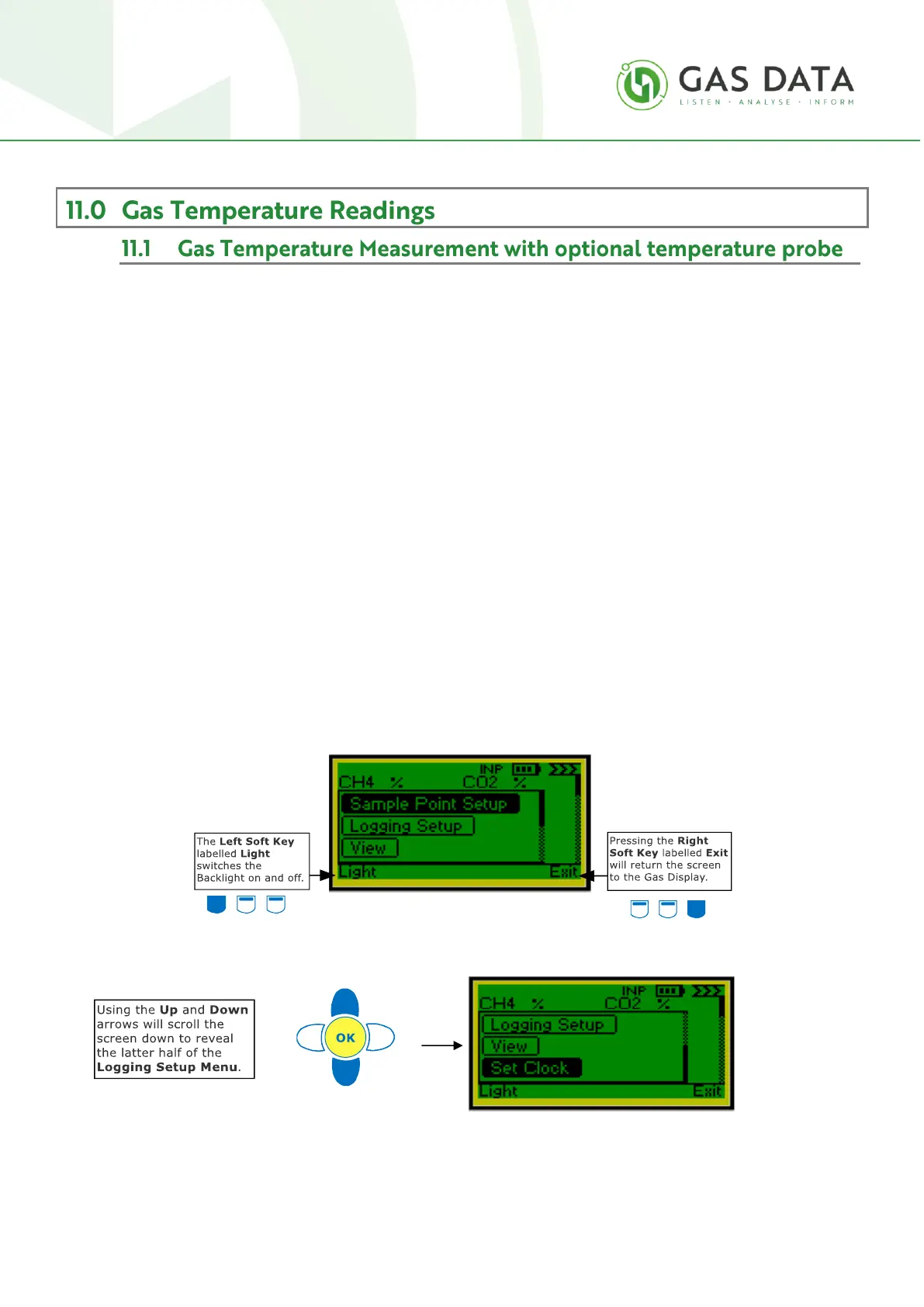
The Menu Window is used to configure the data storage functionality of the instrument.
It contains options for setting up sample points, unattended data logging parameters, viewing stored
readings and setting the clock.
The Up and Down Keys will scroll up and down and pressing the OK Key will take you to the highlighted
option.
Sample Point Setup is a menu for creating and deleting sample points.
Logging Setup is a menu for setting up unattended data logging parameters such as the sample period
and the number of logs to be taken.
View is a display for viewing previously stored readings.
Set Clock allows the user to change the date and time.
The Left Soft Key, labelled “Light”, switches the Backlight on and off and the Right Soft Key, labelled
“Exit”, will exit the Main Menu Window and return the user to the Gas Display.
Before you can start storing or logging readings you need to create a sample point, essentially a name or
location information for your log. This is done using the Sample Point Setup function.



 To Next Page