www.gaslandchef.com
3330-A Marathon Ct Charleston, SC 29418
support@gaslandchef.com
1 (844) 538-7890
15
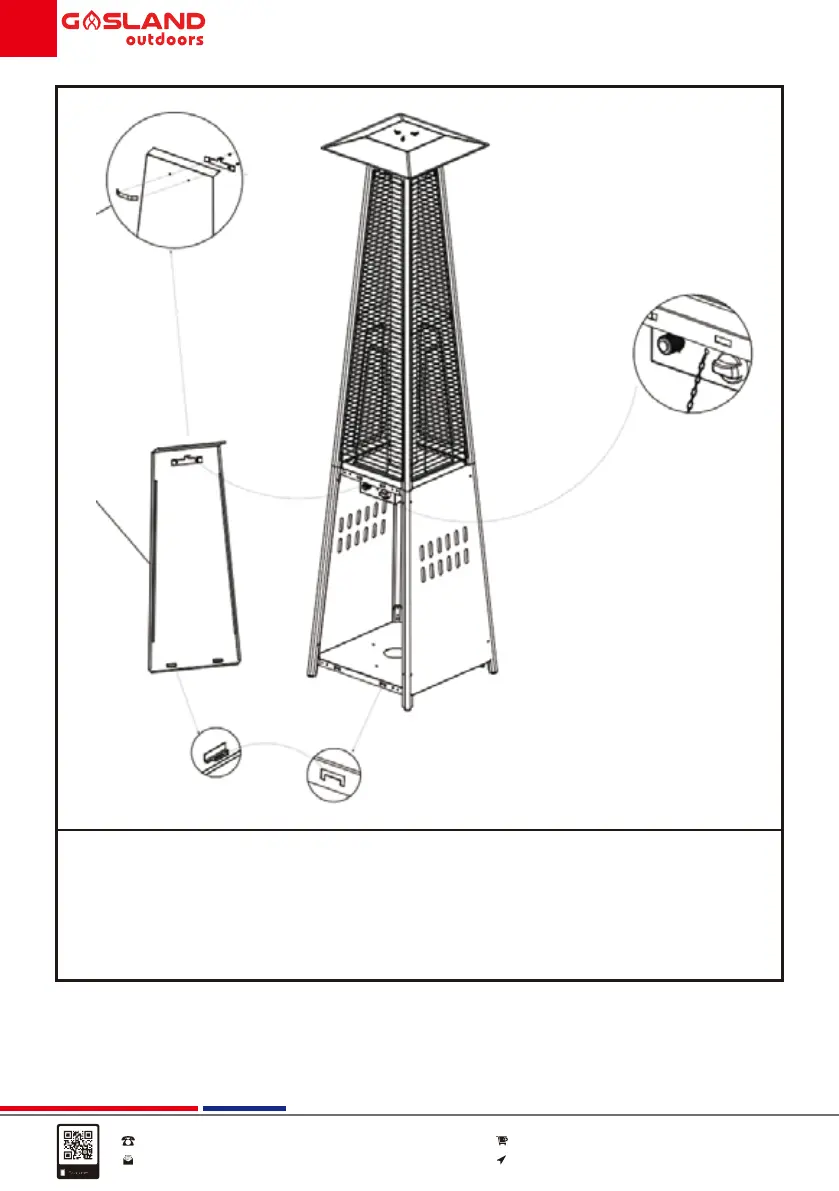
10. Screw the handle (15) on the front panel (14) - attach the panel by inserting
its two hooks into the holes on the bottom plate. Hook the chain (16) to the
hole in the control box, then close the panel to the middle plate - the panel
is attached by the magnets.
Tips: the chain can hole the panel while operating the control.
15
14



 To Next Page