EN
75
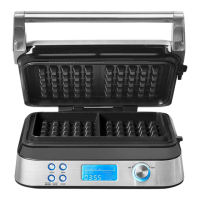
LCD-DISPLAY
14 BROWNING INDICATOR DASHES - Depending on the set
value, the assigned series of dashes illuminates.
15 TEXTURE FUNCTION
16 PROGRAM MENU - The arrow indicates the currently selected
program.
17 BAKING TIME - The smart control software calculates the
required time for each baking cycle separately.
ACCESSORIES
18 MEASURING CUP - Use the integrated gradation for measuring out the batter for 1 waffle (approx. 100 -110 ml) or 2 waffles (approx.
200 -220 ml).
CONTROL PANEL WITH CONTROL ELEMENTS
8
10
9
13
12
11
8 POWER BUTTON - For switching on or off.
9 MENU BUTTON - Press here to switch through the offered
programs.
10 TEXTURE BUTTON („CRISP EXTERIOR | MOIST
INTERIOR / UNIFORM TEXTURE“) - For selecting the
consistency of your waffles.
11 RESTART BUTTON - Starts operation with the current settings.
12 LCD-DISPLAY - Showing the current settings and the baking
time.
13 BROWNING CONTROL DIAL - 7 different settings allow to
customise the browning from light to dark.
LIGHT
CRISP EXTERIOR
MOIST INTERIOR
DARK
1 2 3 4 5 6 7
BELGIAN
CLASSIC
CHOCOLATE
BUTTERMILK
CUSTOM
14
15
17
16
18


 To Next Page
 Loading...