CHAPTER 3: Setting Up and Getting Started
36
Using the EZ Pad touchpad
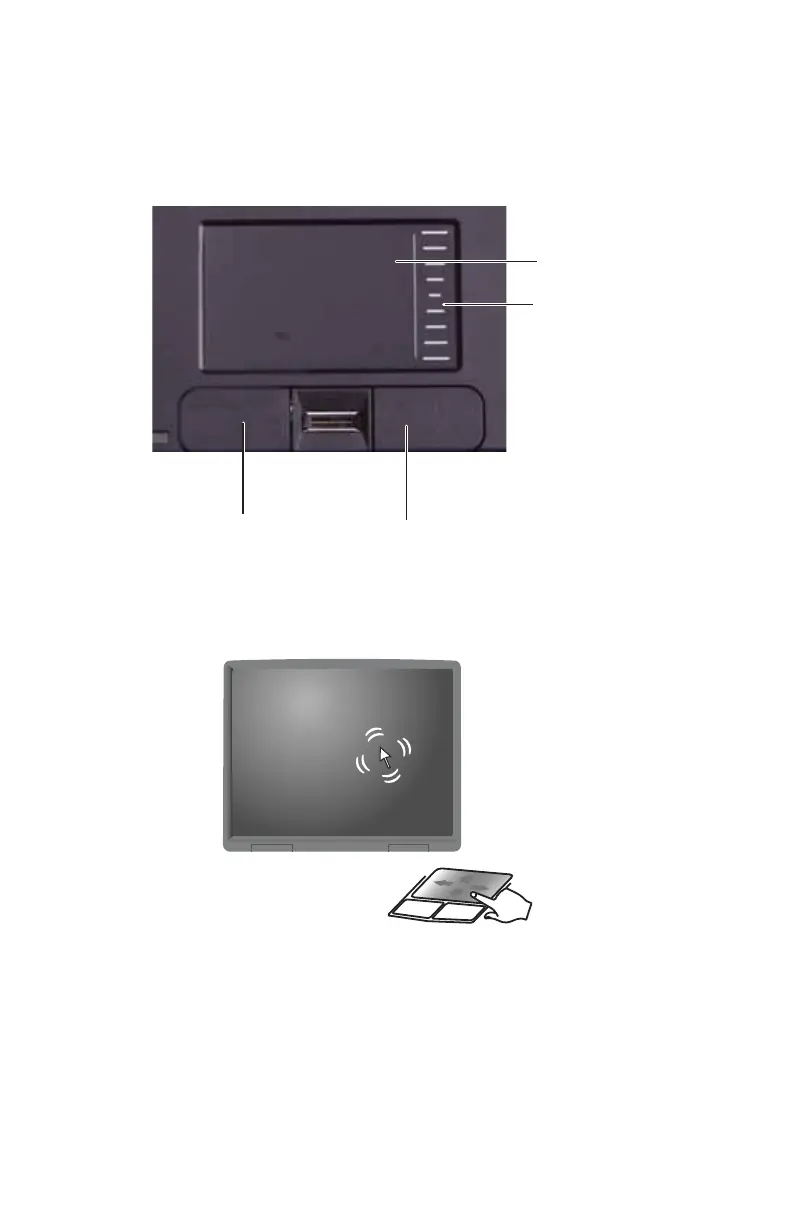
The EZ Pad™ consists of a touchpad, two buttons, and a scroll
zone.
When you move your finger on the touchpad, the pointer
(arrow) on the screen moves in the same direction. You can
use the scroll zone to scroll through documents. Use of the
scroll zone may vary from program to program.
Touchpad
Left button
Right button
Scroll
zone



 To Next Page