EasyManua.ls Logo

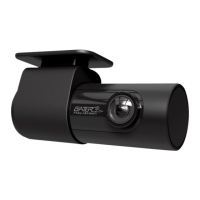
Gator GHDVR82W - User Manual

Gator GHDVR82W
16 pages
Print Icon
To Next Page IconTo Next Page
Loading...
!
!
1
FULL HD 1080P wIFI
DaSH cam
GHDVR82W
PRODUCT USER MANUAL
152
Wide AngleAdhesive
Mount
G Sensor GPS Option
Hand Gesture
Photo Function
Resolution
1080P
Full
HD
Super
Capacitor
!
Question and Answer IconNeed help?

Do you have a question about the Gator GHDVR82W and is the answer not in the manual?

Summary

Installation of Dash Cam

Pairing the Dash Cam to a Smartphone

DASH CAM interface

DASH CAM APP functions

Resetting DASH CAM

Product specifications

Trouble shooting guide

Cannot take pictures or record video?

Addresses issues with recording or taking pictures, checking storage space.

Stopping automatically while recording

Solutions for the dash cam stopping automatically during recording, suggesting high-speed SD cards.

The DASH CAM is jammed or not responding

Steps to resolve a frozen or unresponsive dash cam, including using the reset button.

Why is the DASH CAM not turning on in the car?

Troubleshooting steps for when the dash cam fails to power on, checking car power sources.

Safety information & warnings

Technical assistance

Gator GHDVR82W Specifications

General IconGeneral
Resolution1080P
GPSYes
G-SensorYes
Loop RecordingYes
Parking ModeYes
Night VisionYes
Power Source12V car adapter

Related product manuals