Need help?
Do you have a question about the Gator GHDVR85W and is the answer not in the manual?
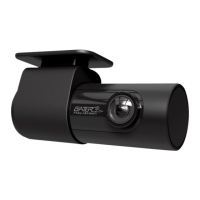
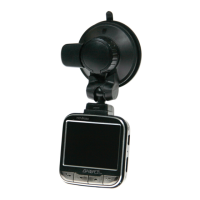
Lists key features of the GHDVR85W dash cam.
Guidance on mounting the dash cam to the windscreen.
Instructions to transfer dash cam videos to a mobile device.
Procedure to restore the dash cam to its default settings.
Information on GPS data recording and playback requirements.
Solutions for issues preventing video recording or picture taking.
Tips to ensure the adhesive mount stays attached to the windscreen.
Troubleshooting steps for when the dash cam fails to power up.
Explains the super capacitor and power requirements for operation.
Clarifies the super capacitor's limited role and device power needs.
Steps to resolve connectivity problems between the dash cam and phone.
Notes that device warmth during HD recording is normal.
Solutions for recording interruptions, including SD card issues.
Advice on formatting and compatibility for the Micro SD card.
Solutions for inability to record, focusing on SD card space and formatting.
Addresses potential PC playback issues due to file format or software.
Tips for improving video quality by cleaning the lens.
Steps for resolving a frozen device, including reset and formatting.
Contact details for Australasian and European customer support.
 General
| Resolution | 1080p |
|---|---|
| Viewing Angle | 140° |
| GPS | Yes |
| G-Sensor | Yes |
| Loop Recording | Yes |
| Parking Mode | Yes |
| Wi-Fi | Yes |
| Display | LCD |
| Field of View | 140° |
| Night Vision | Yes |
| Screen Size | 2.7 inches |
| Storage | Micro SD card up to 128GB |
| Battery | Built-in |

 To Next Page