EasyManua.ls Logo

GBD AS07200 - User Manual

GBD AS07200
36 pages
Go to English
Print Icon
To Next Page IconTo Next Page
Loading...
IT UK
Centralina di controllo
ISTRUZIONI PER L’INSTALLAZIONE
Control unit
INSTRUCTIONS FOR INSTALLATION
SR302
AS07200 - 433MHz
Platine électronique
INSTRUCTIONS POUR L’INSTALLATION
Equipo de mando
INSTRUCCIONES PARA LA INSTALACIÓN
FR
ES
Question and Answer IconNeed help?

Do you have a question about the GBD AS07200 and is the answer not in the manual?

Overview

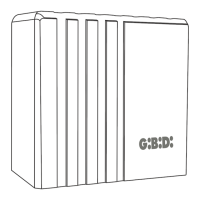
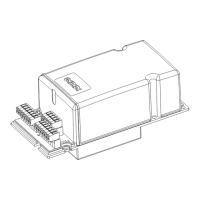
The G:B:D: SR302 (AS07200 - 433MHz) is an electronic control unit designed for the automation of shutter motors, featuring a built-in radio receiver. It is suitable for single-phase 230Vac 50/60 Hz power supplies and can manage one motor with a maximum power of 1200W. The unit operates within a temperature range of -30°C to +50°C.

Function Description:

The SR302 control unit provides comprehensive control over shutter automation, offering various functionalities for enhanced safety and convenience. Key features include:

  • Status Indication: A blue LED indicates the operating state of the control unit, while red LEDs signal radio code learning and the status of DIP switch SW1.
  • Lighting Management: It supports the management of a flashing light or a courtesy light. The flashing light can be configured for slow flashing during opening and fast flashing during closing, remaining off during pause and at rest. Alternatively, it can function as a courtesy light, staying active for 2 minutes after motor movement.
  • Programming and Learning: An on-board SW2 button facilitates programming and learning of radio transmitters. The unit can store up to 31 keys or transmitters.
  • Safety Inputs: It includes two N.C. (normally closed) inputs for photocells and safety edges.
  • Operation Logics: Two possible operation logics are available: "step-by-step with stop" and "dead man" mode.
  • Time Programming: The unit allows programming of pause time (up to 180 seconds) and working time (up to 150 seconds).
  • Input Configuration: The "BUTTON UP" input can be programmed to function as a START command or for "ONLY OPENING" operation.
  • Automatic Closing: The automatic closing function can be enabled or disabled. When enabled, it activates only after a START command.

Important Technical Specifications:

  • Control Unit Type: Electronic control unit for the automation of shutter motors with integrated radio receiver.
  • Radio Receiver: On-board, operating at 433.92 MHz.
  • Power Supply: 230Vac monophase 50/60 Hz.
  • Number of Motors: 1.
  • Motor Power Supply: 230 Vac, 1200W max.
  • Flashing Light/Courtesy Light Output: 230Vac, 40W max.
  • Accessories Power Supply Output: 12Vac, 1.2W max.
  • Photocell Input: N.C. (Normally Closed).
  • Edge Input: N.C. (Normally Closed).
  • Operating Temperature: -30°C to +50°C.

Usage Features:

The SR302 offers flexible operation modes and programming options:

  • Transmitter Operation (DOMINO, MAKO, GIOTTO series):
    • One Button Operation: A single button on the transmitter can be programmed as a START command. The sequence of operations is: Shutter closed → OPENS; During opening → STOPS; Shutter open → CLOSES; During closing → STOPS; After a Stop → movement opposite to the previous STOP. If automatic closing is enabled, the shutter will close automatically after opening and the programmed pause time.
    • Two Button Operation: One button can be assigned to OPEN and another to CLOSE.
      • OPEN command: Shutter closed → OPENS; During opening → STOPS; Shutter open → IRRELEVANT; During closing → STOPS; After a Stop → OPENS.
      • CLOSE command: Shutter closed → IRRELEVANT; During opening → STOPS; Shutter open → CLOSES; During closing → STOPS; After a Stop → CLOSES.
    • STOP command: Stops motion in both opening and closing. Irrelevant if the shutter is fully open or closed.
  • Transmitter Operation (EWSETX... series):
    • Any button on the transmitter can be stored. The "Up arrow" button is automatically assigned to OPEN, the "Down arrow" button to CLOSE, and the "Control unit" button to STOP. This assignment is automatic and cannot be modified.
  • Dead Man Mode (DIP4 ON):
    • In this mode, only DOMINO, MAKO, GIOTTO transmitters are functional, and automatic closing is disabled.
    • DIP2 OFF (Dead Man Enabled Only in Closing):
      • One Button: START command opens, stops during opening, closes as long as active during closing, and moves opposite to the previous STOP if active during closing.
      • Two Buttons: OPEN command opens, stops during opening, is irrelevant if shutter is open, and opens after a stop. CLOSE command closes as long as active.
    • DIP2 ON (Dead Man Enabled in Opening and Closing):
      • One Button: START command opens as long as active, closes as long as active, and moves opposite to the previous STOP as long as active.
      • Two Buttons: OPEN command opens only if active. CLOSE command closes only if active.
  • Sound Function (DIP5): Can be enabled or disabled. When enabled, it provides a slow intermittent sound during opening, is off during pause, and a fast intermittent sound during closing.
  • Edge Input Configuration (DIP6):
    • OFF: Input used as a safety edge (N.C.). If the contact opens during closing, and "DEAD MAN IN OPENING AND CLOSING" is disabled, the control unit reverses motion until fully open. The contact is irrelevant during opening.
    • ON: Input used as STOP (N.C.), completely stopping motion and preventing any action.
  • Terminal 13-14 Management (DIP8):
    • OFF: Terminal 14 is associated with OPEN (unit opens but does not close automatically, even if automatic closing is enabled), and Terminal 13 is associated with CLOSE.
    • ON: Terminal 14 is associated with START, and Terminal 13 is disabled.

Maintenance Features:

  • Times Learning:
    • Working Time Programming: The unit allows learning the working time. This involves closing the shutter, setting DIP2 to OFF and DIP3 to ON, giving a command, letting the shutter open and then close, and finally resetting DIP3 and DIP2. Acoustic signals and LED DL9 indicate the process.
    • Automatic Reclosing Time Programming: The unit allows learning the automatic reclosing time (pause time). This involves closing the shutter, setting DIP2 to ON and DIP3 to ON, giving a command, waiting for the desired pause time (max 180s), and then giving another command. Acoustic signals and LED DL9 indicate the process.
  • Transmitter Programming:
    • Storing Transmitters: Press SW2 for one second. Within 10 seconds, press the desired transmitter button. A triple acoustic signal and 3 flashes of DL10 confirm storage. Up to 31 buttons/transmitters can be stored.
    • Overwriting Transmitters: Already stored transmitter buttons can be overwritten at any time.
  • Total Memory Cancellation: Press and hold SW2 until LED DL10 flashes 10 times with 10 acoustic signals.
  • Reset Working and Pause Times: Remove power, press and hold SW2, reapply power, wait for 3 acoustic signals, then release SW2. This resets working and pause times to default values.

Installation Warnings:

  • Electrical Safety: Before installation, a magnetothermal and differential switch (max 10A) with omnipolar contact separation (at least 3mm opening distance) must be installed upstream.
  • Cable Separation: Power cables (min 1.5mm²) must be kept separate from signal cables (min 0.5mm²) to avoid interference.
  • Connections: Refer to the provided tables and screen printing for connections. N.C. devices must be connected in series, and N.O. devices in parallel.
  • Child Safety: Packaging materials should be kept away from children.
  • Component Compatibility: The manufacturer is not responsible for malfunctions if non-original or unsuitable components are used.
  • Post-Installation Check: Always verify the correct functioning of the system and devices after installation.
  • Qualified Personnel: Installation and maintenance must be carried out by qualified personnel with technical knowledge and professional practice.

User Warnings:

  • Faults: In case of malfunction, disconnect power and contact technical service.
  • Safety Device Checks: Periodically check the safety devices.
  • Repairs: Repairs must be performed by specialized personnel using original and certified materials.
  • Restricted Use: The product should not be used by children or individuals with reduced physical, sensory, or mental capabilities without supervision or instruction.
  • No Internal Intervention: Do not intervene on the board for adjustments or maintenance.
  • Warning Signs: Install visible warning plates on the automated gate.
  • User Awareness: Inform users that children or animals should not play or stand near the gate.
  • Hazard Protection: Appropriately protect dangerous points (e.g., using a sensitive edge).

GBD AS07200 Specifications

General IconGeneral
BrandGBD
ModelAS07200
CategoryControl Unit
LanguageEnglish

Related product manuals