EasyManua.ls Logo

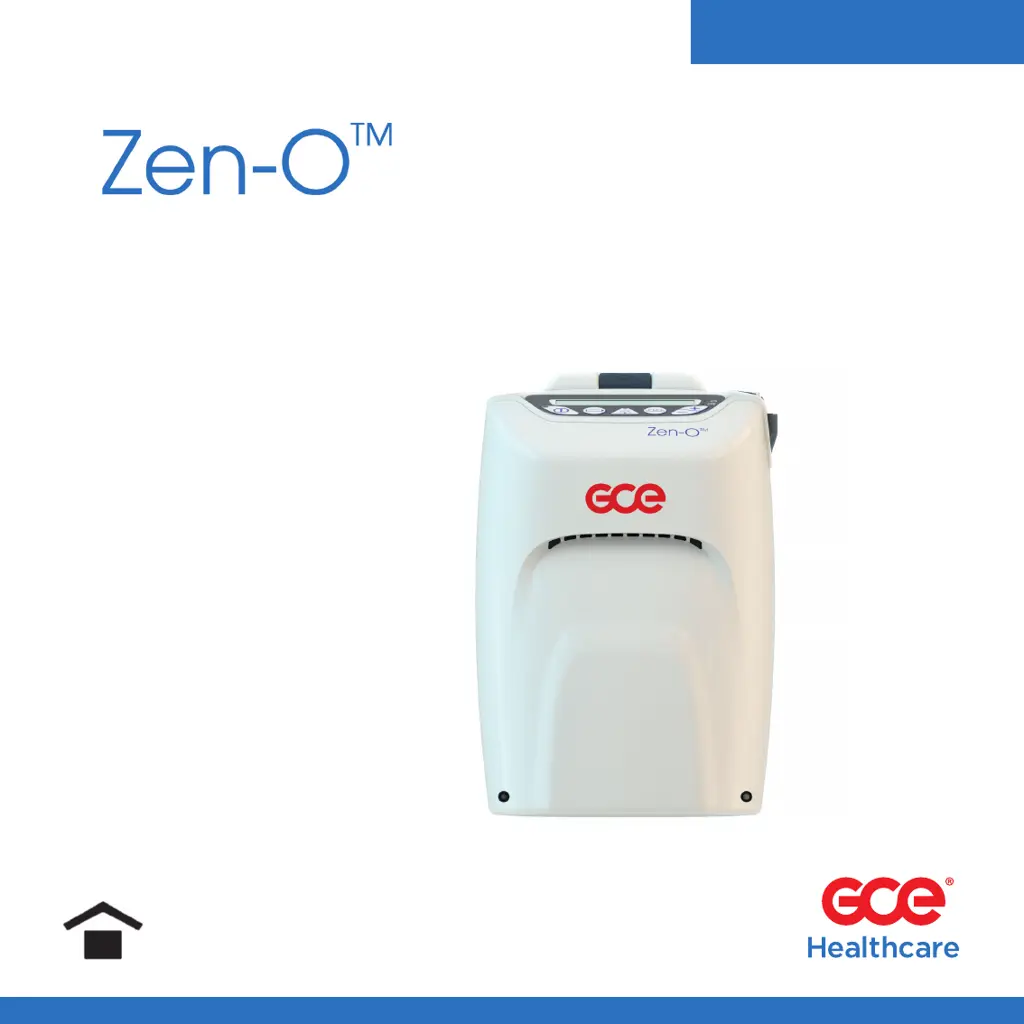
GCE Zen-O RS-00500 - User Manual

GCE Zen-O RS-00500
216 pages
Print Icon
To Next Page IconTo Next Page
Loading...
User Manual
Portable Oxygen Concentrator
Models: RS-00500 & RS-00500C
GCE HEALTHCARE

Table of Contents

Questions and Answers

  • S
    susan01Aug 6, 2025
    What to do if GCE Medical Equipment system becomes inoperative?
    • R
      rossrichardAug 6, 2025
      If the GCE Medical Equipment system becomes inoperative, first check that the system is securely connected to the power source and powered on. Also, check for any critical high-priority alarms, examine the system for damage or exposure to liquids. If the problem persists, contact your distributor.
  • A
    alyssa52Aug 13, 2025
    Why is my GCE Zen-O RS-00500 battery not charging?
    • V
      Vincent WhiteAug 13, 2025
      If the GCE Medical Equipment battery is not charging, it could be due to several reasons. First, ensure the power is correctly connected. Check that the round receptacles are secure in the unit, the power cord is connected to the AC/DC supply or automotive DC adapter (if applicable), the power cord is connected to the wall outlet (if applicable), and the wall outlet has power. Also, make sure the battery is fully seated and the battery cover is secure. If the problem persists, contact your distributor.
  • K
    Katherine HoffmanAug 20, 2025
    What to do if my GCE Medical Equipment system becomes inoperative?
    • P
      Patricia WilliamsAug 20, 2025
      If your GCE Medical Equipment system is inoperative, first ensure it's securely connected to the power source and powered on. Check the system for any signs of damage or exposure to liquids, as a critical high-priority alarm might have been triggered.
  • M
    Michael MolinaAug 28, 2025
    Why is the battery not charging on my GCE Medical Equipment?
    • O
      Olivia BrownAug 28, 2025
      If the battery of your GCE Medical Equipment is not charging, check the power connections, ensuring the round receptacles are secure in the unit. Also, make sure the battery is fully seated and the battery cover is secure. Ensure the power cord is connected to the AC/DC supply or automotive DC adapter (if applicable), that the power cord is connected to the wall outlet (if applicable) and the wall outlet has power.

Summary

Foreword

General Information

Provides general information about the user manual and terminology.

Classification

Details the device's classification regarding safety standards.

Typographical Conventions

Explains symbols used for warnings, cautions, and important information.

Intended Use

Safety Instructions

Warnings Overview

Lists critical safety warnings for device operation and potential hazards.

Cautions Overview

Outlines important precautions for safe and effective device use.

Important Information

Provides essential details regarding device operation and safety.

Instructions and Training

Product Description

Schematic Description

Illustrates and labels the main components and controls of the device.

General Instructions Before Use

Accessories List

Lists approved accessories and power supplies for the device.

Battery

Explains battery installation, charging, and usage guidelines.

Nasal Cannula

Specifies the required specifications for nasal cannulas used with the device.

Pull Cart

Describes how to attach and use the pull cart accessory.

Connecting a Humidifier

Provides instructions for connecting a humidifier to the device.

Operating Zen-O

Connecting Nasal Cannula

Details how to connect the nasal cannula for oxygen delivery.

Turning On

Explains the procedure for powering on the device and LED indicators.

Choosing a Preferred Language

Instructions on how to select the device's display language.

Adjusting Setting

Covers adjusting pulse and continuous flow settings, and auto mode.

ECO Mode

Describes the ECO mode for extended battery life.

Battery Button

Explains how to check battery status and charge information.

Responding to Alarms

How to respond to and manage device alarms.

Turning Off

Procedure for safely powering down the device.

Traveling with the Zen-O POC by Air

Passenger Pre-Flight Preparation

Covers FAA requirements, healthcare consultation, and battery planning for flights.

Boarding and In-Flight Information

Details carry-on baggage, stowage, and seating restrictions during flights.

Transportation Security Administration (TSA) Requirements

Information on TSA screening considerations for medical devices.

Placing Your Device in Airplane Mode

Steps to enable airplane mode for devices with communication features.

Alarm Indicators

Alarms

Details critical, high, medium, and low priority alarms, their messages, and actions.

Troubleshooting

Maintenance and Cleaning

Routine Maintenance

Guidelines for regular maintenance of the device and accessories.

Cleaning and Disinfection

Procedures for cleaning and disinfecting the device and its components.

Service Life

Information on the expected service life of the device and its components.

Device Repair and Disposal

Repair

Instructions on how to get the device repaired.

Disposal

Guidance on proper disposal of the device and batteries.

Warranty

Trademarks and Disclaimer

Trademark

States that all trademarks are the property of their respective owners.

Disclaimer

Provides disclaimers regarding information accuracy and manufacturer liability.

Technical Description

Device Specifications

Covers size, weight, power, purity, settings, and operating parameters.

Electromagnetic Compatibility (EMC) Information

Details compliance with EMC standards and guidance for safe use.

FCC Warning Statement

Provides FCC compliance information and warnings.

EU RED Article 10(10) Restrictions on Use for Model RS-00500 C

Information on EU radio equipment directive compliance for the specific model.

RF Exposure Information

Details Specific Absorption Rate (SAR) values and RF exposure compliance.

Glossary - Explanation of Packaging and Labelling Symbols

GCE Zen-O RS-00500 Specifications

General IconGeneral
TypePortable Oxygen Concentrator
Battery Duration (at setting 2)Up to 4 hours
Operating Temperature5°C to 40°C
Storage Temperature-20°C to 60°C
Flow Settings1, 2, 3, 4, 5 L/min
Sound Level38 dB(A)
Noise Level≤45 dB
Power SupplyAC: 100-240V, 50/60Hz; DC: 12V

Related product manuals