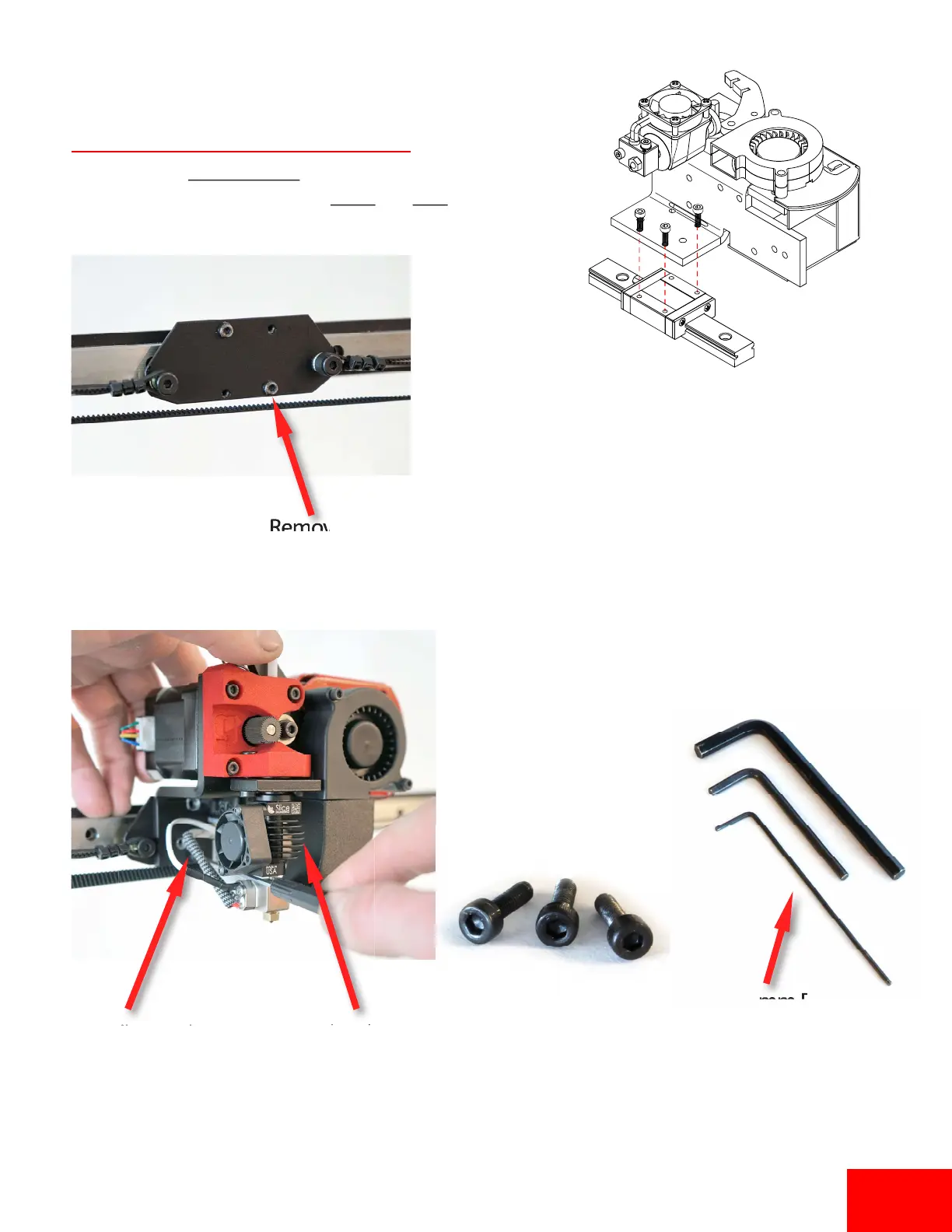
Install Extruder
M3x8mm
2.5mm Driver
Install extruder with
(3) M3x8mm bolts
Other (2) screws are
on right side of hotend
(hidden from view)
Remove this
M3x8mm bolt
1. Open the accessory box and remove the extruder
and hardware. The extruder needs to be installed
on the linear block using (3) M3x8mm socket
head screws. The extruder will go over the belt
bracket already installed
2. Use the supplied 2.5mm hex driver to install (3)
screws on extruder bracket.
3. Tighten all (3) screws and make sure the extruder
slides smoothly on the linear rail.
Images show a Single extruder. Pages 1-5 follow the
same installaon process for both Single and Dual Extruders
Pg 1


 To Next Page