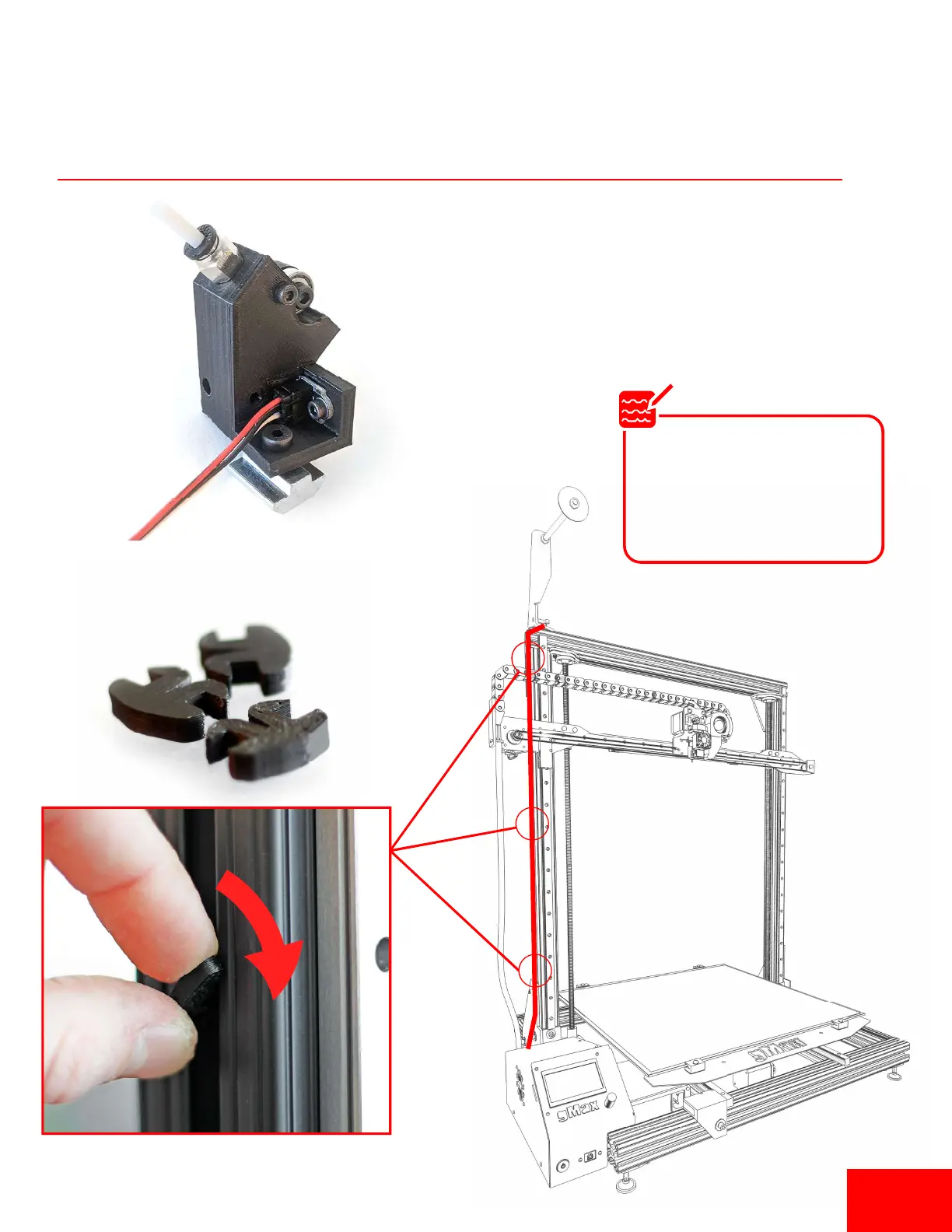
Plug in Filament Run-Out Sensor
2. Route filament sensor wire along inside
of 80/20 rail. Use 3d printed wire clips to
secure the wire.
1. Plug in the (red, black, white) filament sensor
wire from the runout sensor to the back of
the printer in the spot labeled “Runout”.
The runout sensor wire has
two connectors to allow for
two sensors to be plugged in.
Only one is needed for single
extruders
Note
Pg 6


 To Next Page