Install Filament Spool Holder
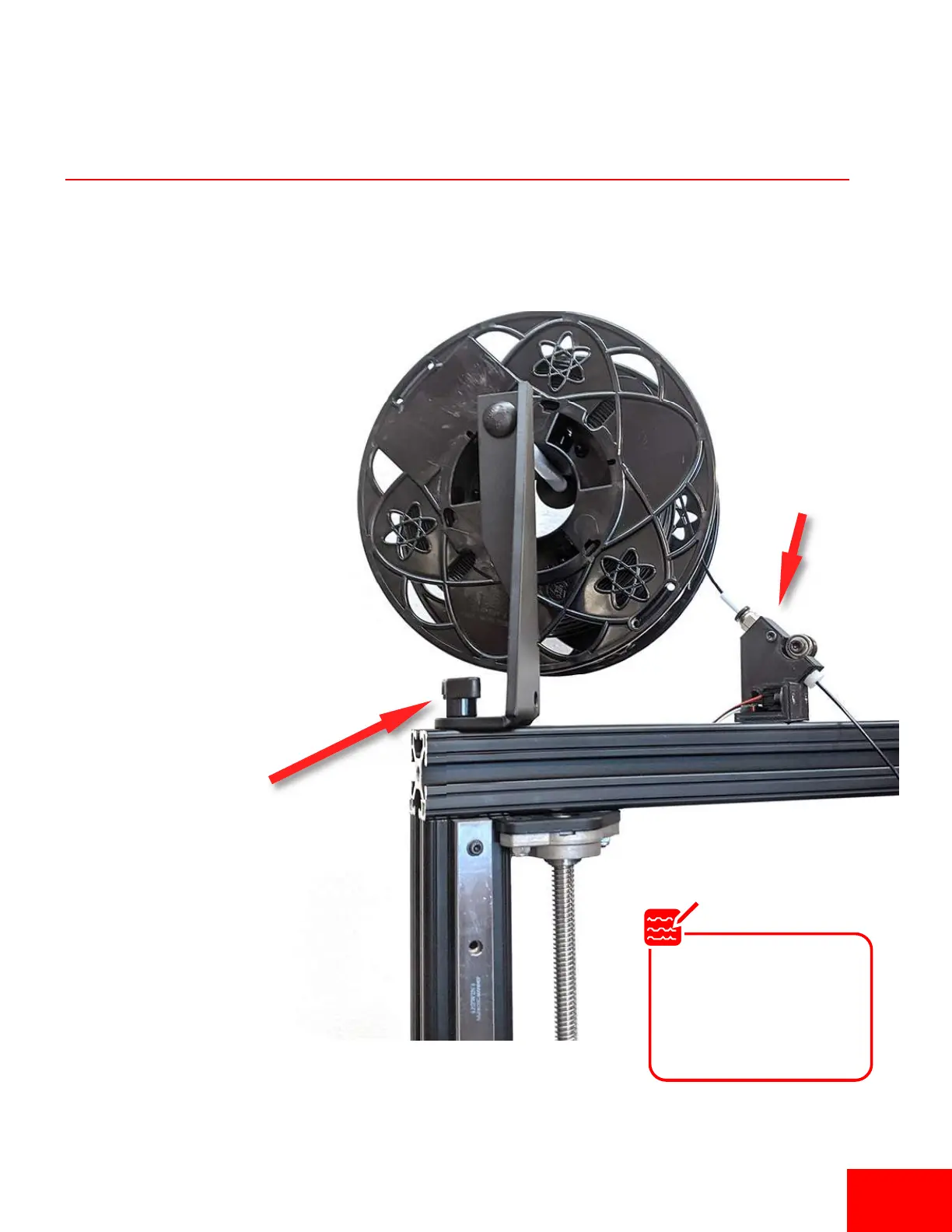
1. Loosen the filament spool
bracket knob and t-nut.
2. Slide the filament spool
bracket on to the le side of
the top rail and ghten the
knob to secure it.
3. Install the runout sensor on
the top rail with M6x16mm
and tnut. Make sure it lines
up with the spool
Tighten 2-Arm
Knob on Rail
Runout sensor
The runout sensor can
be moved to accommo-
date different spool sizes
or to beer line up with
the spool orientaon.
Note
Pg 7Pg 7


 To Next Page