Tablet User Guide Page 10
Settings
The settings screen can be accessed by touching the settings icon under
applications or on the status bar at the bottom right of the home screen.
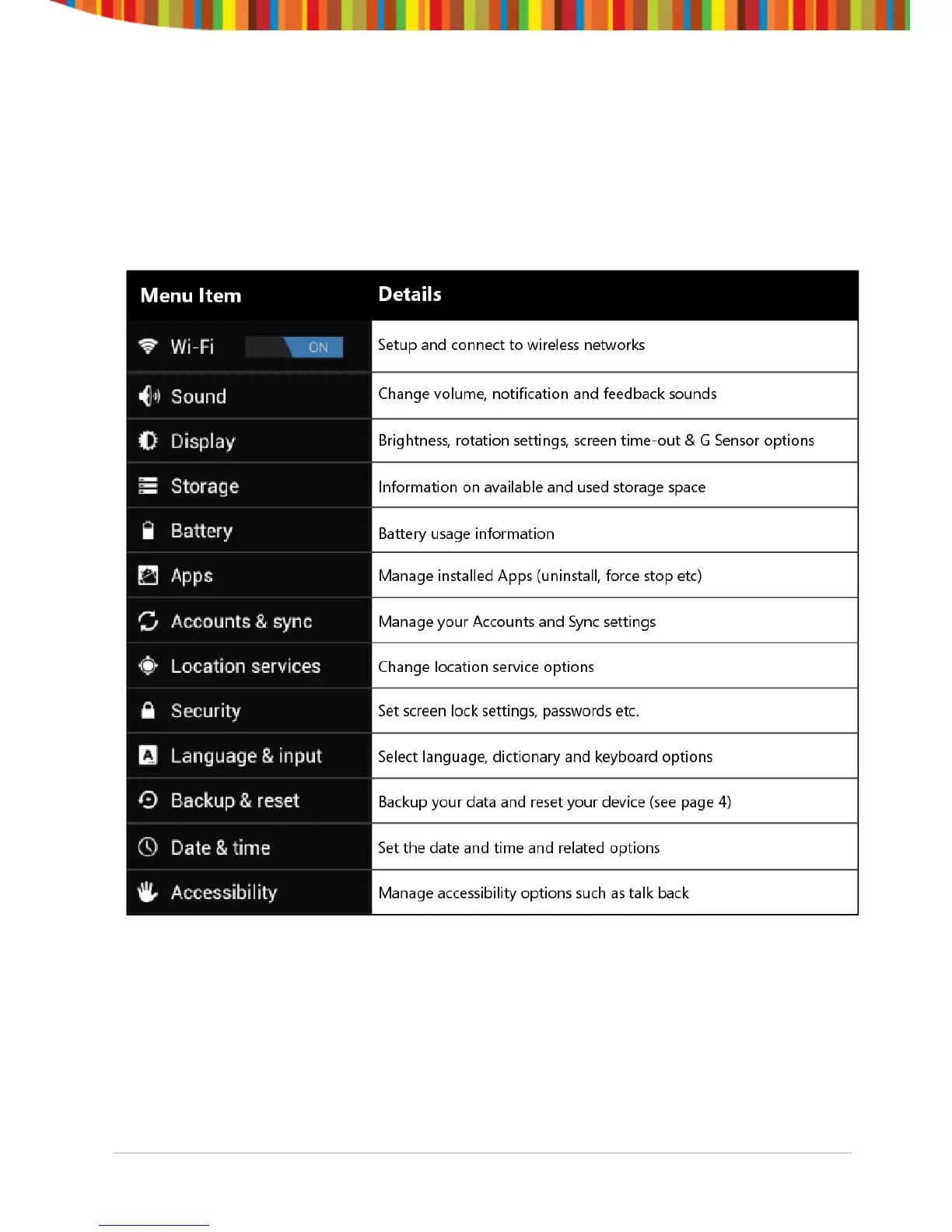
These options allow you to configure your device to your requirements.
The following options are available:
Please note that you can get to application specific settings by touching the
settings icon in the status bar whilst you are in an application.


 To Next Page