Tablet User Guide Page 3
Recommendations
- Remove the protective film from the screen before use. This is for protection
during transit only and will affect performance of the touch screen.
- To avoid touch screen interference do not use the device whilst charging via
the mains charger.
- Please keep the device away from moisture, dust and high temperatures.
- Do not drop or strike the device.
- To reduce the risks of Electric Shock do not open the outer casing.
Getting Started
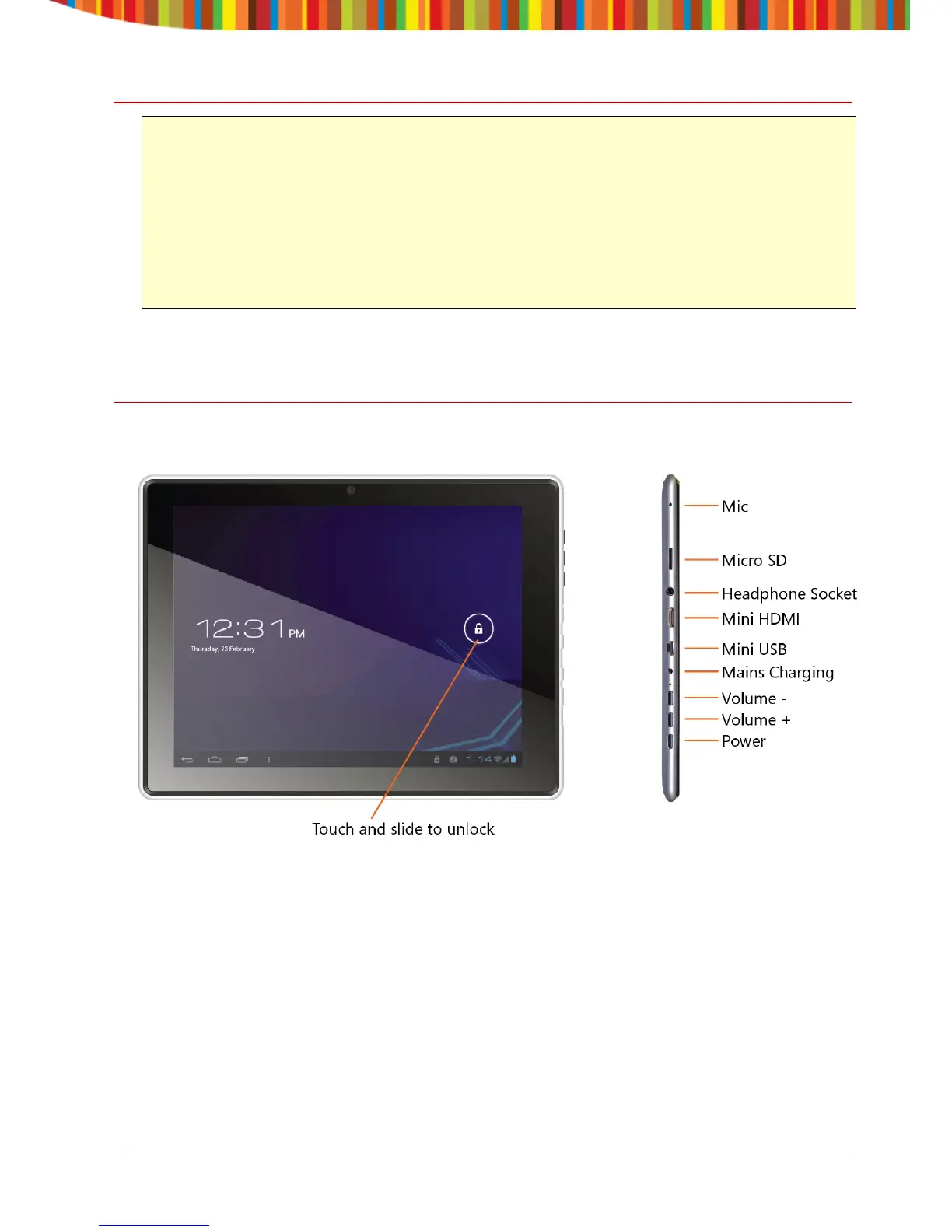
Buttons and Connections
The buttons on your device carry out various functions:
The Power button is on the bottom of the device next to the Volume buttons
and the mains charging socket.
Charging the Battery
You can only charge your tablet using the included mains charger. We
recommend charging for a good 8 hours before first use.


 To Next Page