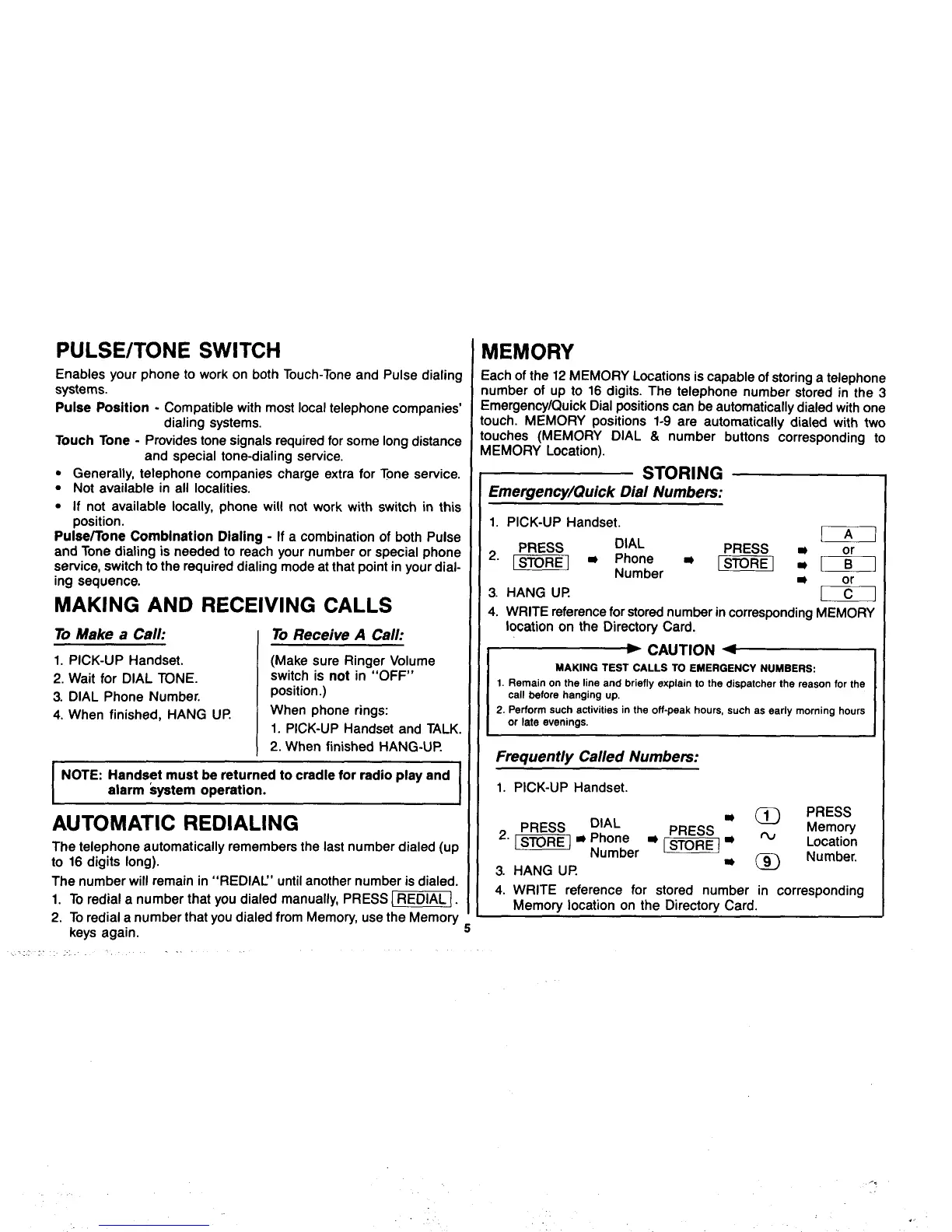
PULSE/TONE SWITCH
Enables your phone to work on both Touch-Tone and Pulse dialing
systems.
Pulse Position - Compatible with most local telephone companies’
dialing systems.
.
Touch Tone - Provides tone signals required for some long distance
and special tone-dialing service.
● Generally, telephone companies charge extra for Tone service.
● Not available in all localities.
.
● If not available locally, phone will not work with switch in this
position.
Pulse~one Combination Dialing - If a combination of both Pulse
and Tone dialing is needed to reach your number or special phone
service, switch to the required dialing mode at that point in your dial-
ing sequence.
MAKING AND RECEIVING CALLS
To Make a Call:
To Receive A Call:
1.PICK-UP Handset.
(Make sure Ringer Volume
2. Wait for DIAL TONE.
switch is not in “OFF”
3. DIAL Phone Number.
position.)
4. When finished, HANG UP
When phone rings:
1. PICK-UP Handset and TALK.
2. When finished HANG-UP
.
NOTE: Handset must be returned to cradle for radio play and
alarm kyatam operation.
.
AUTOMATIC REDIALING
The telephone automatically remembers the last number dialed (up
to 16 digits long).
The number will remain in “REDIAU’ until another number is dialed.
1. To redial a number that you dialed manually, PRESS -].
2. To redial a number that you dialed from Memory, use the Memory -
keys again.
5
. . . . .
MEMORY
;ach of the 12 MEMORY Locations is capable of storing a telephone
lumber of up to 16 digits. The telephone number stored in the 3
:mergency/Quick Dial positions can be automatically dialed with one
Duch. MEMORY positions 1-9 are automatically dialed with two
Duches (MEMORY DIAL & number buttons corresponding to
AEMORY Location).
STORING
Ememency/Quick Dial Numbem:
1. PICK-UP Handset.
DIAL
w
2“ m
m Phone -
PRESS
Number
m:&
3. HANG UP
&
4. WRITE reference for stored number in corresponding MEMOR’
location on the Directory Card.
~ CAUTION ~
MAKING TEST CALLS TO EMERGENCY NUMaERS:
1. Remain on the line and briefly explain to the dispatcher the reason for the
call before hanging up.
2. Pefiorm such activities in the off-peak hours, such as early morning hours
or late evenings.
F@quently Called Numbem:
1. PICK-UP Handset.
4. WRITE reference for stored number in corresponding
Memory location on the Directory Card.
..
.



 To Next Page