DIALING
‘
PAUSE FUNCTION
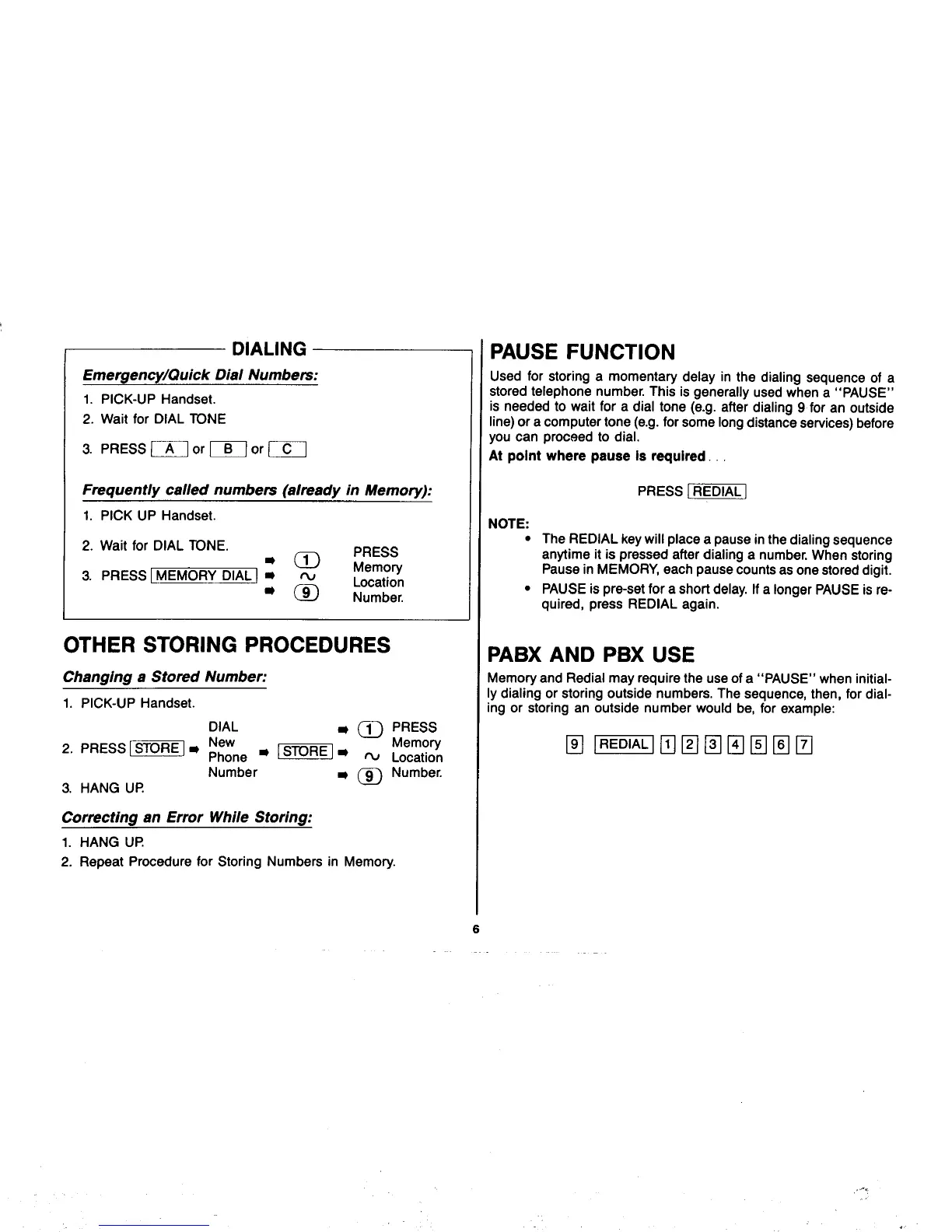
Emergency/Quick Dial Numbem:
1. PICK-UP Handset.
2. Wait for DIAL TONE
3. PRESS ~ or ~] or ~
Frequently called numbers (already in Memory):
1.PICK UP Handset.
2. Wait for DIAL TONE.
● g ~:;;
3. PRESS I MEMORY DIAL] -
“m
Location
Number.
OTHER STORING PROCEDURES
Changing a Stored Number:
1.PICK-UP Handset.
DIAL
* ~ pRESS
2. PRESS [~] m ~~;ne
● -] ● ~ ~o;~t;~n
Number
3. HANG UP
Correcting an Error While Storing:
1.
HANG UP
2. Repeat Procedure for Storing Numbers
~ @ Number.
in Memory.
Used for storing a momentary delay in the dialing sequence of a
stored telephone number. This is generally used when a “PAUSE”
is needed to wait for a dial tone (e.g. after dialing 9 for an outside
line) or a computer tone (e.g. for some long distance sewices) before
you can proceed to dial.
At point where pauae is required. .,
PRESS [~j
NOTE:
● The REDIAL key will place a pause in the dialing sequence
anytime it is pressed after dialing a number. When storing
Pause in MEMORY, each pause counts as one stored digit.
● PAUSE is pre-set for a short delay. If a longer PAUSE is re-
quired, press REDIAL again.
PABX AND PBX USE
Memory and Redial may require the use of a “PAUSE” when initial-
ly dialing or storing outside numbers. The sequence, then, for dial-
ing or storing an outside number would be, for example:
6



 To Next Page