EasyManua.ls Logo

GE 24959 - User Manual

GE 24959
20 pages
Print Icon
To Next Page IconTo Next Page
Loading...
24959
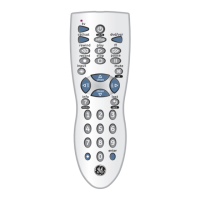
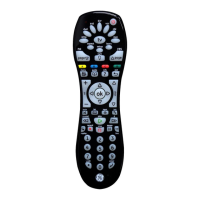
Universal Remote
Instruction Manual

Questions and Answers

  • A
    Ann HodgeJul 31, 2025
    What to do if GE 24959 does not operate my product?
    • A
      Alexandra JacksonJul 31, 2025
      First, select the mode for the specific product you're trying to control. If that doesn't work, try programming the GE Universal Remote with a new code. Also, make sure the batteries are fresh. Installing new batteries might require you to reprogram the remote. If none of these steps work, it's possible that the remote isn't compatible with your product.
  • D
    Douglas SharpAug 10, 2025
    Why GE 24959 does not operate some features of my product?
    • D
      David JohnsonAug 10, 2025
      If your GE Universal Remote isn't fully controlling your device, try programming it with a new code. If that doesn't solve the issue, the remote might not be capable of operating all the features of your product, or the button labels might differ.
  • A
    Amber HarrisAug 19, 2025
    What to do if indicator blinks after I program a product code on GE Universal Remote?
    • L
      Lisa MartinezAug 20, 2025
      If the indicator light on your GE Universal Remote blinks after programming a product code, it means the remote didn't accept the code. Try programming the same code again, or try a different code altogether.

Summary

Introduction

Button Functions

Initial Setup

Battery Installation

Instructions for installing 2 AAA Alkaline batteries into the remote control.

Battery Saver

Details the remote's auto-shutoff feature to conserve battery life.

Code Saver

Explains that codes are stored in permanent memory during battery changes.

Code Setup

Describes methods for setting up the remote using codes or code search.

Direct Code Entry

Code Search

Code Identification Feature

Setup

Programming Combo Device Codes

Instructions for setting up 2 different modes for combo devices like TV/DVD.

DVD;DVR Punch-Through Feature

Enables transport buttons to control DVD/DVR even when in other modes.

Volume;Mute Control Feature

Allows selection of which device mode controls Volume and Mute.

Tips on Learning

Code Learning

IR Transmitter Finder

Learning Commands

Clearing Commands

Clear Learned Commands Under a Mode

Steps to clear learned commands for a specific device mode.

Master Clear - All Modes

Steps to clear all learned commands across all modes.

Troubleshooting

Remote Does Not Operate Product

Troubleshooting steps when the remote fails to control the product.

Remote Does Not Operate Features

Troubleshooting when specific product features are not controlled.

Indicator Blinks After Code Entry

Explanation for indicator blinking after programming a product code.

Lost Your Codes?

Information on where to find stored codes and programming instructions.

90 Day Limited Warranty

GE 24959 Specifications

General IconGeneral
BrandGE
Model24959
CategoryUniversal Remote
LanguageEnglish

Related product manuals