TAPE PLAY
To listen to your recorded microcassette, rewind to the starting
point and depress STOP/EJECT button. Push the PLAY button
and adjust VOLUME to desired listening level.
NOTE:
Tapes must be played back at the same speed in which
they were recorded. „ ., - .
REWIND (REW)
Depress REW to run the tape back to the tseginning or to any
point of your recording. Press STOP/EJECT button after you
have rewound the desired amount.
FAST FORWARD (F FWD)
Depress F FWD to advance the tape. Press STOP/EJECT but-
ton after you have reached the desired location on the tape.
REVIEW/PREVIEW
This feature is helpful in finding the beginning or the end of the
recorded segment on the tape. While In PLAY mode, press and
hold F FWD or REW and listen for change from noise to silence
(end of recording) or from silence to noise (beginning of recor-
ding).
When desired portion has been reached release F FWD/REW.
Use the same procedure if you want to skip a portion or listen to
the same segment again.
FAST PLAYBACK
During PLAY mode, you can speed up playback of recorded
tapes by placing the AVR/FAST PLAYBACK switch in the "ON"
position.
Tape playback will be approximately 20% - 25% faster
than normal playback.
DIGITAL TAPE COUNTER
The DIGITAL COUNTER is used to quickly determine the ap-
proximate location of different recording selections.
1.
Rewind to the tieginning of the tape.
2.
Push the RESET COUNTER button to read "000". After
each selection is played or recorded, make a note of the
numbers in the readout window. This will serve as a
reference for the start of the next selection or recording.
3. To locate a selection previously noted, push either the
F FWD or the REW button until the COUNTER indicates the
selection number you desire.
NOTE:
The DIGITAL COUNTER will not Indicate actual
distance in units of measure; it determines only the
relative location of each selection.
REC/BATT LIGHT
The LED (Light Emitting Diode) is used as follows:
• Recording indicator: LED light will remain ON when in
CONTINUOUS RECORD operation.
During AVR Operation, LED will light only when something is
being recorded.
• Battery condition indicator: When in the record mode, the
brightness level of the LED indicates battery
condition.
When
LED light t>ecomes dim (or does not
light),
batteries are weak
and need replacing.
NOTE:
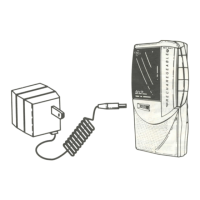
AC power converter must be disconnected from 3V
6 DC converter jack to check batteries.


 To Next Page