4
WALL MOUNT INSTALLATION
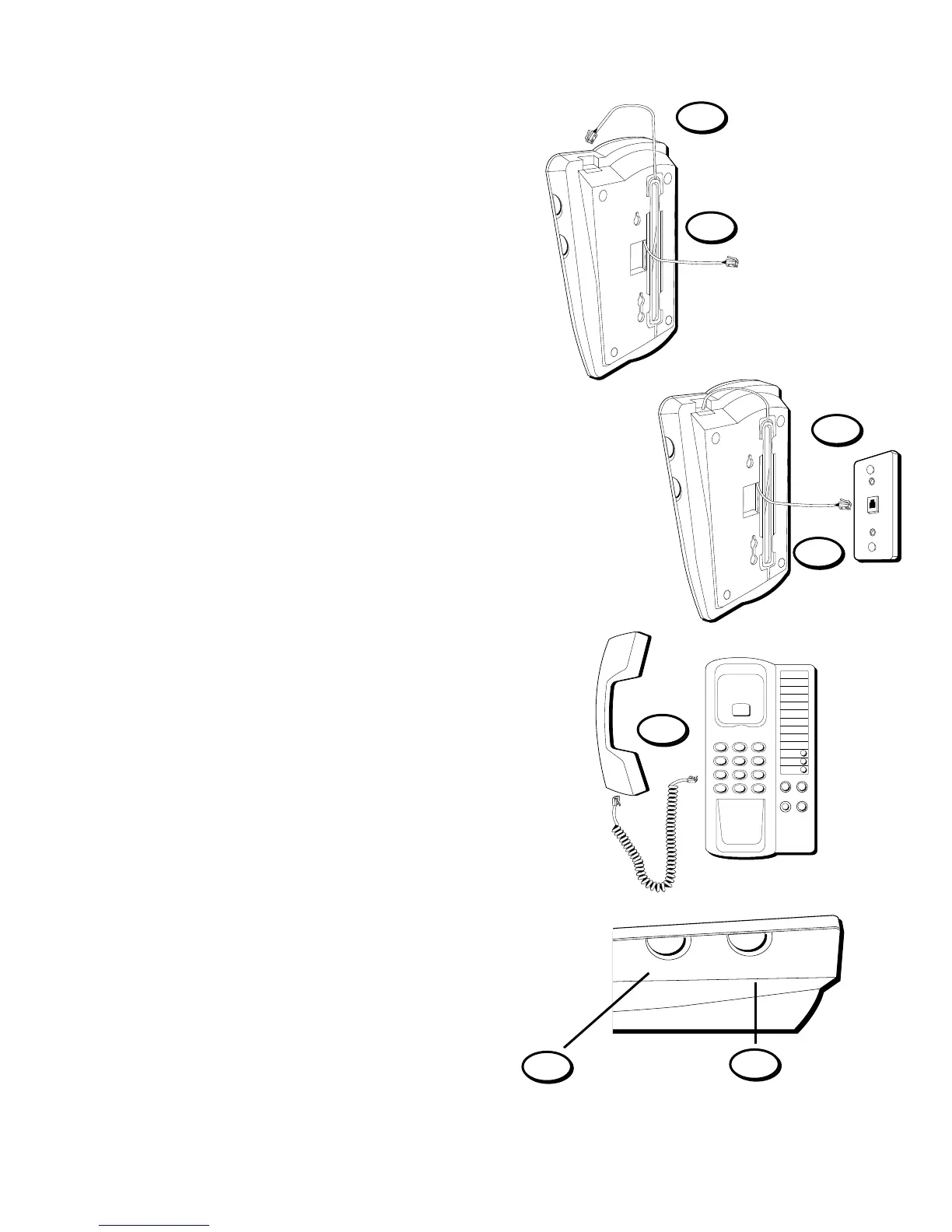
The Telephone can be mounted on a wall
phone plate (not included).
2. Wrap extra cord and retain in space
provided in the back of the phone.
1. Plug the phone cord into the phone
jack on the back of the unit.
7. Set the PULSE/TONE switch to
TONE if you use Touch-Tone service;
set it to PULSE if you have rotary
service.
6. Set the RINGER VOLUME switch to
the desired setting.
5. Plug the handset cord into the
handset and into the unit, and then
hang up the phone.
4. Slip the mounting holes over the
wall plate posts and slide the unit
down firmly into place.
3. Connect the phone cord to the
modular jack on the wall.
PULSE/TONE
Switch
7
6
Ringer Volume
Switch
PULSE • • TONE
OFF LO HI
RINGER
5
3
4
1
2
MODEL 2-9169A
343A6768-0001 (R
EV. 1 E/S)
S
HT. 6 OF 28



 To Next Page