EN
EN
14
Using the Countertop Light
Radio
13
1. Press the INSTANT WEATHER button to
access Weather Bands with strong signals to
the unit.
The Wx indicator and the channel number
lights on the display when weather band is
selected.
2. Use the or arrow buttons to select
among the 7 weather channels.
The Weather transmission, broadcast 24 hours a
day, are taped messages that are repeated every 4
to 6 minutes and revised and updated as needed
to match the changing weather conditions. For
additional information, check your location office
of the National Weather Service (Department of
Commerce).
CD player
Loading CD disc
1. Press the OPEN CLOSE button to open the
disc tray.
2. Insert CD disc with label side facing up.
3. Press OPEN CLOSE again to close the disc
tray.
Play and pause playback
Press PLAY PAUSE to start playback.
Press again to pause. The track number will flash
when in pause mode.
Press again to resume.
Skip and search tracks
Press to go to the previous track.
Press and hold to quick search backwards through
a track.
Press to go to the next track.
Press and hold to quick search forward through a
track.
End playback
Press STOP to end playback.
Repeat and random playback
Press CD MODE on the remote control repeatedly
to select among playback modes.
- Repeat track
- Repeat disc
- Random playback
- Repeating all tracks on the disc in
random order
Note:
If no disc is in the disc compartment
“nd” will show on the display.
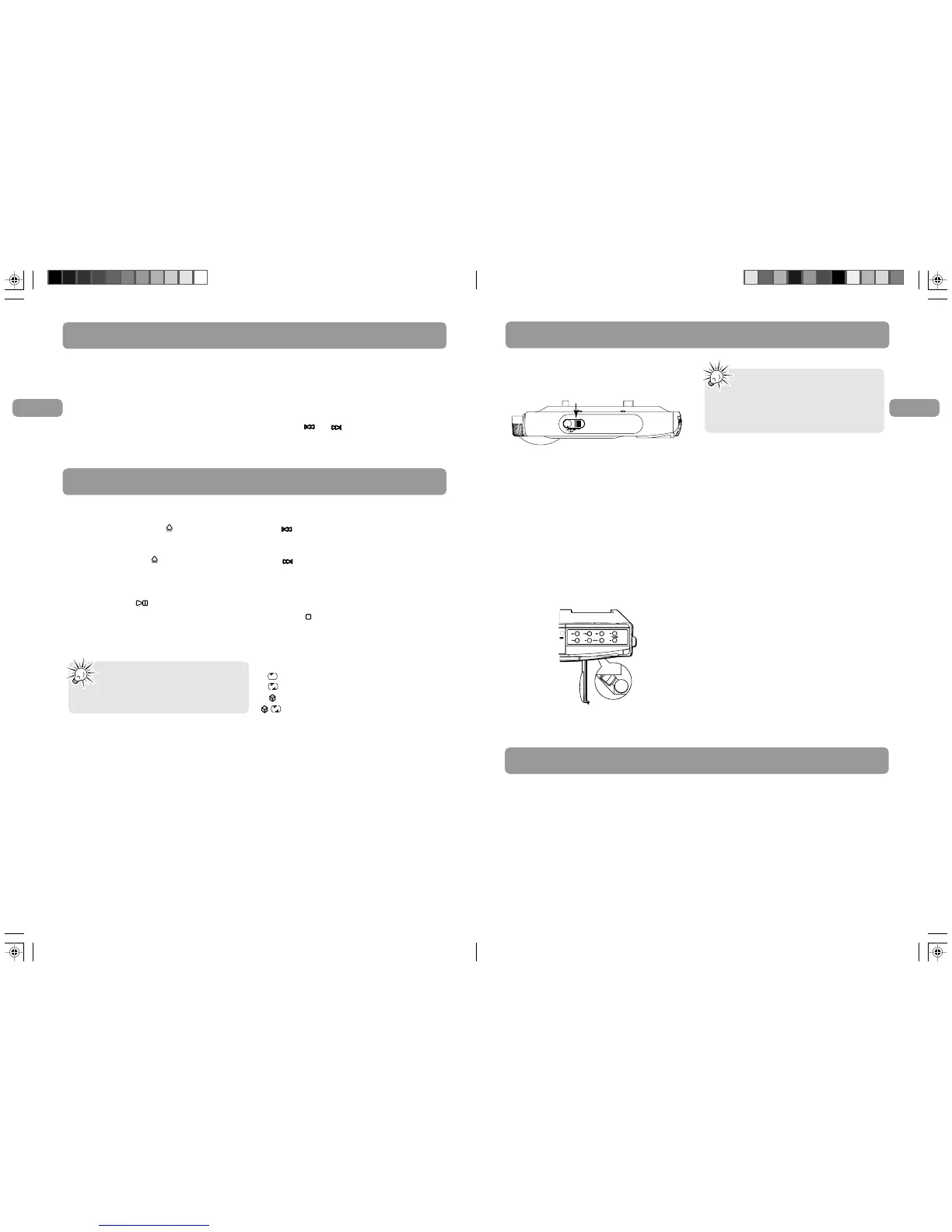
The countertop light switch is located on the side
of the unit, and has three settings: HI, LO, and OFF.
Replacing the Bulb
1. Unplug the unit cord from the AC power
outlet.
2. Unlatch the cover to open it.
3. Unscrew and remove the bulb.
4. Install the replacement bulb.
5. Swing the cover up and snap it in place.
6. Plug the cord into the AC outlet, and reset the
clock.
• For dimmer light, move the light switch to the
LO position.
• For more illumination, switch to HI.
• To turn the light off, place Light switch to OFF.


 To Next Page