5
Getting Started With VideoImpression
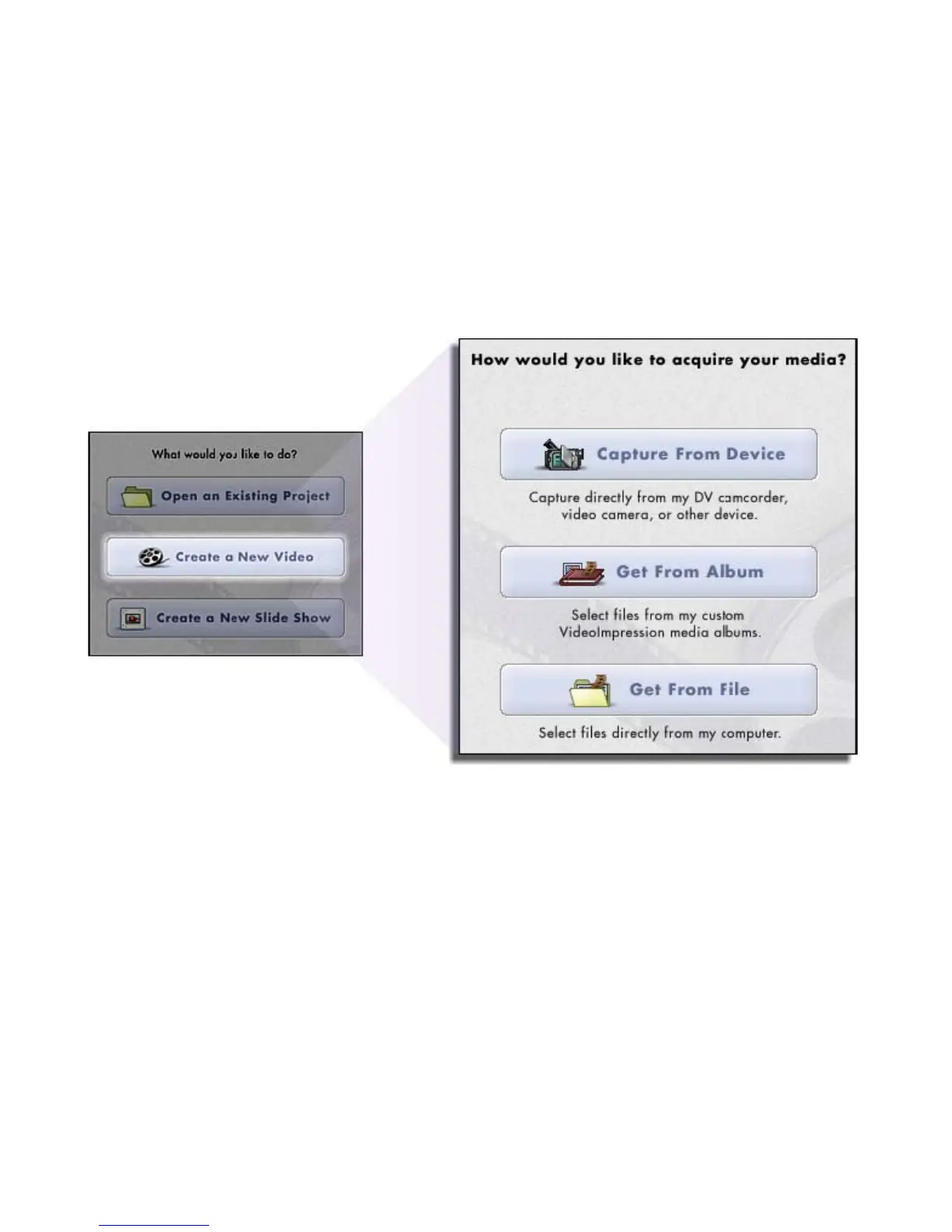
When you first run the program, a window will appear that lets you choose the type
of project you want to make (you can also open previously saved projects). Choose
“Create a New Video.” A new window will appear. It will contain multiple options for
gathering your video content.
For this walk-though, choose “Get From Album.” Even if you choose one of the other
options, you’ll end up at your albums soon or later. Albums contain shortcuts to files
stored on your system. You’ll grab most of your “media” for movie construction from
your albums.


 To Next Page