19
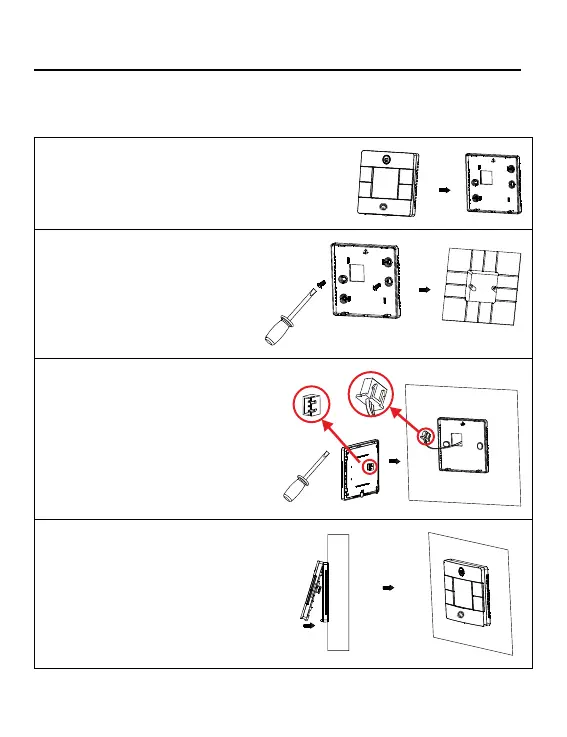
2. Secure the back panel to the
wall using screws.
3. Connect the control
wires.
4. Attach the control to the
back panel by aligning the
bottom tabs and then press-
ing the top edge.
Wired Controller Wiring Instruction
Installation Diagrams
1. To take the front panel and back
panel apart, slide the front panel
up and press down on the back
panel.



 To Next Page