EasyManua.ls Logo

GE AGW08 - User Manual

GE AGW08
36 pages
Print Icon
To Next Page IconTo Next Page
Loading...
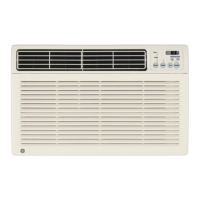
AGH08
AGW08
AGH10
AGW10
AGH12
AGW12
Safety Instructions . . . . . . . .2, 3
Operating Instructions
. . . . .4, 5
Care and Cleaning
Air Filter . . . . . . . . . . . . . . . . . .6
Grille and Case . . . . . . . . . . . . .6
Outdoor Coils . . . . . . . . . . . . . .6
Installation Instructions
Preparing to Install the
Air Conditioner . . . . . . . . . . . . .7
Window Installation . . . . . . .8–12
Troubleshooting Tips . . . . . .13
Normal Operating Sounds . . .14
Consumer Support
Consumer Support . . . . . . . . .18
Product Registration . . . . .15, 16
Warranty . . . . . . . . . . . . . . . . .17
3828A20514F 49-7493-1 03-05 JR
Owner’s Manual and
Installation Instructions
Write the model and serial numbers here:
Model # __________________________
Serial # __________________________
Find these numbers on a label on the
side of the air conditioner.
Air Conditioners
Room
www.GEAppliances.com
Question and Answer IconNeed help?

Do you have a question about the GE AGW08 and is the answer not in the manual?

Overview

This document describes a room air conditioner, providing comprehensive information on its function, technical specifications, usage, and maintenance.

Function Description:

The air conditioner is designed to cool and dehumidify a room, offering various modes of operation to suit different user preferences and environmental conditions. It features a remote control for convenient operation and a power outage recovery feature, allowing the unit to restart automatically with the last used settings after a power interruption. The TIMER function enables users to schedule the unit to turn on or off automatically within a 1 to 12-hour window.

Important Technical Specifications:

The air conditioner operates on either 115-volt or 230/208-volt electrical systems, depending on the model. It requires a dedicated, properly grounded 3-prong wall outlet. For 115-volt models, a 15-amp time-delay fuse or circuit breaker is necessary. For 230/208-volt models, a 2-prong, 2-pole, 250-volt, 15-amp or 20-amp time-delay fuse or circuit breaker is required. The unit's BTU rating can be either 8,000, 10,000, or 12,000 BTUs, which influences the minimum window width and height requirements for installation. The remote control has an operational range of up to 21 feet.

Usage Features:

The air conditioner offers multiple modes:

  • COOL Mode: Allows users to set a desired temperature using the Increase/Decrease pads. The fan speed can be set to LOW (F1), MED (F2), or HIGH (F3). The unit will cycle on and off to maintain the set temperature.
  • FAN Mode: Operates the fan without cooling, providing air circulation and filtering. Fan speeds can be set to LOW (F1), MED (F2), or HIGH (F3).
  • TIMER Function: Can be set to automatically turn the unit on or off within 1 to 12 hours.
  • Vent Control: Located above the control panel, this feature allows users to open or close the vent to control the amount of outside air entering the room. When open, some inside air is exhausted.
  • Air Direction: The side-to-side air direction can be adjusted by moving the lever to the left or right. The up and down air direction is adjusted by moving the horizontal louvers.
  • Remote Control: Provides convenient access to all functions, including ON/OFF, temperature adjustment, mode selection, fan speed, and timer settings.
  • Power Outage Recovery: Automatically restarts the unit with the last used settings after a power interruption, though the TIMER feature may need to be reset.

Maintenance Features:

Regular maintenance is crucial for optimal performance and longevity of the air conditioner.

  • Grille and Case Cleaning: The exterior of the unit should be cleaned by turning off the air conditioner and removing the plug from the wall outlet. Use clean water and a mild detergent; avoid bleach or abrasives.
  • Outdoor Coils Cleaning: The outdoor side of the air conditioner should be checked regularly. If clogged with dirt or soot, they may need professional cleaning.
  • Air Filter Cleaning: The air filter, located behind the front grille, should be checked and cleaned at least every 30 days or more often if necessary. To remove the filter, open the inlet grille downward by pulling out the top corners, then pull up slightly on the filter to release it and pull it out. Wash the filter with warm, soapy water, rinse, and let it dry before replacing. It is crucial not to operate the air conditioner without a filter, as dirt and lint can clog it and reduce performance.
  • Troubleshooting Guide: The manual includes a comprehensive troubleshooting section to help users diagnose and resolve common issues such as the air conditioner not starting, not cooling, freezing up, remote control not working, water drips, water collects in the base pan, and timer feature not working properly. This section provides possible causes and recommended solutions.
  • Normal Operating Sounds: Users are informed about normal operating sounds, such as a pinging noise from water hitting the condenser on rainy days or when humidity is high, and a thermostat click when the compressor cycles on and off. It also explains that water may collect in the base pan during high humidity or on rainy days and may overflow and drip from the outdoor side of the unit. The fan may run even when the compressor does not.

GE AGW08 Specifications

General IconGeneral
BrandGE
ModelAGW08
CategoryAir Conditioner
LanguageEnglish

Related product manuals