EasyManua.ls Logo

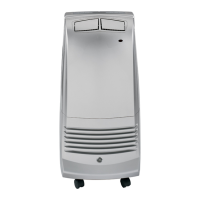
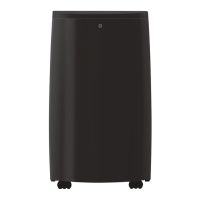
GE APCD10 Series - User Manual

GE APCD10 Series
32 pages
Print Icon
To Next Page IconTo Next Page
Loading...
Write the model and serial
numbers here:
Model # _________________
Serial # _________________
Find these numbers on a label on
the side of the air conditioner.
GE is a trademark of the General Electric Company. Manufactured under trademark license.
OWNER’S MANUAL
AND INSTALLATION
INSTRUCTIONS
AIR CONDITIONER
Portable Room
49-5000155 Rev. 1 11-18 GEA
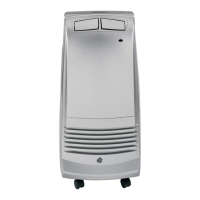
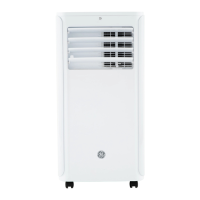
APCD10
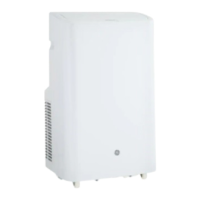
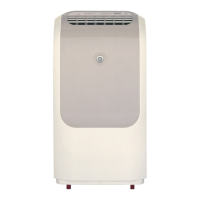
APHD10
IMPORTANT SAFETY INFORMATION .... 3
CONTROLS ...........................4
PARTS AND FEATURES ................ 6
INSTALLATION REQUIREMENTS ........ 7
INSTALLATION INSTRUCTIONS ........ 8
AIR CONDITIONER USE ............... 12
AIR CONDITIONER CARE ............. 12
TROUBLESHOOTING ................. 13
WIFI SETUP ......................... 13
LIMITED WARRANTY ................. 15
CONSUMER SUPPORT ................ 16
Before you begin
Record the GE module number and
password for wifi setup. To locate this
information, see pages 13 and 14.
GE Module Number #____________
Password #____________________

Questions and Answers

  • R
    Rachel MorrisAug 4, 2025
    What to do if my GE APCD10 Air Conditioner doesn't start?
    • S
      simsjefferyAug 4, 2025
      If your GE Air Conditioner isn't starting, here are a few things to check: * Ensure the power cord is properly plugged into a grounded, three-prong outlet. * If the power supply cord has tripped, press and release the RESET button. * Make sure you've pressed the Power button on either the Control Panel or the Remote Control. * Test the outlet by plugging in a working lamp to see if it has power. * Check for a blown fuse or tripped circuit breaker and replace or reset it. * Cancel any Time Delay settings programmed on the control panel. * Replace the batteries in the remote control. * Empty the internal water tank, as the unit automatically shuts off when it's full.
  • T
    thomasharrisAug 19, 2025
    Why is my GE Air Conditioner remote control not working?
    • W
      Wendy MillerAug 19, 2025
      If the remote control for your GE Air Conditioner isn't working, the batteries may be dead, so replace them. Also, ensure that the batteries are inserted in the correct position.

Summary

Important Safety Information

Safety Instructions and Warnings

Key safety precautions and warnings for operating the air conditioner.

Controls

Control Panel & Remote Operations

Features like Timer, Fan, Mode, Power, WiFi, Sleep, and Remote Control usage.

Air Conditioner Modes & Recovery

Explains Cool, Dehum, Fan modes and power outage recovery.

Parts and Features

Installation Instructions

Before You Begin

Important preliminary steps and notes for installers and users.

Electrical Requirements

Details on power supply, outlet type, and safety precautions.

Location Requirements

Guidelines for placing the air conditioner for optimal performance and safety.

Unpacking and Panel Installation

Steps for unpacking, installing the window panel, and extension panels.

Exhaust System Setup

Connecting the exhaust nozzle and hose to the unit and window.

Complete Installation

Completing the installation by connecting power and performing final checks.

Air Conditioner Use

Air Conditioner Care

Cleaning the Unit

Instructions for cleaning the air conditioner cabinet.

Air Filter Maintenance

Procedures for cleaning or replacing the air filter for efficiency.

Internal Water Tank Management

How to empty the water tank when the Water Full indicator lights up.

Storage Guidelines

Guidelines for storing the unit when not in use.

Troubleshooting Tips

WiFi Setup

How it Works

Overview of connecting the air conditioner via the GE Appliances App.

Getting Started with WiFi

Steps to download the app and begin the connection process.

Regulatory Information

FCC and IC compliance statements for the device.

Limited Warranty

Warranty Claim Process

Steps for making a warranty claim within 90 days and beyond.

What is Not Covered

Exclusions from warranty coverage, including installation and maintenance.

Consumer Support

GE Appliances Website & Registration

Information on accessing the website and registering the appliance.

Service & Extended Warranties

How to schedule service and purchase extended warranties.

Parts and Accessories

Information on ordering parts and accessories for the appliance.

Contact Us

Contact details for customer relations and feedback.

GE APCD10 Series Specifications

General IconGeneral
BrandGE
ModelAPCD10 Series
CategoryAir Conditioner
LanguageEnglish

Related product manuals