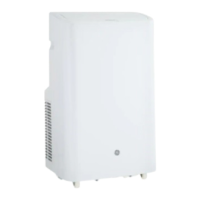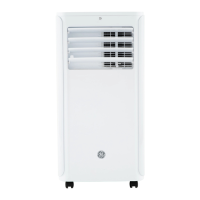
EasyManua.ls Logo

GE APCD06 Series - User Manual

GE APCD06 Series
32 pages
Print Icon
To Next Page IconTo Next Page
Loading...
Write the model and serial
numbers here:
Model # _________________
Serial # _________________
Find these numbers on a label on
the side of the air conditioner.
GE is a trademark of the General Electric Company. Manufactured under trademark license.
OWNER’S MANUAL
AND INSTALLATION
INSTRUCTIONS
AIR CONDITIONER
Portable Room
49-5000135 Rev. 0 10-18 GEA
APCD06
APCD08
IMPORTANT SAFETY INFORMATION .... 3
CONTROLS ...........................4
PARTS AND FEATURES ................ 6
INSTALLATION REQUIREMENTS ........ 7
INSTALLATION INSTRUCTIONS ........ 8
AIR CONDITIONER USE ............... 12
AIR CONDITIONER CARE ............. 12
TROUBLESHOOTING ................. 13
LIMITED WARRANTY ................. 15
CONSUMER SUPPORT ................ 16

Questions and Answers

  • R
    randallreneeJul 27, 2025
    What to do if my GE APCD06 does not start?
    • J
      jamescurtisJul 27, 2025
      If your GE Air Conditioner isn't starting, there are several potential causes: * Ensure the power cord is plugged into a grounded outlet. * If the power supply cord has tripped, press and release the RESET button. * Make sure you've pressed the Power button on the control panel or remote. * Check the outlet by plugging in a working lamp. * Inspect and replace any blown fuses or reset tripped circuit breakers. * Cancel any programmed Time Delay. * Replace dead batteries in the remote. * Empty the internal water tank if it's full.
  • M
    Matthew MontesAug 5, 2025
    Why is my GE Air Conditioner working but not cooling the room?
    • A
      Austin ClarkeAug 6, 2025
      If your GE Air Conditioner is running but the room isn't cooling, consider these possibilities: * Give the unit time to cool the room, especially if the room is hot initially. Ensure the BTU rating is adequate for the room size. * Set the Mode to Cool and the Fan Speed to High; avoid Fan or Dehum modes. * Remove any obstructions to airflow and redirect airflow for better cooling. * Lower the set temperature. * Close doors and windows to prevent cooled air from escaping.
  • T
    Tyrone JonesAug 17, 2025
    How to fix a GE APCD06 remote control that is not working?
    • K
      Kathryn GibbsAug 17, 2025
      If your GE Air Conditioner remote control isn't working, try these solutions: * Replace the batteries. * Ensure the batteries are installed in the correct position.

Summary

Important Safety Information for GE Air Conditioner

GE Air Conditioner Controls Overview

Timer Button Operation

Program the air conditioner to turn On or Off within a 1-24 hour delay. Allows setting On-time or Off-time.

Fan Speed Adjustment

Adjust fan speed between Low and High in Cool or Fan modes. Not available in Dehum mode.

Remote Control Signal Receiver

Window on the control panel to aim the remote control for receiving signals.

Control Panel Display Functions

Shows Set Temperature (F/C) or Time Delay hours. Indicator light shows selected setting.

Temperature & Time Delay Adjustment

Use Up/Down arrow buttons to set desired temperature or timer hours.

Mode Selection for Operation

Cycle through Cool, ECO, Dehum, and Fan modes. Each mode has specific functions.

Power On;Off Button

Turns the air conditioner ON or OFF. Does not disconnect from power supply.

Sleep Mode Functionality

Gradually increases temperature over 4 hours for comfortable sleep. Fan runs on Low.

Celsius;Fahrenheit Temperature Display

Toggle between displaying temperature in degrees Fahrenheit or Celsius.

GE Air Conditioner Parts and Features

GE Air Conditioner Installation Requirements

Step-by-Step GE Air Conditioner Installation

Unpacking and Initial Handling

Safely unpack the unit, save packaging, and handle with care. Ensure upright position.

Attaching Exhaust Nozzle

Securely connect the exhaust nozzle to the main window panel assembly.

Window Panel and Extension Setup

Install main and extension panels in window, securing with screws and foam strips.

Connecting the Exhaust Hose

Attach the flexible exhaust hose to the nozzle and the air conditioner's exhaust outlet.

Finalizing Exhaust System Connection

Ensure hose is properly connected and unit is positioned correctly after hose attachment.

Completing the Electrical Setup

Plug into a grounded 3-prong outlet and test the safety plug's reset button.

Operating Your GE Air Conditioner

GE Air Conditioner Maintenance and Care

Cleaning the Air Conditioner Unit

Clean the cabinet with a damp cloth. Avoid harsh chemicals or abrasive cleaners.

Maintaining Air Filters

Clean or vacuum air filters weekly for optimal efficiency. Do not operate without filters.

Emptying the Internal Water Tank

Drain condensed water from the internal tank when the 'Water Full' indicator is on.

Proper Storage Procedures

Drain water, repackage in original carton, and store in a cool, dry location for long periods.

Troubleshooting Common GE Air Conditioner Issues

GE Air Conditioner Limited Warranty Information

GE Air Conditioner Consumer Support Resources

GE APCD06 Series Specifications

General IconGeneral
BrandGE
ModelAPCD06 Series
CategoryAir Conditioner
LanguageEnglish

Related product manuals